Feb 23, 2026
Earliest day to file online (NETFILE opens).
Applies to: Most individual filers.
A clear, neutral guide to Canada's 2026 tax deadlines and the most common filing options so you can pick the right software with confidence.
Why trust this page
Filing your Canadian tax return does not have to be complicated. This page helps you organize the basics before filing with the CRA.
Each year, tax rules and services change. Keeping accurate income and deduction details helps reduce delays and supports faster refunds.
The tools here provide a rough estimate and a clear starting point before using certified tax software.
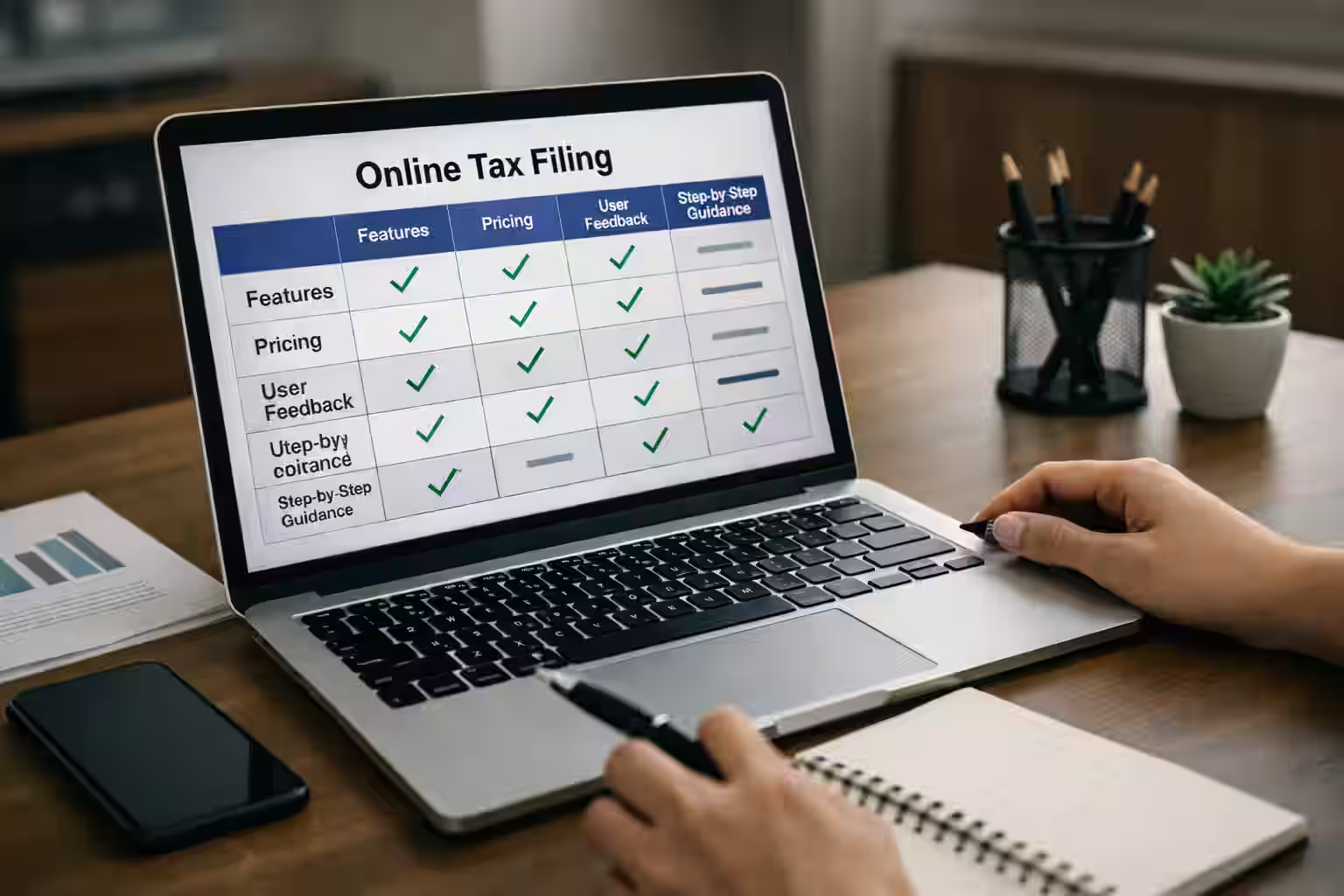
Affiliate disclosure: We may earn a commission if you use this link, at no extra cost to you.
Pick your situation below and we will show the best next steps, recommended software, and helpful links. Educational only - not tax advice.
Free option (official CRA)
If you have a simpler tax situation and qualify, CRA SimpleFile can let you file for free.
Use the free CRA option if you qualify, or pick software when you need more guidance, features, or complex forms.
TurboTax
Guided filing
Strong step-by-step experience and help prompts for many tax situations.
Wealthsimple Tax
Simple + popular
Good for many straightforward returns, with a clean interface.
H&R Block
DIY or assisted
Option to file yourself or get help depending on your needs.
UFile
Value pick
Often chosen by budget-focused filers who still want full software features.
CRA SimpleFile (Free)
Free (CRA)
Free CRA option for eligible people with a simple tax situation.
Free option (Official CRA)
SimpleFile is a free CRA service designed for eligible Canadians with a simpler tax situation. If you qualify, you can file your personal income tax and benefit return without buying software.
Cost
$0 (Free)
When it opens
March 9, 2026
Digital reopening (CRA)
Ways to file
Digital / Phone / Paper
Depends on eligibility
Good fit if:
Last updated: 2026-02-11
Official CRA links
Note: eligibility rules can change. Always confirm on CRA before filing.
Yes—CRA describes SimpleFile as a free filing service for eligible individuals with a simple tax situation.
CRA says SimpleFile services reopen March 9, 2026 (Digital and Phone options).
Often yes—software can be easier when you have self-employment income, expenses, and more forms. For very simple situations, CRA options may still apply depending on eligibility.
Reviews
If you want a deeper look, these pages break down features, pricing, and who each option is best for.
Prefer a quick walkthrough? This short video explains the basics of filing taxes in Canada and what to prepare before you submit your return. Watch it first, then use the checklist and calculator below for a rough estimate.

How to file taxes in Canada
Quick walkthrough of tax filing basics before using the checklist and calculator below.
External video link for article-first indexing.
Watch filing walkthroughDisclaimer: This video is for general information only and does not replace certified tax software or professional advice.
Video overview about filing taxes in Canada, CRA basics, common documents, deductions, and refunds.
Quick take
Best for beginners
TurboTax
Guided prompts and guardrails make it easier to avoid missed fields on a first return.
Best free/simple
Wealthsimple Tax
Clean interface with pay-what-you-want pricing for straightforward returns.
Best with human help
H&R Block
Add a tax pro review if you want a second set of eyes on your return.
Best for families
UFile
Solid for multi-return households and situations with dependents.
Key dates
These are the main dates to plan around. Confirm on CRA in case deadlines shift.
Feb 23, 2026
Earliest day to file online (NETFILE opens).
Applies to: Most individual filers.
Mar 2, 2026
RRSP contribution deadline for the 2025 tax year.
Applies to: Anyone claiming RRSP deductions.
Apr 30, 2026
Filing and payment deadline for most individuals.
Applies to: Most Canadians.
Jun 15, 2026
Filing deadline if self-employed (payment still due Apr 30).
Applies to: Self-employed and spouse/common-law partner.
Beginner: These are your pay and income slips from jobs, banks, or investments.
Advanced: Make sure every slip is included so CRA totals match and you avoid a reassessment.
Quebec note: You may also receive RL slips from Revenu Quebec.
Beginner: Receipts show how much you put into your RRSPs.
Advanced: RRSP deductions reduce taxable income, but only contributions for the tax year qualify.
Beginner: These forms show tuition paid and student loan interest you can claim.
Advanced: Tuition credits can reduce tax now or be carried forward to future years.
Quebec note: Provincial tuition handling differs, so keep Quebec forms too.
Beginner: Receipts are needed to claim childcare expenses.
Advanced: Keep provider name, address, and SIN or business number for CRA review.
Beginner: Official donation receipts can lower your tax bill.
Advanced: Only CRA-registered charities count, and you need official receipts.
Beginner: Medical receipts may help reduce tax if you qualify.
Advanced: Track the total for the year and include insurance statements for accuracy.
Beginner: Only claim if you are eligible and kept receipts.
Advanced: Keep employer forms and a detailed breakdown of eligible expenses.
Beginner: Direct deposit helps you get refunds faster.
Advanced: The notice of assessment lists carryforwards and any amounts owing.
Quebec note: Keep your provincial notice of assessment as well.
CRA help
During tax season, demand for assistance from the CRA rises. Online services are usually the fastest path.
Why online filing
In 2025, approximately 93% of income tax and benefit returns were filed electronically. Filing online is faster and reduces delays.
Paper filing still works
Paper filing remains an option. Procedures and timelines can change year to year, so review the latest requirements.
My Account benefits
Use My Account to update details, check refund status, and access notices without calling.
Best ways to get help
Helpful CRA links
Using these resources can save time and help ensure your return is filed accurately.
Tax calculator
Uses 2025 tax-year rates (filed in 2026). Treat results as a rough estimate only.
Dividend credits and the 50% capital gains inclusion rate are applied for this estimate.
These are applied as simple deductions in this estimate and may not reflect CRA eligibility rules.
Tax brackets
Uses the province selected in the calculator and 2025 tax-year rates.
| Federal tax bracket | Rate |
|---|---|
| $57,375 or less | 14.50% |
| $57,375 to $114,750 | 20.50% |
| $114,750 to $177,882 | 26.00% |
| $177,882 to $253,414 | 29.00% |
| Over $253,414 | 33.00% |
| Provincial tax bracket | Rate |
|---|---|
| $52,886 or less | 5.05% |
| $52,886 to $105,775 | 9.15% |
| $105,775 to $150,000 | 11.16% |
| $150,000 to $220,000 | 12.16% |
| Over $220,000 | 13.16% |
TurboTax steps
A simple walkthrough for beginners. Keep your slips nearby and you can finish in one sitting.
Create or sign in to your TurboTax account and select your tax year.
Use the same email you want to keep your tax records under.
Choose your province and filing type, then add spouse/dependents if applicable.
TurboTax asks a few simple questions to set up your return correctly.
Why this matters: This determines the credits and provincial forms you will see later.
Import slips (T4, T4A, T5) or connect your CRA account to autofill.
If you do not connect CRA, you can still type your slips in manually.
Confirm personal details, address, and direct deposit information.
Use the address on your CRA account and your current bank details.
Why this matters: Accurate details help avoid delays in refunds or benefit payments.
Enter deductions and credits (RRSPs, tuition, medical, work-from-home).
If you are unsure, add the receipts you have and review the prompts.
Review prompts, resolve warnings, and run the final review.
Most warnings are about missing fields, not mistakes.
Why this matters: The review catches missing fields that can slow processing.
Submit through NETFILE and save your confirmation number.
Your confirmation number is your proof that CRA received the return.
Pay any balance owing and download your PDF copy.
Save the PDF somewhere safe so you can reference it next year.
Prices shown are from TurboTax Online and can change by plan or tax year.
Free
$0
Covers simple tax situations only.
Deluxe
$21
Adds donations, medical expenses, employment expenses, and more.
Premier
$40
Adds capital gains, investment income, and foreign income support.
Self-Employed
$60
Adds self-employment and rental income workflows.
Features and benefits (selected)
Before you hit submit, take a minute to review these common issues. A quick double-check can help prevent delays, missed credits, or reassessments.
Missing income slips
Confirm you included all slips such as T4, T4A, T5, T3, and any other income sources—even small amounts.
Personal details not updated
Double-check your name, address, marital status, and dependants. Small changes can affect credits and benefits.
Common deductions or credits forgotten
Review RRSP contributions, tuition, student loan interest, medical expenses, donations, and childcare costs.
Direct deposit or payment details incorrect
Verify your banking info for direct deposit and confirm any balance owing payment method and deadlines.
Quebec residents: remember the provincial return
If you live in Quebec, you generally file both a federal return and a Quebec provincial return. Make sure both are completed.
Quick tip
If you are unsure about a slip or amount, check your CRA online account or confirm with the issuer (employer/bank) before submitting.
After you submit your return, your information is processed and you’ll receive an outcome such as a refund, a balance owing, or a notice confirming your results. Here’s what to expect next.
1) Processing and status updates
Online filing is typically processed faster than paper filing. If you have access, checking your tax account online is one of the easiest ways to see updates on your return status.
2) Refund (or balance owing)
If you paid more tax than you owe, you may receive a refund. Direct deposit can speed up how you receive it. If you owe tax, follow the payment instructions and keep proof of payment.
3) Notice of Assessment (NOA)
After processing, you’ll receive a Notice of Assessment that summarizes your return and confirms your final result. Keep it for your records—it may include carry-forward amounts and other important details.
4) Reviews or document requests
Sometimes returns are reviewed to confirm information. This doesn’t automatically mean something is wrong. If documents are requested, respond with the receipts or records that support your claim.
5) Save your records
Keep your slips, receipts, and supporting documents in case you need them later. Organizing everything now makes next year’s filing easier.
Quebec note
If you live in Quebec, you generally file both a federal return and a Quebec provincial return. You may also receive a provincial notice from Revenu Québec in addition to your federal Notice of Assessment.
Reminder: This page provides general information and simplified estimates. For official filing, use certified tax software or professional advice.
If something feels confusing, do not guess. The fastest way to confirm a tax rule is to check the official source (CRA for Canada, Revenu Quebec for Quebec) and read the exact section that applies to your situation.
Taxes are not rocket science. They are paperwork.
Filing on your own mainly takes patience: sit down, read, and type carefully. Modern tax software reduces the workload by guiding you step by step. What used to take days can often be completed in one sitting.
CRA ACCOUNT
Helpful for checking status and retrieving documents without waiting on the phone.
24/7 HELP
Great for quick direction on common topics, then confirm details on the official CRA page.
If you live in Quebec, you generally file both a federal return and a Quebec provincial return. Use Revenu Quebec online services when you need provincial guidance.
Search the official source first. Then read the exact section that matches your situation.
Use "site:" for official pages
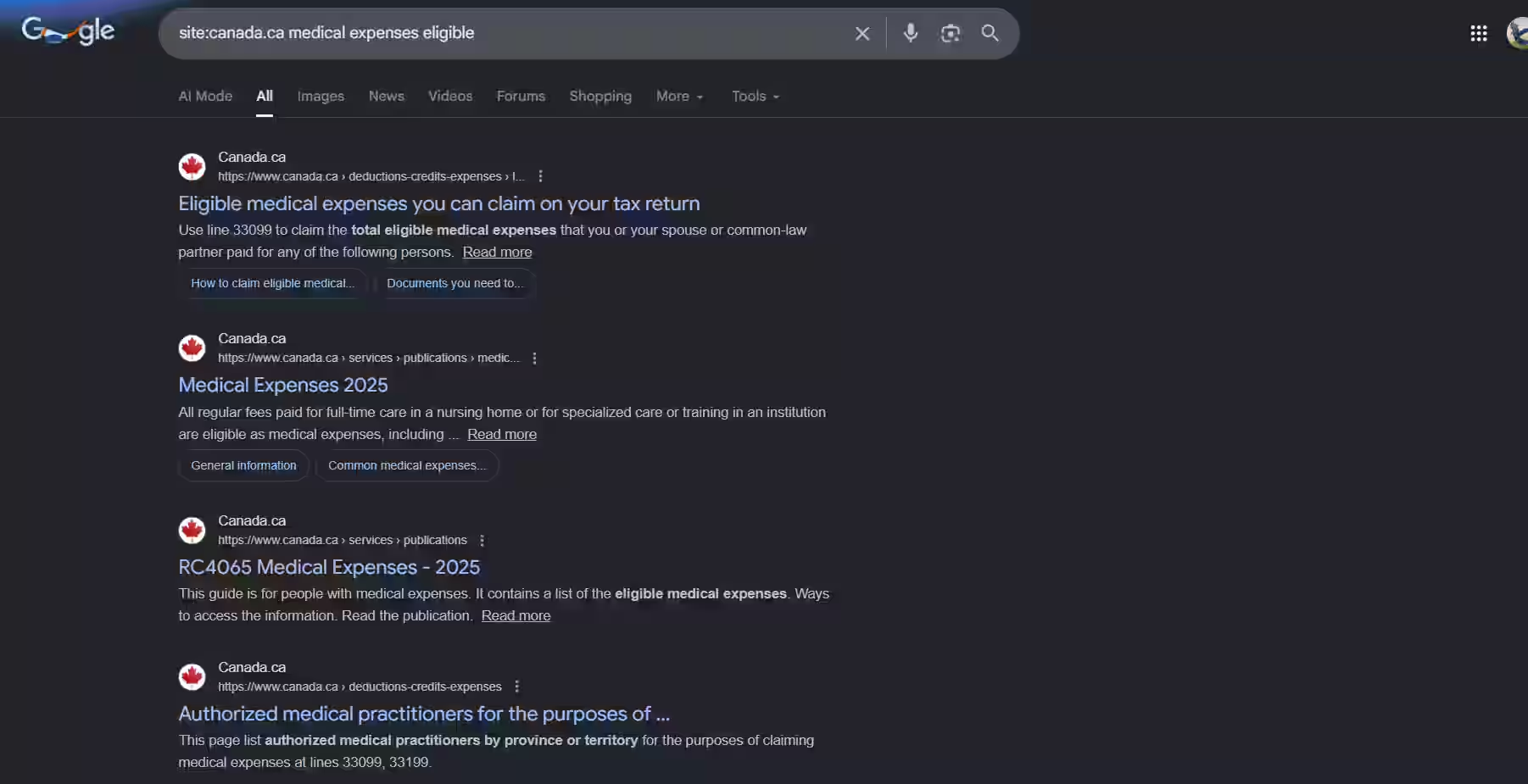
Example: site:canada.ca medical expenses eligible
Example: site:revenuquebec.ca work-from-home expenses
Use AI to summarize, then verify
Ask an AI to explain the rule in simple words, but always confirm with CRA or Revenu Quebec pages before entering numbers.
Reminder: This page provides simplified education and estimates only. Always verify rules with CRA, Revenu Quebec, or a qualified professional.
Use this workflow anytime you're unsure about a deduction, credit, or expense. You'll end up on the exact CRA or Revenu Quebec page that matches your situation.
Start with a targeted "site:" search
This filters results to official government pages and avoids blogs or random forums.
CRA (Canada)
site:canada.ca <topic> eligible
Revenu Quebec
site:revenuquebec.ca <topic> deduction credit

Open the result that looks like the main rule page
Pick pages that look like official guidance (not announcements). Helpful clues: "Lines", "claim", "eligible", "how to claim", or "documents you need".
If there are multiple results, open 2 to 3 in new tabs and keep the best one.
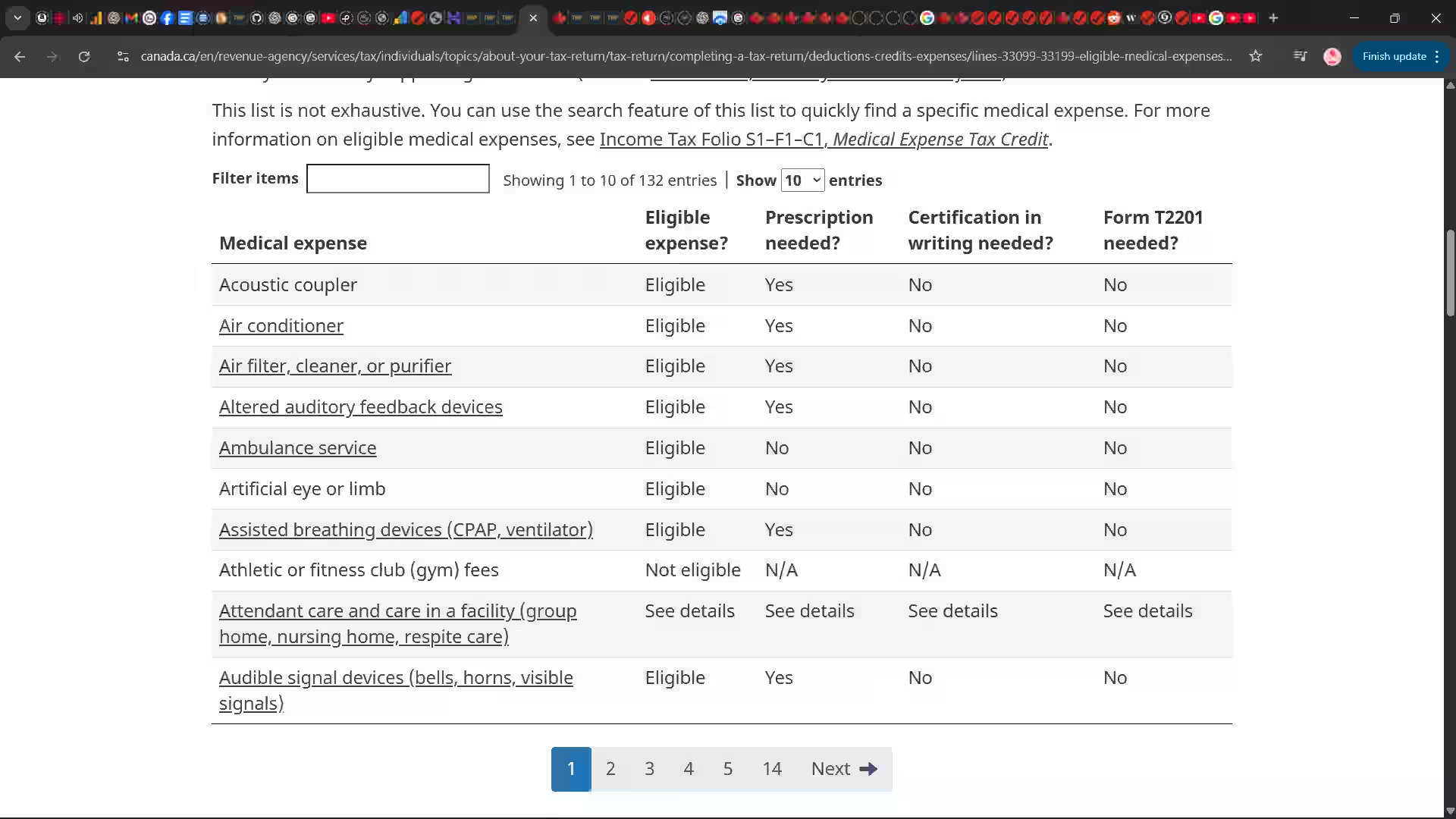
Use the page's "On this page" menu (TOC)
Many CRA pages include an "On this page" section with quick links. Click the exact subsection that matches your case.
What to look for
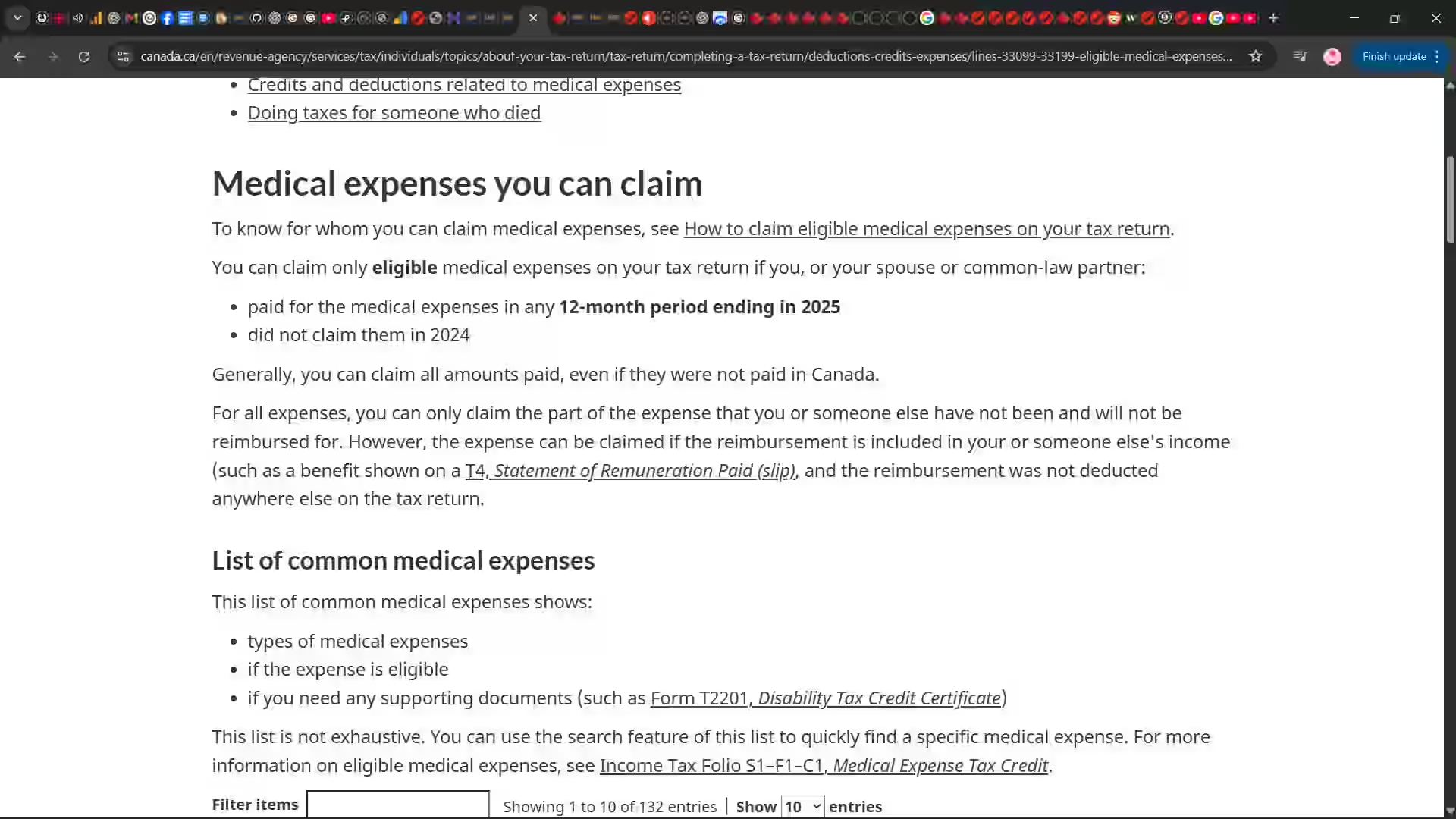
Use the page search or filter (if it has a table or list)
Some CRA pages include a searchable list (for example, medical expenses). Use the filter box to quickly locate the exact item you're asking about.
If the list says "See details", click it. That is usually where the real rule is explained.
Ask AI to summarize, then verify on the same page
Copy a short paragraph from the official page and ask AI to explain it simply. Then confirm you can still point to the same official section before entering anything into software.
Try this exact search, open the most relevant CRA page, then use "On this page" to jump to "Documents you need" or the list of common medical expenses.
Copy and paste search query
site:canada.ca medical expenses eligible
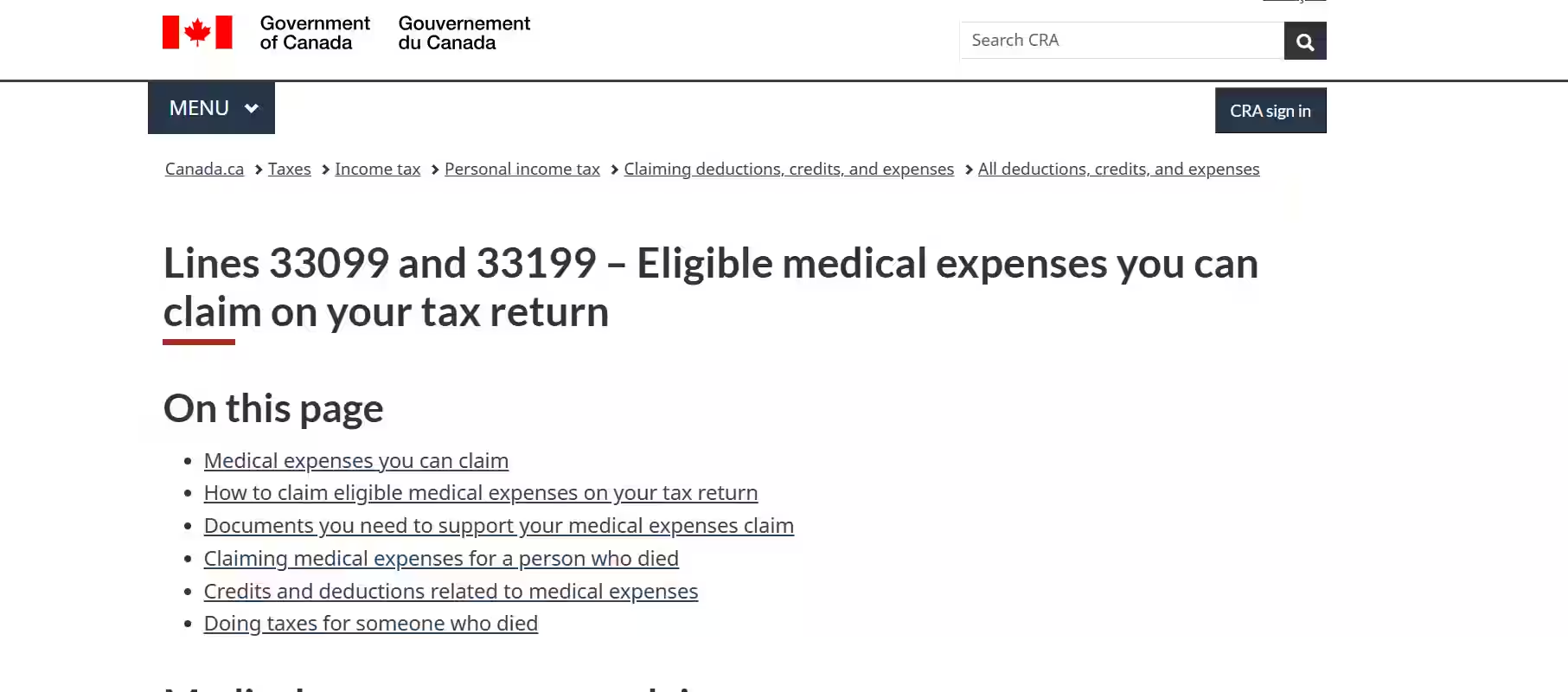
Bingo checklist (you found the right page)
What to do next
Medical expenses
site:canada.ca medical expenses eligible
Tuition (Canada)
site:canada.ca T2202 tuition claim
Moving expenses
site:canada.ca moving expenses eligible
Work-from-home (Quebec)
site:revenuquebec.ca telework expenses
Tip: When you find the right government page, bookmark it. Next year you'll file faster because you'll already know the correct section.
Alternatives
All options below are NETFILE-capable for most returns. Pick based on how much guidance you want.
Best for simple, low-cost filing
Best for human help
Best for multi-return households
Comparison
A simple side-by-side look at pricing, learning curve, and support.
| Software | Pricing | Learning curve | Support | Typical use case | NETFILE |
|---|---|---|---|---|---|
| TurboTax | Paid tiers | Low | Chat + optional expert review | Beginners who want step-by-step guidance | Yes |
| Wealthsimple Tax | Pay-what-you-want | Low | Community + help center | Simple returns and speed | Yes |
| H&R Block | Paid tiers | Low to medium | Human review option | Filers who want a second set of eyes | Yes |
| UFile | Paid tiers | Medium | Email + help center | Families and complex inputs | Yes |
Tip: If you want a guided interview, lean toward TurboTax or H&R Block. For a fast, minimal flow, Wealthsimple Tax is the simplest.
Which to choose
Pick the option that matches your comfort level and how much help you want.
If you want clear prompts, error checks, and an easy interview flow.
If you are filing for the first time, pick TurboTax.
Open TurboTaxIf you want a minimal workflow and are comfortable with the basics.
If your return is simple, pick Wealthsimple Tax.
Learn moreIf you prefer a tax pro review or extra support.
If you want human review, pick H&R Block.
Learn moreIf you file multiple family returns or have more inputs.
If you manage family returns, pick UFile.
Learn moreFAQ
Beginner-friendly answers based on common CRA filing questions.
Need official help? Jump to CRA + Revenu Quebec resources.Quick overview of important changes (then read the full guide for details).
Educational overview only. Always verify details with CRA / official sources.
A step-by-step checklist to organize your documents before you choose tax software and file. Educational only — not tax advice.
Identify whether you’re filing a personal return only, self-employed income, rental income, or investments. Gig work (Uber/taxi/delivery) is usually treated as self-employment income.
Create folders (digital or paper) for common categories:
If you claim vehicle expenses, keep a simple log: date, purpose, start/end km, and business vs personal split.
If you are registered, prepare totals for tax collected and ITCs. Quebec may involve QST and combined filing.
Practice simulator
Want a low-stakes walkthrough before you file for real? Use our simulator to practice inputs and see a simplified estimate. No TurboTax or CRA branding, and no official filing is performed.
Practice only • Not affiliated with TurboTax or CRA
Choose the filing option that fits your situation. These suggestions are for general guidance to help you file taxes in Canada. For official submission, use certified tax software or a qualified tax professional.
MOST POPULAR
Best for most people. Step-by-step guidance, common error checks, and faster processing than paper filing.
Tip: Keep your slips ready (T4/T5), RRSP receipts, and medical/tuition records.
NEED HELP?
Helpful if you have self-employment income, multiple slips, complex credits, or you want personalized support.
If you’re unsure about eligibility for deductions, professional help can reduce filing mistakes.
CHECK STATUS
View notices, track return/refund status, and confirm slips that may be on file.
Helpful if you’re missing slips or need your Notice of Assessment.
A simple comparison to help you choose a tax filing option in Canada. Exact features may change by version.
Alternative option
Professional help
Disclosure: Some links may be affiliate links. If you use them, we may earn a commission at no extra cost to you.
If you live in Quebec, you generally file both a federal return and a Quebec provincial return. You may also receive a provincial notice from Revenu Québec.
Looking for a quick estimate first? Use the calculator above to estimate taxes in Canada, then choose a filing method that fits your needs.
If you work from home, study, or manage personal finances online, the right setup can improve comfort, productivity, and focus. Below are practical guides to help you choose reliable equipment, no hype, just real-world recommendations.
Best for work-from-home users who want reliability, upgrade options, and long-term value.
Explore desktop picks ->
Reduce eye strain and multitask better with the right screen size and resolution.
View monitor guides ->
A curated guide to laptops, accessories, and study-friendly gear for students.
Explore student tech ->
Portable systems for students, freelancers, and everyday home users.
Browse laptop guides ->
Note: Equipment recommendations are independent and informational. Always choose based on your personal needs, workspace, and budget.
Disclosure
Transparency matters. Here is how we approach links and sources.
Some links on this page are affiliate links. If you click and purchase, we may earn a commission at no extra cost to you. Our recommendations are editorially independent and focused on clarity and fit.
This guide is for educational purposes and does not replace official CRA tools or professional advice.
Always confirm deadlines and eligibility directly with the CRA for the most up-to-date information.
Structured answers: summary, actions, tools, citations.
Suggested prompts
Learner mode follow-ups
Structured answers: summary, actions, tools, citations.
Suggested prompts
Learner mode follow-ups