Current pick
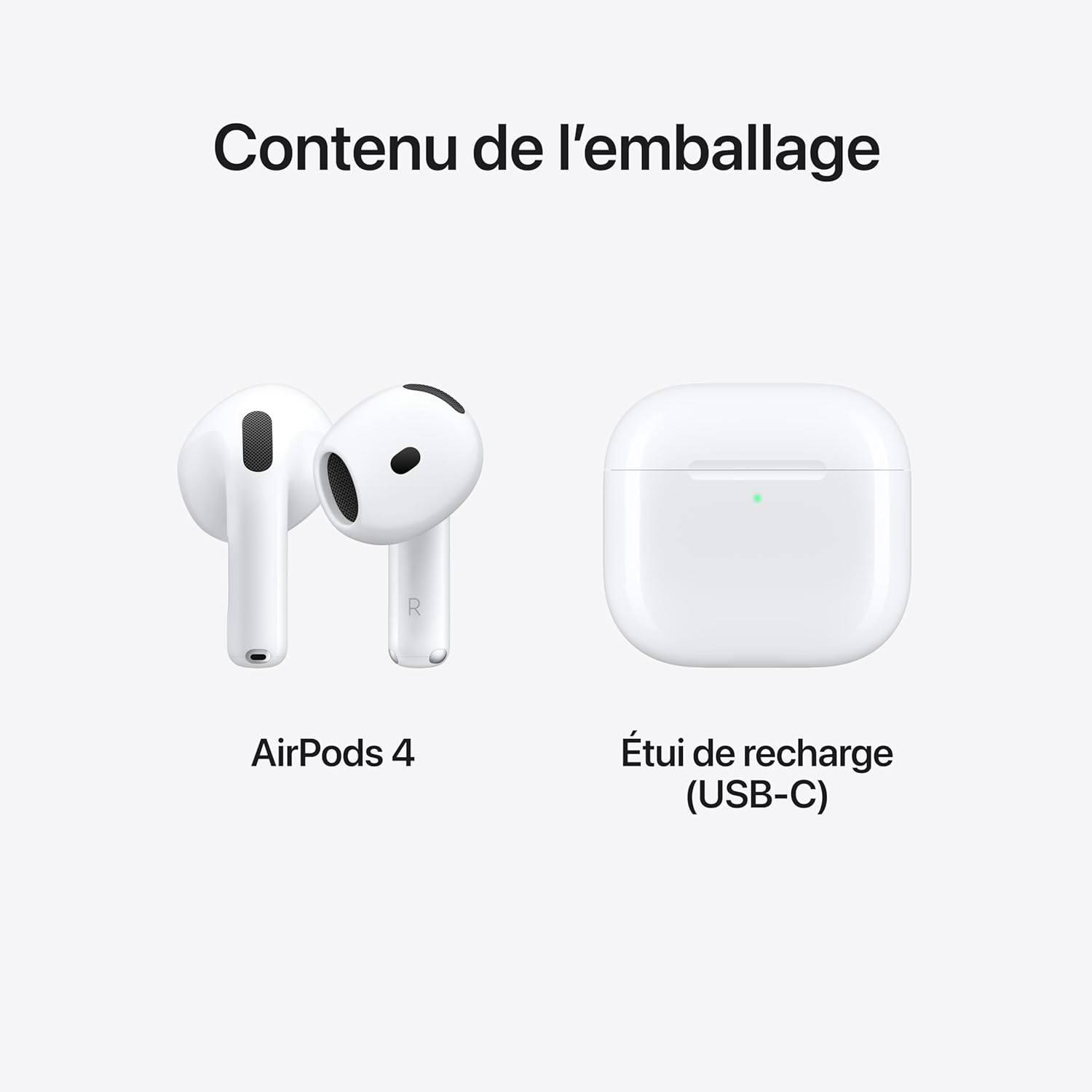
AudioApple AirPods 4 Wireless Earbuds, Bluetooth Headphones, Personalized Spatial Audio, Sweat- and Water-Resistant, USB-C
Price tracked against active retailer listings.
Open current pickTechNextPicks helps Canadian buyers compare laptops, monitors, accessories, software, and smart tools with clear reviews, deal signals, and practical buying guides.
Deal signal
CA$139
Retail context checked before you chase a sale badge.
Review verdict
Apple AirPods 4 Review: Clear Sound, Smart Features, and USB-C Charging
Verdict-first notes so you see fit, tradeoffs, and alternatives quickly.
Budget tool
Expense Tracker
Use a planning tool when the real bottleneck is budget, not specs.
Current pick
AudioPrice tracked against active retailer listings.
Open current pickDeal signal
CA$139
Retail context checked before you trust a sale badge.
Best for
Commutes, calls, and everyday listening
A faster fit check before you spend time comparing the wrong products.
Review spotlight
Apple AirPods 4 Review: Clear Sound, Smart Features, and USB-C ChargingApple AirPods 4 review with real customer feedback, pros/cons, and pricing info.
Buying guide
Best Budget Laptops CanadaOpen the flagship buying guide when you need school, work, creator, or gaming picks organized by price tier.
From search to smart decision
The homepage is built to help you move from broad curiosity into a shortlist, then into the actual guide, deal page, or tool that closes the decision.
Find products, deals, and guides without digging through thin category pages.
See pros, cons, specs, price context, and alternatives in the same workflow.
Choose confidently with practical recommendations, not generic hype.
Interactive mini wizard
1) What are you here for?
Your recommendation
Start with a strong evergreen tech guide
This keeps you on an index-worthy public guide while you narrow the exact product path.
Open recommended pageTwo backups
Quick tool shortcuts
Current picks with decision context
A tighter shortlist of products and curated fallbacks so the homepage stays useful even when live product coverage is uneven.
Why it’s picked
Price tracked against active retailer listings.
Best budget laptop pick
Strong guide-led starting point
Why it’s picked
Start with the strongest budget-by-price laptop guide if you want a faster shortlist with clear school, work, and gaming fit.
Best monitor pick
Strong guide-led starting point
Why it’s picked
Open the monitor guide for work, gaming, and creator display picks with practical buying context instead of random spec lists.
Best accessory shortlist
Strong guide-led starting point
Why it’s picked
Use the accessories page when you want chargers, stands, storage, and peripherals organized by practical buying need.
Explore by decision need
Start with the category that matches the question you are trying to answer, then branch into the strongest guide, review, or tool.
Budget tiers, deal signals, and real use-case fit for students, work, creator, and gaming buyers.
Open laptop guideWork, gaming, and creator monitor choices with clearer desk-setup context.
Open monitor guideChargers, stands, input devices, audio, and storage organized by buying need.
Explore accessoriesCompare software options when filing speed and Canada-specific workflow matter.
Compare softwarePrivacy basics, myths, and travel or streaming context without marketing fluff.
Open VPN hubMove from tech buying into practical money planning when the budget is the real constraint.
Open tools hubBest by budget
Compare laptop price ranges in Canada and see which tier fits your school, work, gaming, or creator needs.
Laptop buying guide
Best for: Web, classes, docs, and daily basics.
Avoid if: Avoid if your workflow includes heavy editing, rendering, or AAA gaming.
Explore laptop tierBest for: School + work multitasking with better displays.
Avoid if: Avoid if you need sustained high-performance creator workloads.
Explore laptop tierBest for: Balanced performance for creators and remote work.
Avoid if: Avoid if your use is only basic browsing and docs.
Explore laptop tierBest for: Faster CPUs, better thermals, and longer daily workloads.
Avoid if: Avoid if battery-first mobility matters more than raw performance.
Explore laptop tierBest for: Gaming and creator-ready performance tiers.
Avoid if: Avoid if your workload does not need premium thermal headroom.
Explore laptop tierBest for: Premium performance, build quality, and display upgrades.
Avoid if: Avoid if budget efficiency is the top priority.
Explore laptop tierCredit Card Center
Follow this sequence to move from concepts to weekly execution.
Understand card mechanics, risks, rewards, and discipline rules.
Follow the age-based framework and avoid early compounding mistakes.
Use Student Credit and Reward vs Interest tools to test scenarios.
Operationalize signals weekly in Financial Command Center.
No. It is educational information only and should not replace professional financial, tax, or legal advice.
Most beginners can start with the Student Credit Simulator, then move to the Financial Command Center for a weekly plan.
No. Outputs are educational estimates and outcomes depend on behavior consistency, timing, and broader profile context.
Yes, core flows work in guest mode. Sign-in unlocks richer tracking and continuity across sessions.
Use simulator-first, then command-center review.
Educational information only. Not financial, credit, tax, or legal advice.
Featured guides + tools
Grouped by outcome, not by isolated pages.
Control-layer pages for long-horizon planning and weekly execution.
Who it's for: Users who want a structured weekly financial command workflow.
What you can do in 2 minutes: See your top risk + action priorities and open the current month plan.
Who it's for: Households planning by life stage instead of isolated decisions.
What you can do in 2 minutes: Jump to your current stage and pick one tactical next action.
Who it's for: Users aligning CPP/OAS timing with account drawdown sequencing.
What you can do in 2 minutes: Check retirement assumptions and map one risk control step.
Who it's for: Users building scenario-based contribution and account order plans.
What you can do in 2 minutes: Open guided strategy flow and save scenario A/B.
Fast practical utilities for filing prep, invoicing, and operating rhythm.
Who it's for: T4, self-employed, and Quebec users who need a clean filing map.
What you can do in 2 minutes: Open your tax path and launch one relevant calculator.
Who it's for: Freelancers and owners sending invoices quickly with clear totals.
What you can do in 2 minutes: Generate a clean invoice draft and copy into your workflow.
Who it's for: Service businesses standardizing pre-work approvals.
What you can do in 2 minutes: Draft a quote format and reduce scope/payment ambiguity.
Who it's for: Anyone needing cleaner monthly records for taxes and cashflow.
What you can do in 2 minutes: Log core categories and export a quick summary.
Evergreen guides
These editorial pages cover repeat search questions and connect directly into the broader TechNextPicks workflow.
Small business
Free generator plus practical line-item, payment-term, and recordkeeping guidance for Canadian freelancers and owner-operators.
Open guideTech guide
Compare budget tiers by workload, battery, upgrade value, and real-world fit before opening retailer tabs.
Open guideCredit ladder
Use stage-based score context instead of chasing one ideal number that ignores file age, debt mix, and life stage.
Open guideDebt risk
See how minimum payments stretch payoff timelines and how to turn a warning sign into a real recovery plan.
Open guideAuthority guide
Understand statement cycles, utilization, rewards, annual fees, and safer card behavior inside a Canada-first system.
Open guideLatest reviews
Concise verdicts with practical buyer context.
Apple AirPods 4 review with real customer feedback, pros/cons, and pricing info.
Read review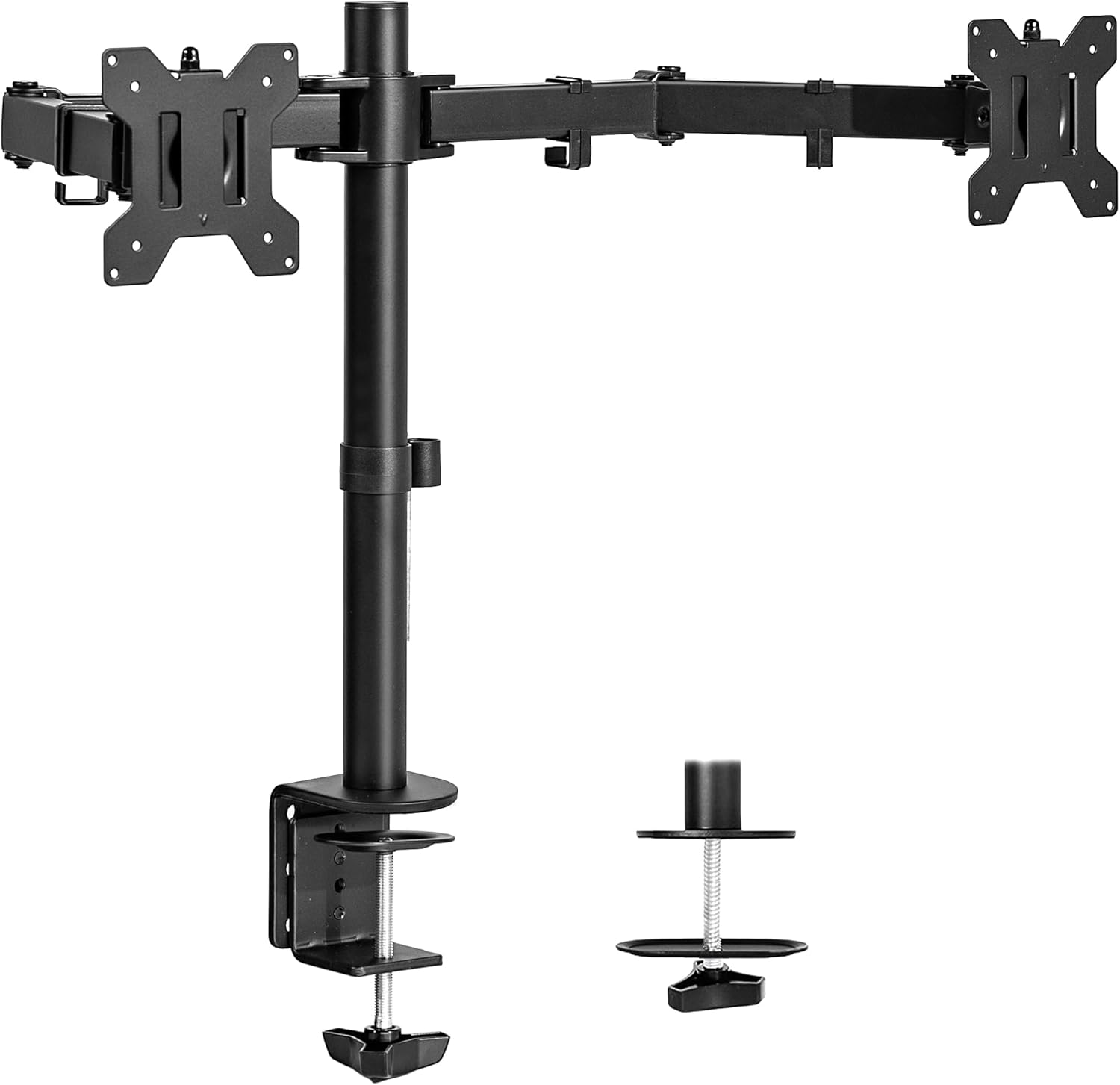
VIVO dual monitor desk mount review with real user feedback, pros/cons, and price comparisons.
Read review
Samsung 32-inch FHD FreeSync monitor review with real user feedback, pros/cons, and price comparisons.
Read review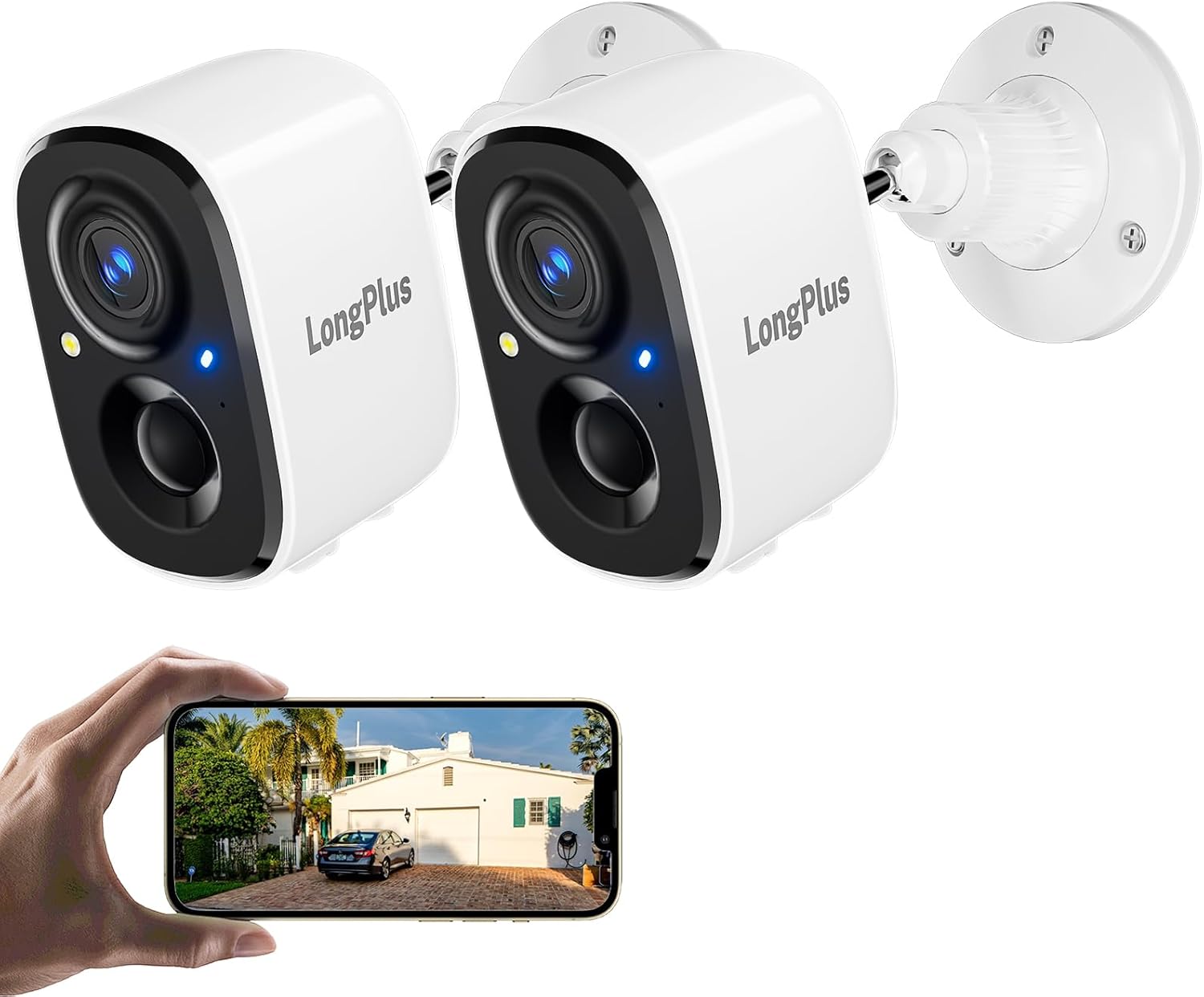
Wireless outdoor 2K security camera review with real user feedback and price links across top stores.
Read review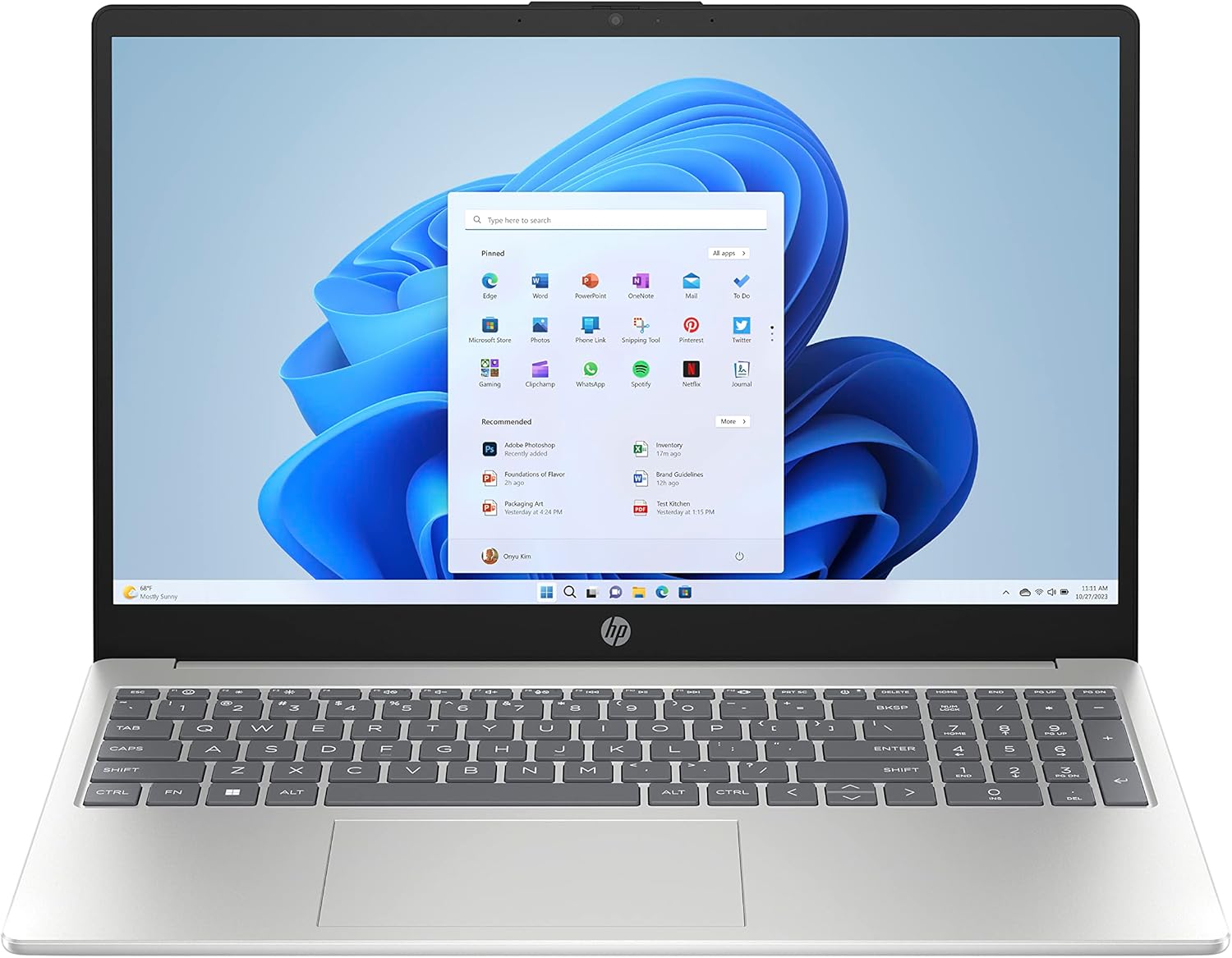
HP 15.6" Laptop PC review with pros, cons, and price comparisons across top Canadian stores.
Read reviewPublic ecosystem
TechNextPicks also builds practical apps and platforms. The homepage stays overview-first, so readers can understand what each product does before leaving the main site for a live app.
Public platform
A public workflow platform built for teams that need cleaner intake, execution, and visibility.
Public app
A reservation-focused app for restaurants that want a cleaner booking flow and more organized service planning.
We keep reviews practical, check deal pages frequently, and separate educational tools from promotional content. Educational estimates only. Not financial, credit, tax, or legal advice.
Last updated policy check: June 5, 2026
Structured answers: summary, actions, tools, citations.
Suggested prompts
Learner mode follow-ups