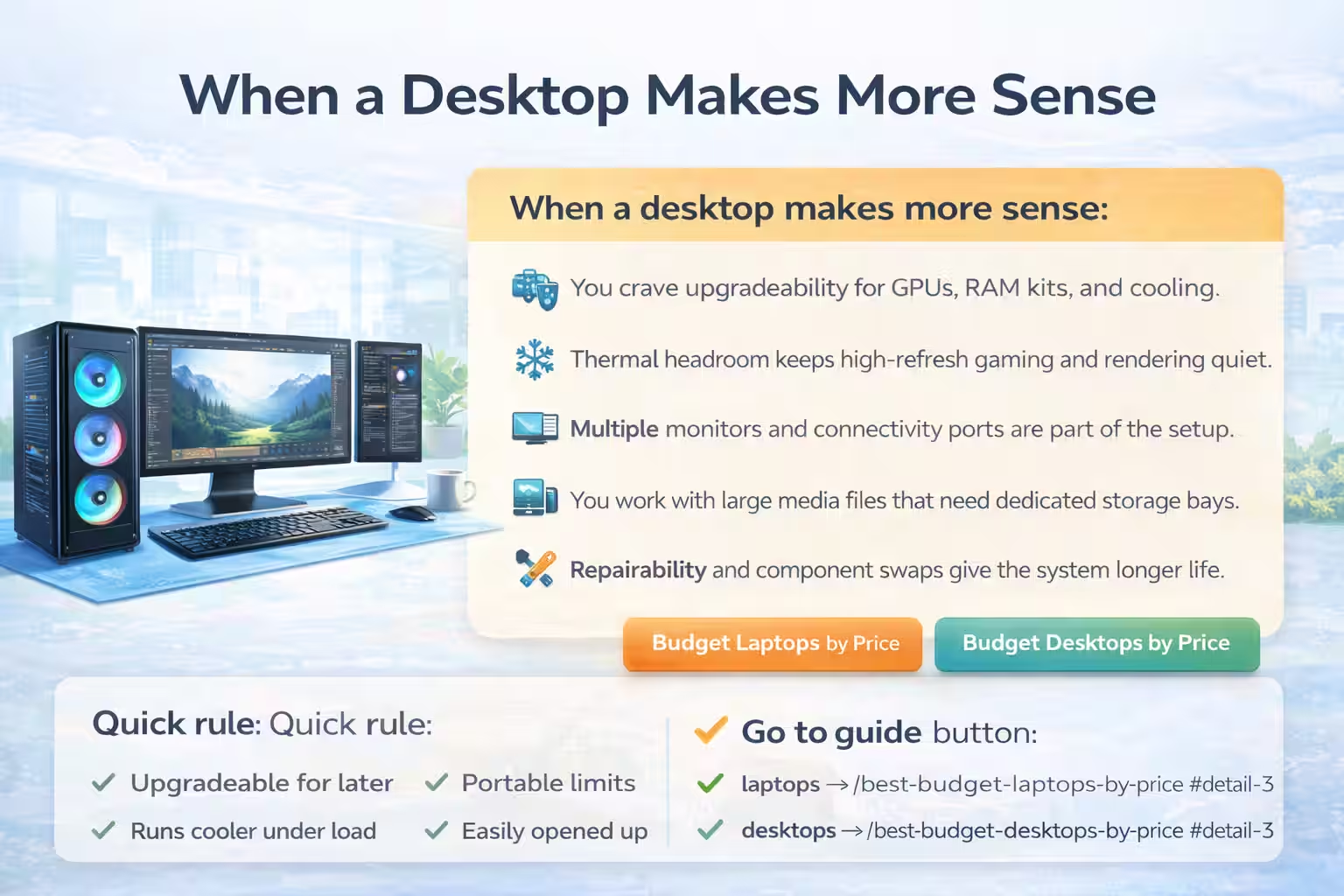
1) Start with your desktop budget reality
Fix a realistic ceiling and align every component choice with it. Entry-tier desktops under $900 may save money up front, but they often limit RAM upgrades, drop onboard Wi-Fi, and use tiny power supplies that make future GPU installations risky. Mid-range towers in the $1,200–$1,700 bracket give you generous expansion space, quieter fans, and higher-tier CPUs without forcing you to compromise on cooling. When we say “budget,” we mean “well spent,” not “bare minimum.” List the peripherals you plan to keep (USB-C hub, monitors, keyboard) and the number of displays to run simultaneously. Make sure this desktop can support those out of the box; for example, the Dell Tower Desktop ships with multiple DisplayPort 1.4 outputs plus HDMI 2.1, so you can drive two 4K monitors and a streaming screen without adding a hub. Budgeting also includes services, so factor in support plans or extended warranties if you run a home office or create content for clients.
Use the Budget Computers hub to compare price tiers and live filters while you keep your budget plan grounded.
2) CPU tiers and responsibilities
Processor choice defines each tier’s character. Low-end rigs lean on quad-core chips tuned for office work and web browsing, while the mid-range zone introduces 8, 12, or even 20 core options. Intel® Core™ Ultra 7-265 in the Tower Desktop packs 20 cores with AI acceleration, letting you edit video timelines, export designs, and keep browser tabs alive without overheating. When evaluating CPUs, consider both base and turbo clocks, cache (higher cache means better data reuse), and whether the chip features integrated AI features that accelerate Copilot tasks. Balance single-threaded speed for spreadsheets with multi-threaded throughput for render queues. Avoid chasing core counts if the motherboard or cooling won’t support them—this guide highlights the technical tradeoffs so you don’t end up with hidden bottlenecks.
Read the Dell Tower Desktop review for deeper Intel Core Ultra 7 performance numbers and cooling notes.
3) RAM, storage, and responsiveness
System snappiness relies on memory and storage. Start with 16GB DDR5 as your baseline, then move up to 32GB for multitasking heavy creative apps. Dual-channel kits deliver twice the bandwidth of single sticks, so populate matching DIMM slots and leave headroom for future upgrades. NVMe SSDs are non-negotiable—1TB M.2 drives boot Windows in seconds, and the Dell Tower Desktop ships with PCIe Gen4 speed that keeps large project files within reach. Don’t forget to reserve a second M.2 slot or SATA bay for backups, scratch disks, or rapid file transfers. This ensures your system stays responsive even as catalogs grow; copy the scratch disk to a dedicated drive rather than ballooning a single SSD.
Pair RAM and storage guidance with the Best Budget Laptops by Price guide’s mirrored tier breakdown.
4) Cases, cooling, and airflow
Think about how air flows inside the chassis. Cheap racks can trap heat with minimal intake and a single fan, so choose a case with mesh fronts, removable filters, and tool-free access panels. The Dell Tower Desktop keeps the air moving vertically across the CPU and GPU so quiet fans can still deliver cooling for long renders. Look for chambers that isolate the PSU, plenty of cable tie-down points, and room to add extra fans if you upgrade to a GPU later. A tidy interior also makes it easier to dust or swap components without unraveling cables. Good cases also include vibration damping or sound-deadening material near the top so that the system never sounds like a jet engine during heavy use.
See how case airflow and tool-free access ship in the same Dell Tower Desktop review.
5) Power supplies and future headroom
Think of the PSU as the foundation for future upgrades. A 180W supply covers the Dell Tower Desktop’s base configuration and its integrated GPU, but the option to swap in a 360W Platinum unit is critical if you later add a discrete GPU, multiple hard drives, or expansion cards. Check that the PSU is efficient (80 Plus Bronze or better) to keep bills low and stress on capacitors down. Always leave roughly 15–20% of wattage headroom beyond your planned load; that buffer keeps the rails stable when the CPU and GPU hit turbo boosts simultaneously. Look for a semi-modular or fully modular unit so the cabling stays tidy—a clutter-free interior improves airflow and simplifies future component swaps.
Keep power and cable discipline tidy by referencing the Best Ethernet Cables breakdown.
6) Monitors, desks, and peripherals
The display setup anchors your desk. Think through how many monitors you need today and in two years; the Dell Tower Desktop provides two DisplayPort 1.4 connectors plus an HDMI 2.1 port, so you can run dual 4K panels and mirror a third. Pair the tower with ergonomics—monitor arms keep the screens at eye level, while cable management trays route power, USB-C, and display cables invisibly. Also consider USB-C hubs or Thunderbolt docks if you centrally plug in laptops, tablets, or capture cards. Don’t forget to match the desk’s depth with case height, so airflow isn’t blocked and the tower still clears the desktop drawers or shelves.
Match your monitors and desk kit with the Best Monitors 2026 guide.
7) Motherboards and expansion
Motherboards dictate expandability. The board inside the Dell Tower Desktop offers three PCIe slots (x16 plus x1 lanes), two M.2 sockets (one for storage, one for Wi-Fi/Bluetooth), and generous USB headers for front-panel ports. Confirm the SATA ports are free if you plan to add mechanical drives, and note whether the board supports BIOS-level fan tuning so you can quiet the system when needed. Hardware TPM adds security for Windows 11 Pro and business use, while front-panel serial and media card slots keep legacy peripherals accessible. A clean board layout also makes installing capture cards or dedicated audio interfaces less painful—look for a board with spaced x16 slots and a reinforced backplate if you plan to install heavier GPUs down the line.
Plan expansion ports with the USB-C dock vs hub comparison.
8) GPU planning for desktops
Integrated Intel UHD Graphics handles productivity, but creative work or esports may require a discrete GPU. Before adding a card, confirm the case has at least 38mm of clearance, the motherboard offers a full-length PCIe x16 slot with enough lanes, and the 360W PSU upgrade can deliver the extra power. Modern mid-range cards like the RTX 4060 or Radeon RX 7600 draw around 115W–160W, so the optional PSU gives you room to breathe. Keep cooling in mind—dedicated GPUs push more heat into the chassis, so add intake fans or adjust the fan curve. If you plan multi-GPU builds (rare in this tier), make sure the board supports x8/x8 bifurcation; otherwise, combine a strong CPU with the integrated graphics for lighter games and reserve the discrete GPU for rendering jobs.
Explore GPU pairings and Thunderbolt-ready docks in the Best USB-C Dock guide.
9) Desktop vs. laptop roles
Desktops win on cooling, upgradability, and sustained performance, while laptops win portability. Use a desktop like the Dell Tower Desktop when you work from a fixed office, edit video, or stream, and pair it with a thin-and-light laptop when you travel. Because the tower sits on a desk, you can invest in better monitors, ergonomic chairs, and reliable peripherals without carrying them. Back up your laptops to the desktop’s extra storage drives or NAS for redundancy and use the same keyboard/mouse switch (via USB or Bluetooth) across both machines to keep your workspace tidy.
Balance desktop vs laptop pros in the Best Budget Laptops by Price guide.
10) Noise, thermals, and long sessions
Long work sessions demand a quiet system. Balanced fan profiles reduce RPM spikes; choose chassis fans that stay under 1,200 RPM at idle and only spin faster under load. The Dell Tower Desktop’s airflow pulls cool air in from the front and exhausts out the back, so dust collectors stay outside the board area. Clean filters quarterly or add magnetic dust covers if your workspace is dusty. If you crank the CPU for renders, consider a fan curve that kicks in around 70°C to prevent thermal throttling without blasting noise. Use temperature monitoring tools like HWMonitor or Core Temp to log performance, and replace thermal paste every few years if temperatures creep upward.
Handle thermals and noise with airflow tips from the Best Monitor Stands 2026 article.
11) Light gaming expectations
Integrated Intel UHD Graphics stays useful for indie titles, productivity, and esports at 1080p when paired with fast RAM—the Tower Desktop keeps latency low during streaming and light gaming while leaving space for a discrete card if needed. When you do slot in an RTX 4060 or Radeon RX 7600, check the case clearance, airflow geometry, and upgraded PSU so the card never throttles. Match the GPU to a monitor refresh rate (e.g., 144Hz) that takes advantage of the extra frames, and watch CPU utilization during games—if the processor can’t feed the GPU, upgrade the CPU or lower the settings. Use tools like MSI Afterburner to log temps and ensure fans stay quiet even under load.
Light gaming performance pairs nicely with the Dell Tower Desktop thermal profile.
12) Refurbished vs. new desktops
Certified refurbished Dell towers can shave hundreds off the price, but insist on documentation that thermal paste was replaced, RAM was tested, and the warranty covers at least 90 days. New desktops guarantee pristine components, recent BIOS firmware, and full manufacturer support including TPM security. Buy refurbs from Dell-authorized partners or official refurbish outlets to avoid grey-market risks, and cross-check serial numbers with Dell support before you pay. If a refurbished model has already added upgrades (RAM/SSD), ask for the specifics so you know exactly what you are getting.
Ensure refurbished builds stay connected by bookmarking the Best Mesh Wi-Fi Systems guide.
13) Timing your desktop purchase
Track both Intel/AMD refresh cycles and major retail windows (back-to-school, Black Friday, Cyber Monday, and spring clearance) so you can strike when the Dell Tower Desktop SKU hits its most aggressive bundle. Follow regional Dell storefronts, authorized resellers, and PC-focused market-watch newsletters to spot when the $1,200–$1,700 configuration drops below the target price—watch for added GPU or memory bundles that stretch the value even further. Don’t assume every discount is final price; double-check shipping, taxes, and restocking fees, then time purchases to land inside generous return or price-matching windows so you can pivot if the deal shifts.
Watch the Best Budget Laptops by Price guide so you can benchmark discount timing against a stronger evergreen shortlist.
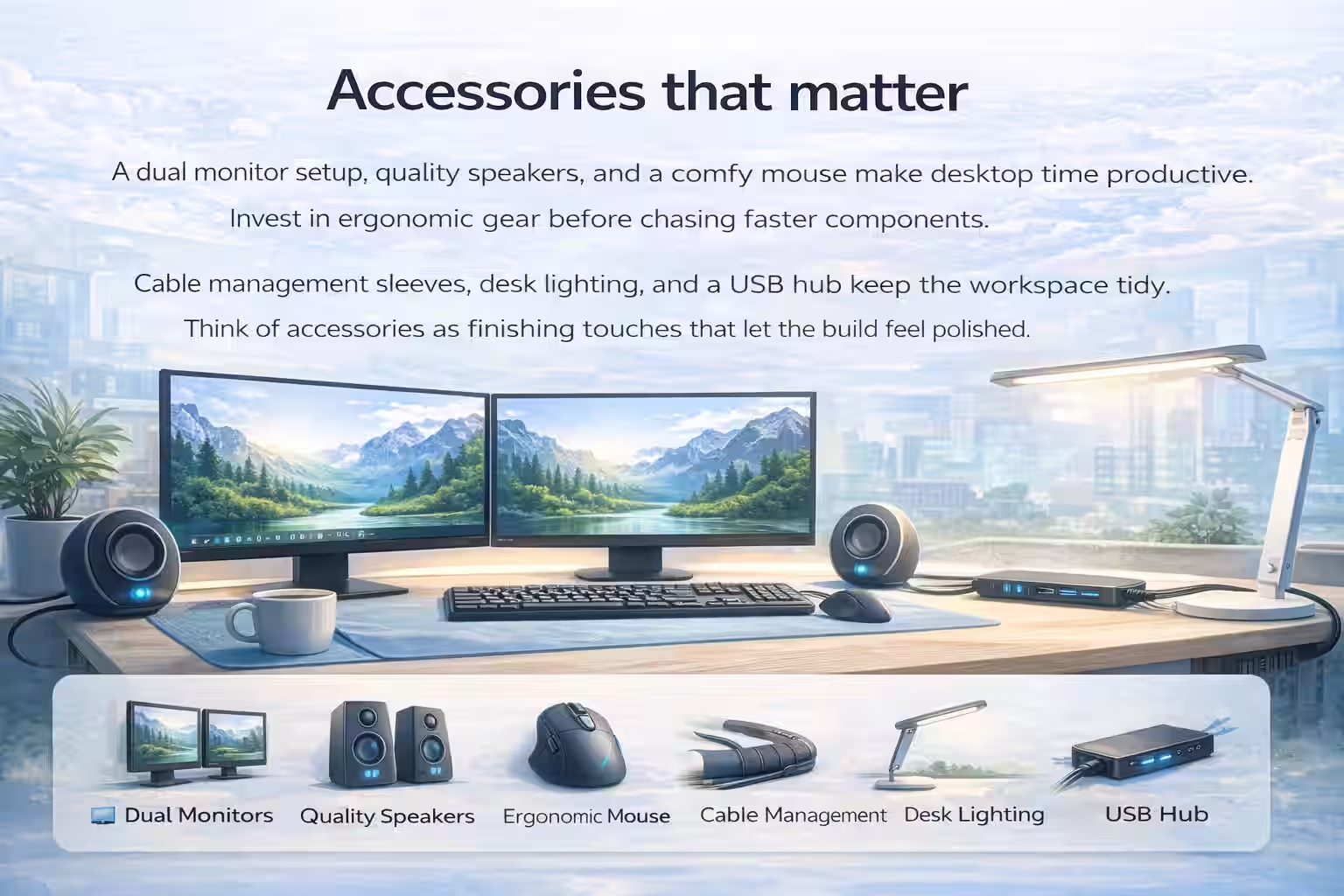
14) Accessories that matter
Layer in accessories that amplify the Dell Tower Desktop’s expandability: a fully programmable keyboard for macro-heavy workflows, an ergonomic mouse with adjustable weights, and a Thunderbolt dock or USB-C hub that keeps wall plug real estate under control. Cable management solutions—including Velcro straps, adhesive routing clips, and under-desk trays—keep the cables from strangling airflow while letting you reach peripherals without stretching. If you lean on multiple monitors, add a monitor arm kit that matches the desk depth and uses counterbalanced springs so the displays float at eye level without pulling the tower side panels.
Layer in accessories with advice from the Best Cable Management Kits guide.
Ready for upgrades
The Dell Tower Desktop keeps evolving
This mid-range platform is designed for upgrade cycles—swap PSUs, add GPUs, and freshen RAM without rethinking the foundation.
15) Care and longevity
Regular maintenance plays a major role in how long a desktop stays fast, quiet, and reliable. Create a simple calendar for quarterly dusting, filter cleaning, and fan inspection, especially if the system sits on the floor or in a shared workspace. Dust buildup restricts airflow, raises internal temperatures, and puts extra strain on components like the power supply unit (PSU), graphics card, and motherboard. Using compressed air or a low-powered electric blower helps clear vents and heatsinks without risking damage. Beyond physical care, software and firmware maintenance is just as important. Periodically check tools such as Dell SupportAssist for BIOS, chipset, GPU, audio, and network driver updates that improve stability, security, and compatibility with newer software. Before applying major firmware updates, create a full system image or restore point so you can recover quickly if something goes wrong. Enable TPM-based encryption and BitLocker to protect sensitive data, keeping backups on an external drive or cloud service and periodically verifying restores. Finally, treat documentation as part of the system’s lifecycle—save receipts, warranty details, and upgrade/repair logs in one place so troubleshooting and resale stay smooth.
Keep the system fresh with longevity tips outlined on the Methodology page.
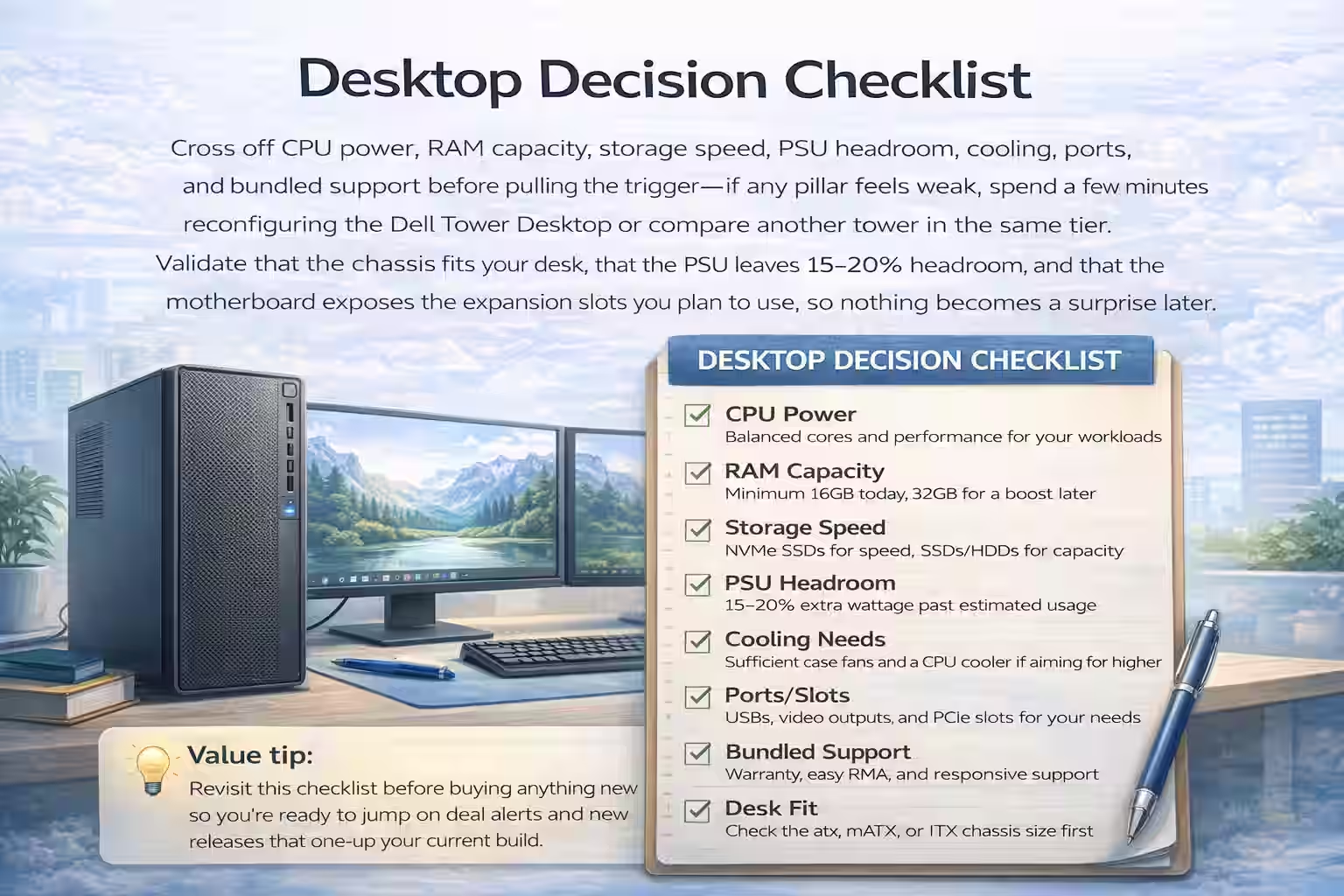
16) Desktop decision checklist
Cross off CPU power, RAM capacity, storage speed, PSU headroom, cooling, ports, and bundled support before pulling the trigger—if any pillar feels weak, spend a few minutes reconfiguring the Dell Tower Desktop or compare another tower in the same tier. Validate that the chassis fits your desk, that the PSU leaves 15–20% headroom, and that the motherboard exposes the expansion slots you plan to use, so nothing becomes a surprise later. Keep this checklist near future budget guides, as it helps spot when a new release brings better components at the same price or when a competitor offers a value edge that beats your current pick.
Bookmark this Methodology checklist so you can revisit the same pillars later.
17) How to use the picks
Bookmark this guide, rerun the Budget Computers hub to compare RAM/SSD/PSU tweaks, and reference the TOC when Dell refreshes the lineup or your needs change. Highlight sections that relate to your workflow (rendering, streaming, mechanical design, etc.) so you can jump back to the right guidance during deal-hunting, upgrade planning, or even service calls with Dell Support. Share your configuration notes with coworkers or family members, pin the checklist to your desk, and revisit it when swapping GPUs, adding storage, or pairing peripherals so nothing needs to be rediscovered from scratch.
Refresh these picks any time through the Budget Computers hub filters.