Tech
Independent · Built for Canadians
Smarter tech and money decisions, made for Canada.
Honest buying guides, hands-on reviews, plain-language tax explainers and free calculators, with Canadian prices, retailers and rules.
- Independent
- No paid placements in rankings
- Canada-first
- CAD prices, CRA & Quebec rules
- Free tools
- No sign-up required
- Kept current
- Guides reviewed for 2026
Interactive mini wizard
Get your next best page in under a minute
1) What are you here for?
Educational navigation aid only. No sensitive data is stored.
Your recommendation
Pick one path to get your next page
Start with a strong evergreen tech guide
This keeps you on an index-worthy public guide while you narrow the exact product path.
Open recommended pageTwo backups
Quick tool shortcuts
Editor's picks
Our current top picks
The products we would recommend to a friend right now, with who each one is for and what to watch out for.
Audio
CA$139
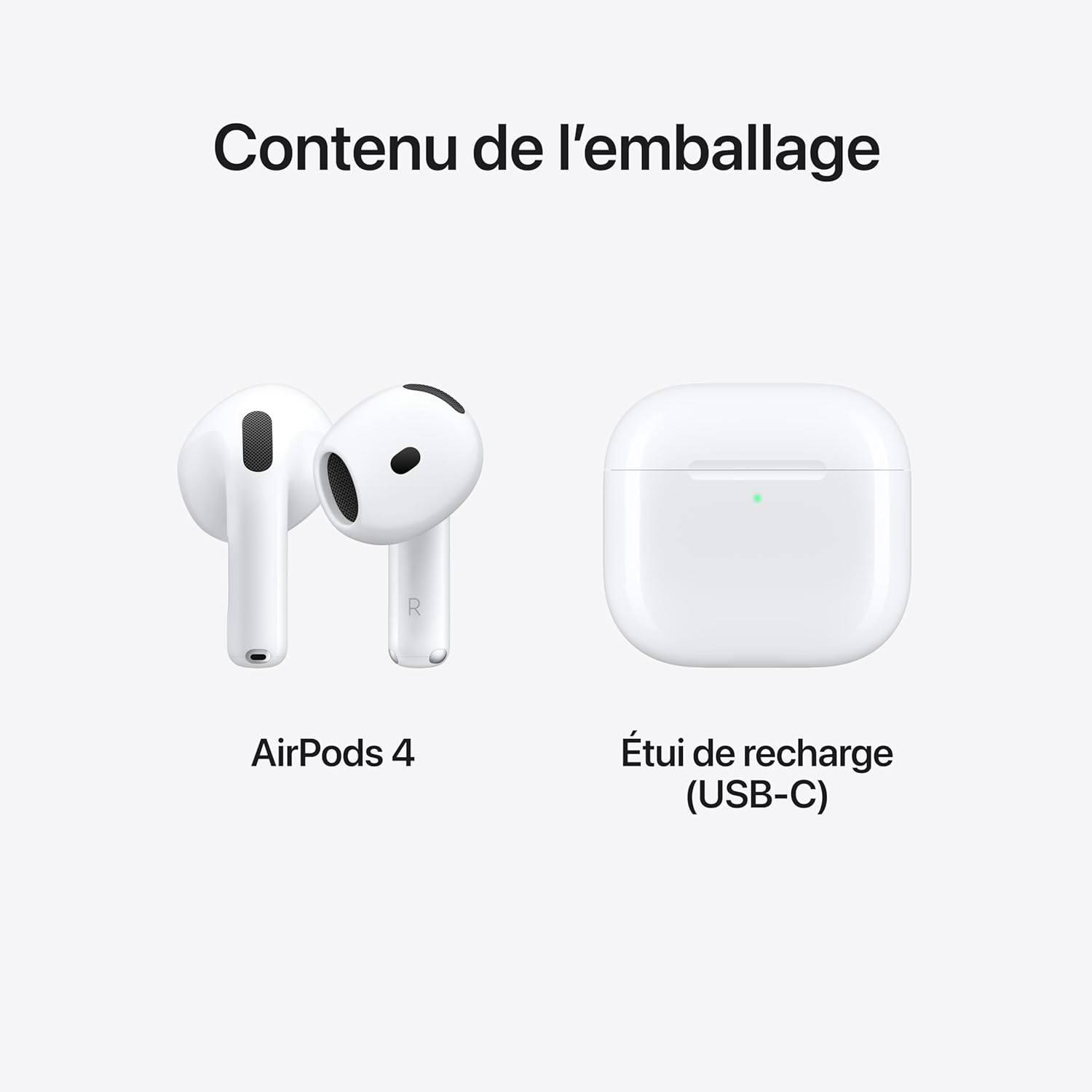
Apple AirPods 4 Wireless Earbuds, Bluetooth Headphones, Personalized Spatial Audio, Sweat- and Water-Resistant, USB-C
Why it’s picked
Price tracked against active retailer listings.
Best for Commutes, calls, and everyday listening
Laptop
Guide pick
Best budget laptop pick
Strong guide-led starting point
Best budget laptop pick
Why it’s picked
Start with the strongest budget-by-price laptop guide if you want a faster shortlist with clear school, work, and gaming fit.
Best for Students, work, and value-focused upgrades
Monitor
Guide pick
Best monitor pick
Strong guide-led starting point
Best monitor pick
Why it’s picked
Open the monitor guide for work, gaming, and creator display picks with practical buying context instead of random spec lists.
Best for Desk setups, creators, and clearer multi-window work
Accessory
Curated list
Best accessory shortlist
Strong guide-led starting point
Best accessory shortlist
Why it’s picked
Use the accessories page when you want chargers, stands, storage, and peripherals organized by practical buying need.
Best for Setup upgrades, travel kits, and cleaner desks
Browse by topic
What are you trying to figure out?
Pick a topic to jump straight to the most useful guide, review, or calculator.
Laptops
Budget tiers, deal signals, and real use-case fit for students, work, creator, and gaming buyers.
Open laptop guideMonitors
Work, gaming, and creator monitor choices with clearer desk-setup context.
Open monitor guideAccessories
Chargers, stands, input devices, audio, and storage organized by buying need.
Explore accessoriesTax software
Compare software options when filing speed and Canada-specific workflow matter.
Compare softwareVPN
Privacy basics, myths, and travel or streaming context without marketing fluff.
Open VPN hubBudget tools
Move from tech buying into practical money planning when the budget is the real constraint.
Open tools hubBest by budget
Laptop budget tiers: choose the right laptop faster
Compare laptop price ranges in Canada and see which tier fits your school, work, gaming, or creator needs.
Laptop buying guide
Under CA$600 laptops
Best for: Web, classes, docs, and daily basics.
Avoid if: Avoid if your workflow includes heavy editing, rendering, or AAA gaming.
Explore laptop tierCA$600 to CA$900 laptops
Best for: School + work multitasking with better displays.
Avoid if: Avoid if you need sustained high-performance creator workloads.
Explore laptop tierCA$900 to CA$1,300 laptops
Best for: Balanced performance for creators and remote work.
Avoid if: Avoid if your use is only basic browsing and docs.
Explore laptop tierCA$1,300 to CA$1,700 laptops
Best for: Faster CPUs, better thermals, and longer daily workloads.
Avoid if: Avoid if battery-first mobility matters more than raw performance.
Explore laptop tierCA$1,700 to CA$2,300 laptops
Best for: Gaming and creator-ready performance tiers.
Avoid if: Avoid if your workload does not need premium thermal headroom.
Explore laptop tierCA$2,300+ premium laptops
Best for: Premium performance, build quality, and display upgrades.
Avoid if: Avoid if budget efficiency is the top priority.
Explore laptop tierCredit Card Center
Build credit in Canada, step by step
Start with the basics, then move on to the habits that raise your score.
1
Guide: Canadian Credit Card System
Understand card mechanics, risks, rewards, and discipline rules.
2
Build Credit 18-25
Follow the age-based framework and avoid early compounding mistakes.
3
Run Simulators
Use Student Credit and Reward vs Interest tools to test scenarios.
4
Activate Money OS
Operationalize signals weekly in Financial Command Center.
Homepage credit FAQ
Is this homepage credit content financial advice?
No. It is educational information only and should not replace professional financial, tax, or legal advice.
Which tool should a beginner open first?
Most beginners can start with the Student Credit Simulator, then move to the Financial Command Center for a weekly plan.
Can tools guarantee score improvement?
No. Outputs are educational estimates and outcomes depend on behavior consistency, timing, and broader profile context.
Do these tools work for guests?
Yes, core flows work in guest mode. Sign-in unlocks richer tracking and continuity across sessions.
Quick access tools
Use simulator-first, then command-center review.
Educational information only. Not financial, credit, tax, or legal advice.
Featured guides + tools
Guides and tools, by goal
Jump to what you need to get done today.
Financial Systems
Core SystemsControl-layer pages for long-horizon planning and weekly execution.
Money Operating System
MOSWho it's for: Users who want a structured weekly financial command workflow.
What you can do in 2 minutes: See your top risk + action priorities and open the current month plan.
Open
arrow_forward
/money-operating-system
Canadian Financial Lifecycle Blueprint
LifecycleWho it's for: Households planning by life stage instead of isolated decisions.
What you can do in 2 minutes: Jump to your current stage and pick one tactical next action.
Open
arrow_forward
/canada-money-system-master-hub-2026
Canadian Retirement Master Guide
RetirementWho it's for: Users aligning CPP/OAS timing with account drawdown sequencing.
What you can do in 2 minutes: Check retirement assumptions and map one risk control step.
Open
arrow_forward
/canadian-retirement-master-guide-2026
Strategy Engine
EngineWho it's for: Users building scenario-based contribution and account order plans.
What you can do in 2 minutes: Open guided strategy flow and save scenario A/B.
Open
arrow_forward
/strategy-engine-canada-2026
Tax + Small Business Tools
Execution ToolsFast practical utilities for filing prep, invoicing, and operating rhythm.
Canada Tax Hub
TaxWho it's for: T4, self-employed, and Quebec users who need a clean filing map.
What you can do in 2 minutes: Open your tax path and launch one relevant calculator.
Open
arrow_forward
/canada-tax-hub
Invoice Template Canada
InvoiceWho it's for: Freelancers and owners sending invoices quickly with clear totals.
What you can do in 2 minutes: Generate a clean invoice draft and copy into your workflow.
Open
arrow_forward
/invoice-template-canada
Quote Template Canada
QuoteWho it's for: Service businesses standardizing pre-work approvals.
What you can do in 2 minutes: Draft a quote format and reduce scope/payment ambiguity.
Open
arrow_forward
/quote-template-canada
Expense Tracker
TrackerWho it's for: Anyone needing cleaner monthly records for taxes and cashflow.
What you can do in 2 minutes: Log core categories and export a quick summary.
Open
arrow_forward
/expense-tracker
Evergreen guides
Most-read guides
Our most useful evergreen guides, kept up to date.
Small business
Invoice Template Canada
Free generator plus practical line-item, payment-term, and recordkeeping guidance for Canadian freelancers and owner-operators.
Open guideTech guide
Best Budget Laptops by Price
Compare budget tiers by workload, battery, upgrade value, and real-world fit before opening retailer tabs.
Open guideCredit ladder
Credit Score by Age Canada
Use stage-based score context instead of chasing one ideal number that ignores file age, debt mix, and life stage.
Open guideDebt risk
Minimum Payment Trap Canada 2026
See how minimum payments stretch payoff timelines and how to turn a warning sign into a real recovery plan.
Open guideAuthority guide
Canadian Credit Card System 2026
Understand statement cycles, utilization, rewards, annual fees, and safer card behavior inside a Canada-first system.
Open guideLatest reviews
Recent hands-on reviews
Concise verdicts with practical buyer context.
Editorial review
Dec 22, 2025
Apple AirPods 4 Review: Clear Sound, Smart Features, and USB-C Charging
Apple AirPods 4 review with real customer feedback, pros/cons, and pricing info.
Read review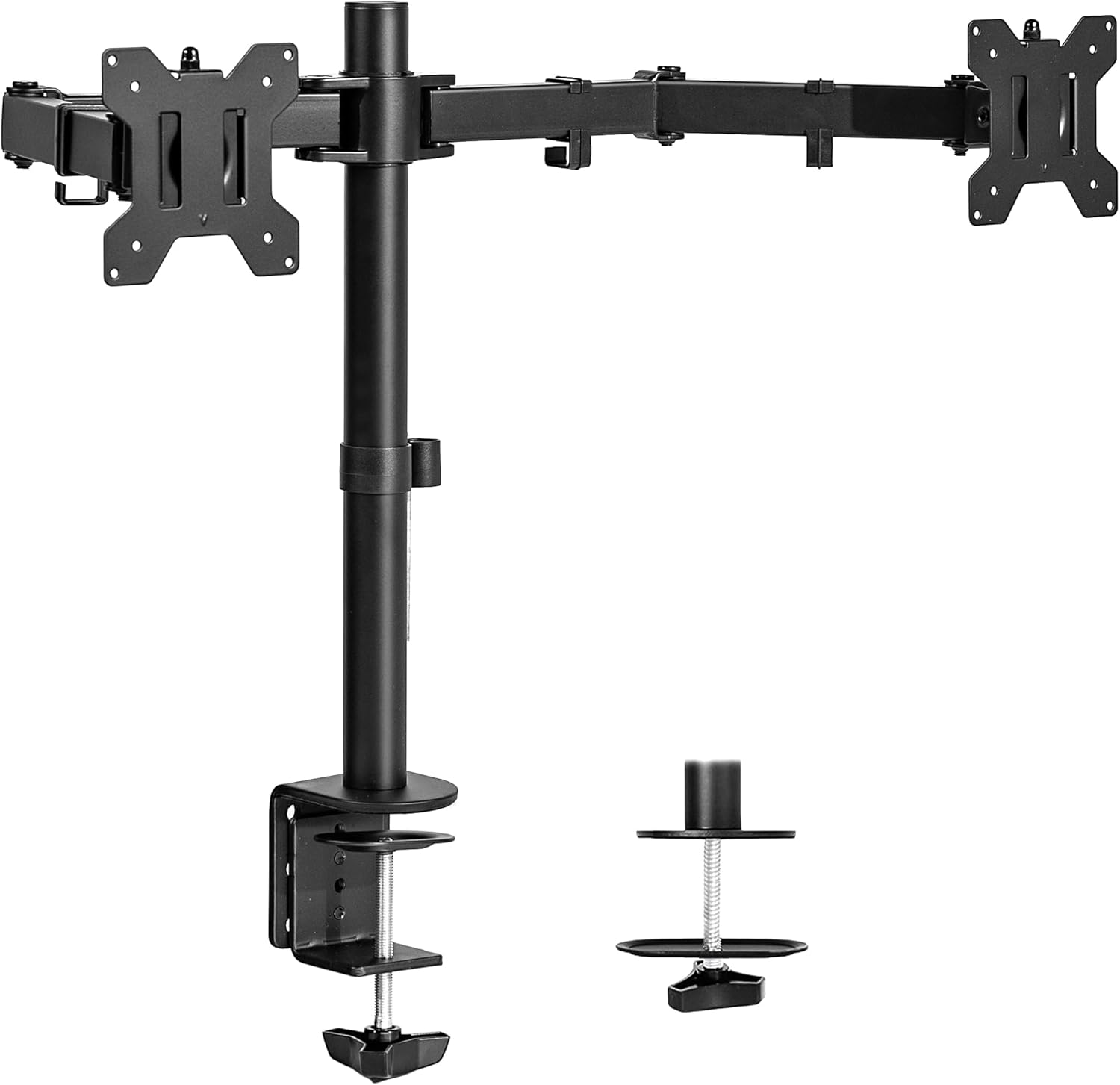
Editorial review
Dec 22, 2025
VIVO Dual Monitor Desk Mount Review (STAND-V002)
VIVO dual monitor desk mount review with real user feedback, pros/cons, and price comparisons.
Read review
Editorial review
Dec 22, 2025
Samsung 32" FHD 75Hz FreeSync Monitor Review (LS32B300NWNXGO)
Samsung 32-inch FHD FreeSync monitor review with real user feedback, pros/cons, and price comparisons.
Read review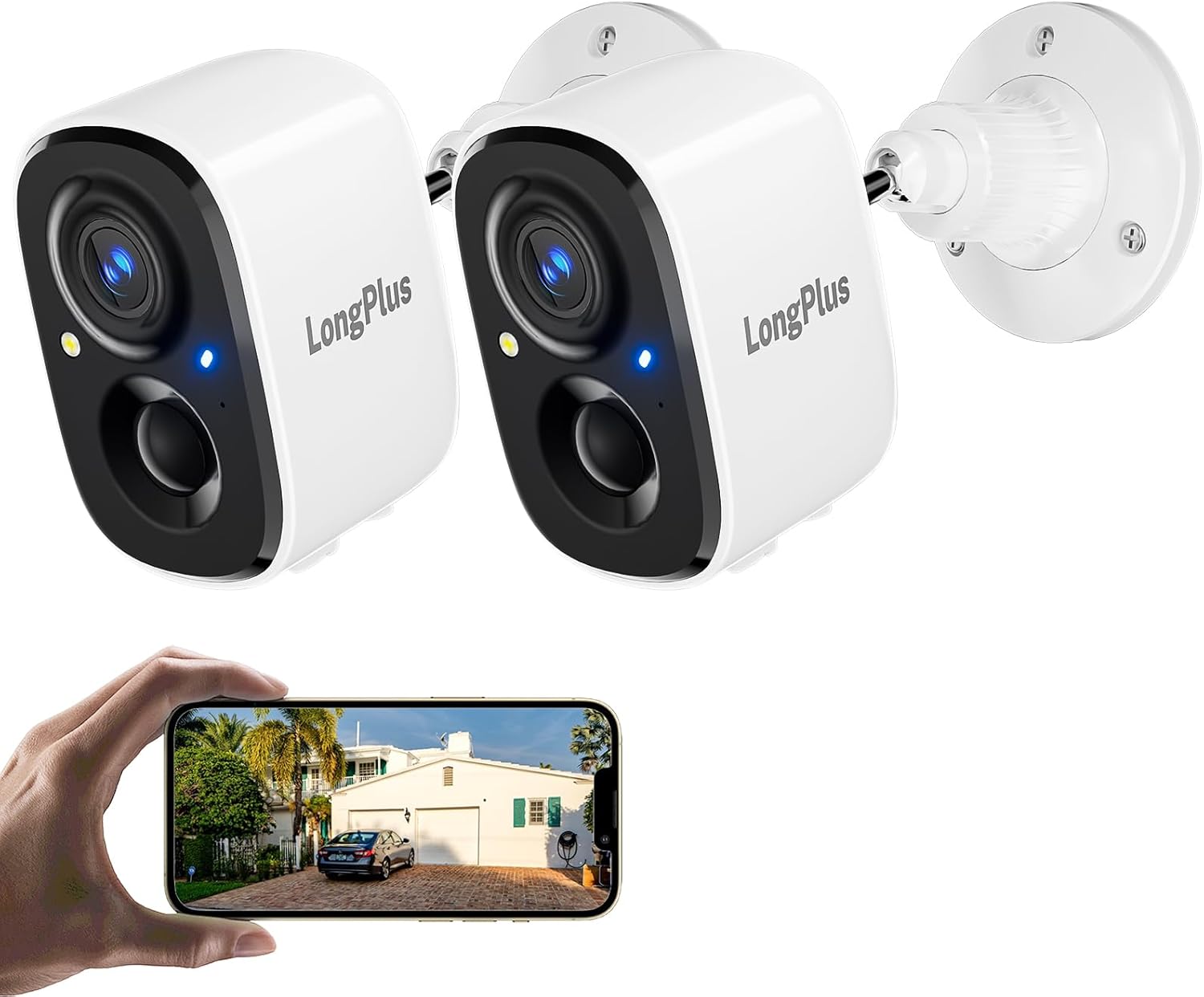
Editorial review
Dec 22, 2025
Wireless Outdoor Security Camera 2K (Battery Powered) Review: Budget-Friendly Peace of Mind
Wireless outdoor 2K security camera review with real user feedback and price links across top stores.
Read review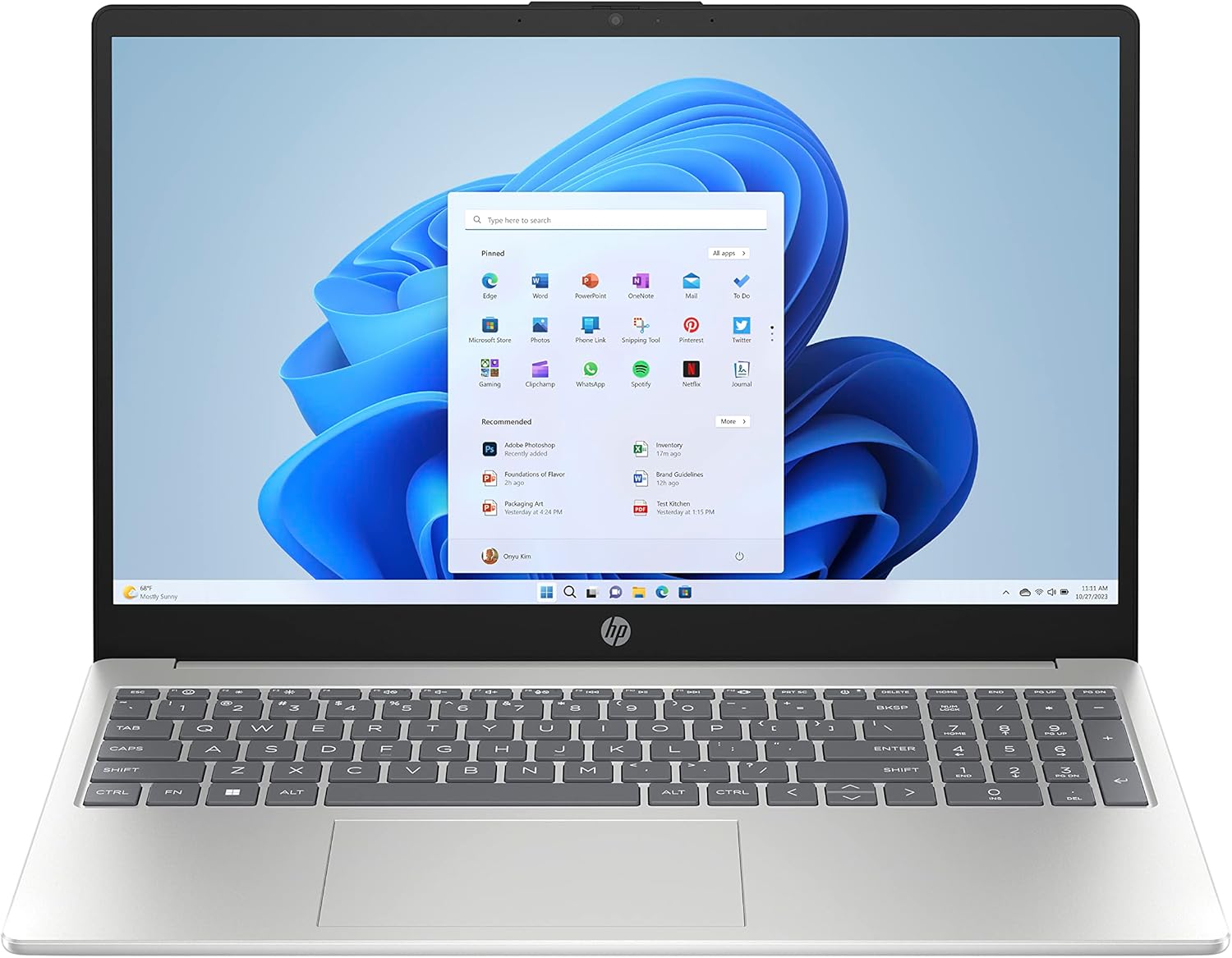
Editorial review
Dec 22, 2025
HP 15.6" Laptop PC (Intel N100) Review: Budget FHD Value for Everyday Use
HP 15.6" Laptop PC review with pros, cons, and price comparisons across top Canadian stores.
Read reviewPublic ecosystem
Featured Platforms
TechNextPicks also builds practical apps and platforms. The homepage stays overview-first, so readers can understand what each product does before leaving the main site for a live app.
Explore Our Products
Public apps only
Public platform
GetRavista
A public workflow platform built for teams that need cleaner intake, execution, and visibility.
- Workflow visibility
- Team coordination
- Structured business operations
Public app
Restaurant Reservation App
A reservation-focused app for restaurants that want a cleaner booking flow and more organized service planning.
- Reservation intake flow
- Scheduling visibility
- Guest-friendly booking experience
Trust, process, and disclosures
We keep reviews practical, check deal pages frequently, and separate educational tools from promotional content. Educational estimates only. Not financial, credit, tax, or legal advice.
Last updated policy check: June 15, 2026