Space-saving all-in-one build
Tower components are integrated into the display chassis, reducing desk clutter and cable mess for home or office setups.
Entry tier
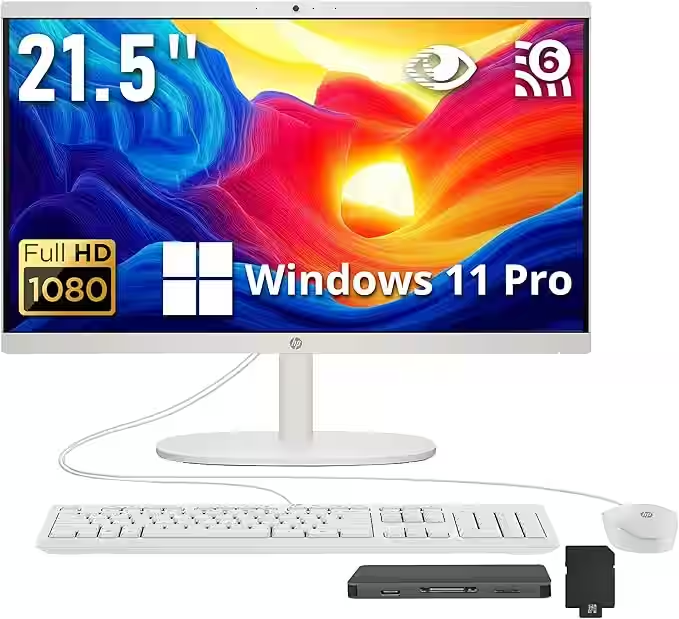
Compact 21.5-inch FHD all-in-one with Intel N100, 16GB DDR5, 1.12TB storage bundle, Wi-Fi 6, and Windows 11 Pro for everyday home or office tasks.
Everyday Desktop Feature

The HP 21.5-inch FHD All-in-One Desktop is built for people who want a clean, space-efficient workstation without the complexity of a traditional tower setup. By integrating the computer and display into a single unit, this all-in-one design keeps cables to a minimum and desks uncluttered-an easy fit for apartments, dorm rooms, and home offices where space matters.
Positioned as a budget-friendly everyday computer, this HP all-in-one focuses on the essentials: a sharp Full HD screen, reliable performance for daily tasks, and a modern design that blends naturally into shared spaces. It is not designed for heavy creative workloads or gaming, but for homework, web browsing, video calls, email, and document work, it delivers a straightforward and comfortable experience.
For families, students, or remote workers who value simplicity and a tidy setup, the HP 21.5-inch all-in-one offers a practical balance of function, affordability, and design, making it a sensible choice for everyday computing needs in 2026.
CPU
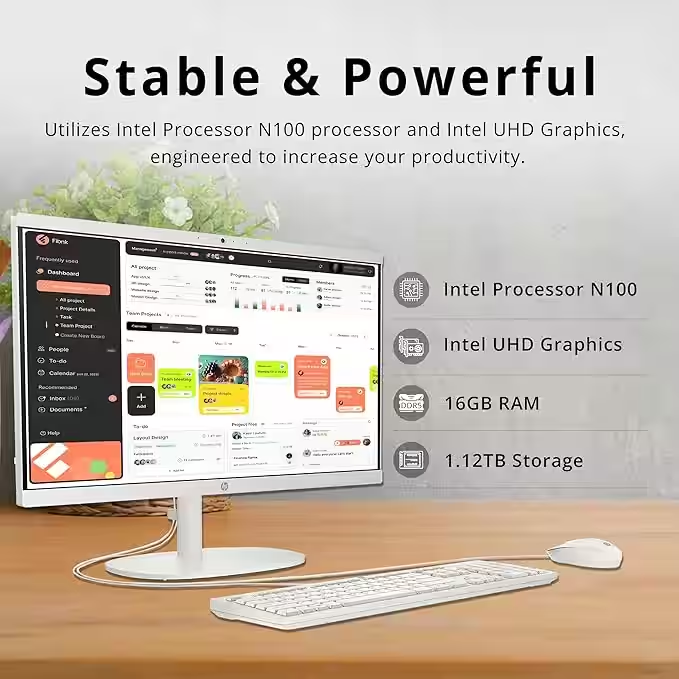
Intel Processor N100
RAM
16GB DDR5
Storage
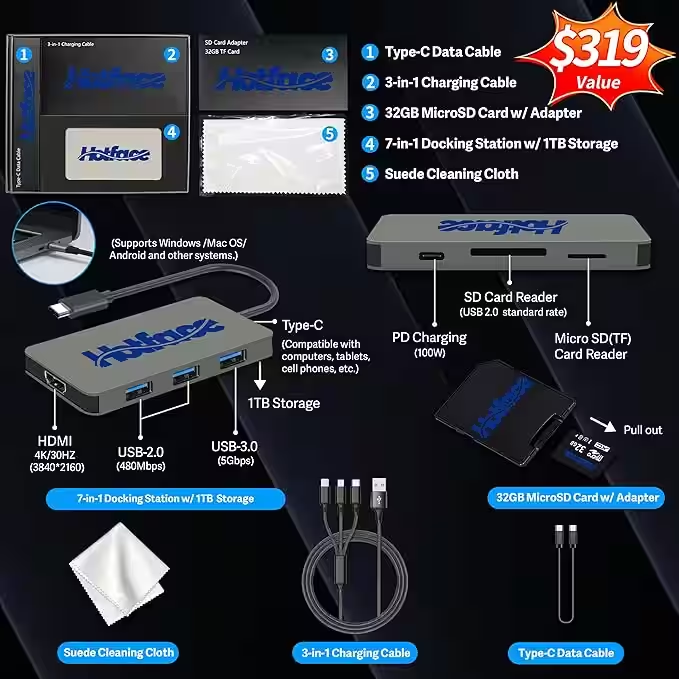
1.12TB total (128GB UFS + 1TB docking station set)
GPU
Integrated Intel UHD Graphics
Operating system
Windows 11 Pro
Display
21.5-inch FHD (1920 x 1080)
CPU speed
Up to 3.4 GHz
Wireless
Wi-Fi 6
Form factor
All-in-one
Upgradeable
Locked
Tower components are integrated into the display chassis, reducing desk clutter and cable mess for home or office setups.
21.5-inch class FHD display with slim bezels; newer variants may use a 21.45-inch VA panel around 250 nits.
Configuration options may include Intel N-series, Celeron J4025, or 12th/13th Gen Core i3 with 8GB/16GB memory profiles.
Depending on SKU: 128GB UFS, 256GB-512GB NVMe SSD, or legacy HDD bundles, so buyers can match budget and speed needs.
HP True Vision HD/FHD camera options with a tuck-away privacy style, plus dual speakers tuned for everyday calls and media.
Typical I/O includes HDMI-out, USB-A, RJ-45, and audio jack, with Wi-Fi 6 and Bluetooth 5.2/5.3 on current models.
Based on 613 global ratings.
Overall rating
Buyers regularly mention easy setup, compact size, and a practical all-in-one layout for daily work. Critical feedback is focused on touch-screen expectations and inconsistent early reliability in some units, while performance opinions are mixed depending on workload.
Super easy to put together and easy to set up and get going.
Reviewed in Canada on April 22, 2025
Order came quickly and setup was straightforward. Day-to-day use for work has been smooth so far.
Reviewed in Canada on May 6, 2024
Final Verdict
A concise summary of the strengths, trade‑offs, and who this desktop fits best.

Photo credit: Amazon
The HP 21.5-inch FHD All-in-One Desktop is a practical, budget-conscious pick for everyday computing in compact spaces. It handles light home or office duties-like browsing, email, and streaming-well, and its slim-bezel design gives it a clean, modern look. Just keep expectations realistic: this model is tuned for basic workloads, not high-performance tasks.
Need help picking a desktop configuration? Contact us and we will help you choose the right option.
Structured answers: summary, actions, tools, citations.
Suggested prompts
Learner mode follow-ups