Ergonomics / Workspace
Best Monitor Stands (and Monitor Arms) for Ergonomics in 2026
A monitor stand or monitor arm is one of the fastest upgrades for a healthier desk. This guide explains why height matters, how to choose the right mount, and which options fit different desks and workflows in 2026.
Table of contents
A low monitor forces your head to tilt forward. Over time, that forward lean strains the neck, shoulders, and upper back. A monitor stand lifts the screen so your eyes land on the top third of the display without bending your neck.
If you want a full screen upgrade, see Best Monitors for 2026.
A stand is a simple riser that adds height and gives you storage underneath. It is stable, budget-friendly, and fast to set up.
A monitor arm is best if you need height, tilt, swivel, or distance adjustments. It works well for sit-stand desks and shared workstations.
- VESA: Look for 75x75 or 100x100 mounting holes on your monitor.
- Weight capacity: Match your monitor weight to the rated limit.
- Desk fit: Arms use clamp or grommet mounts. Measure desk thickness.
- Stability: Metal frames and wide bases reduce wobble.
- Cable management: Channels and clips keep cables tidy.
Pair your stand with a chair with lumbar support, a USB-C dock, a sharp webcam, and a noise-cancelling headset for a full ergonomic desk setup.
Top picks for 2026
Ergonomics firstHUANUO Dual Monitor Mount (Dual Arm) Best Overall
Dual-arm monitor stand with clamp or grommet mounting
Who it's for: Dual-screen users who want precise height and angle control on a sturdy desk.
Photo credit: Amazon
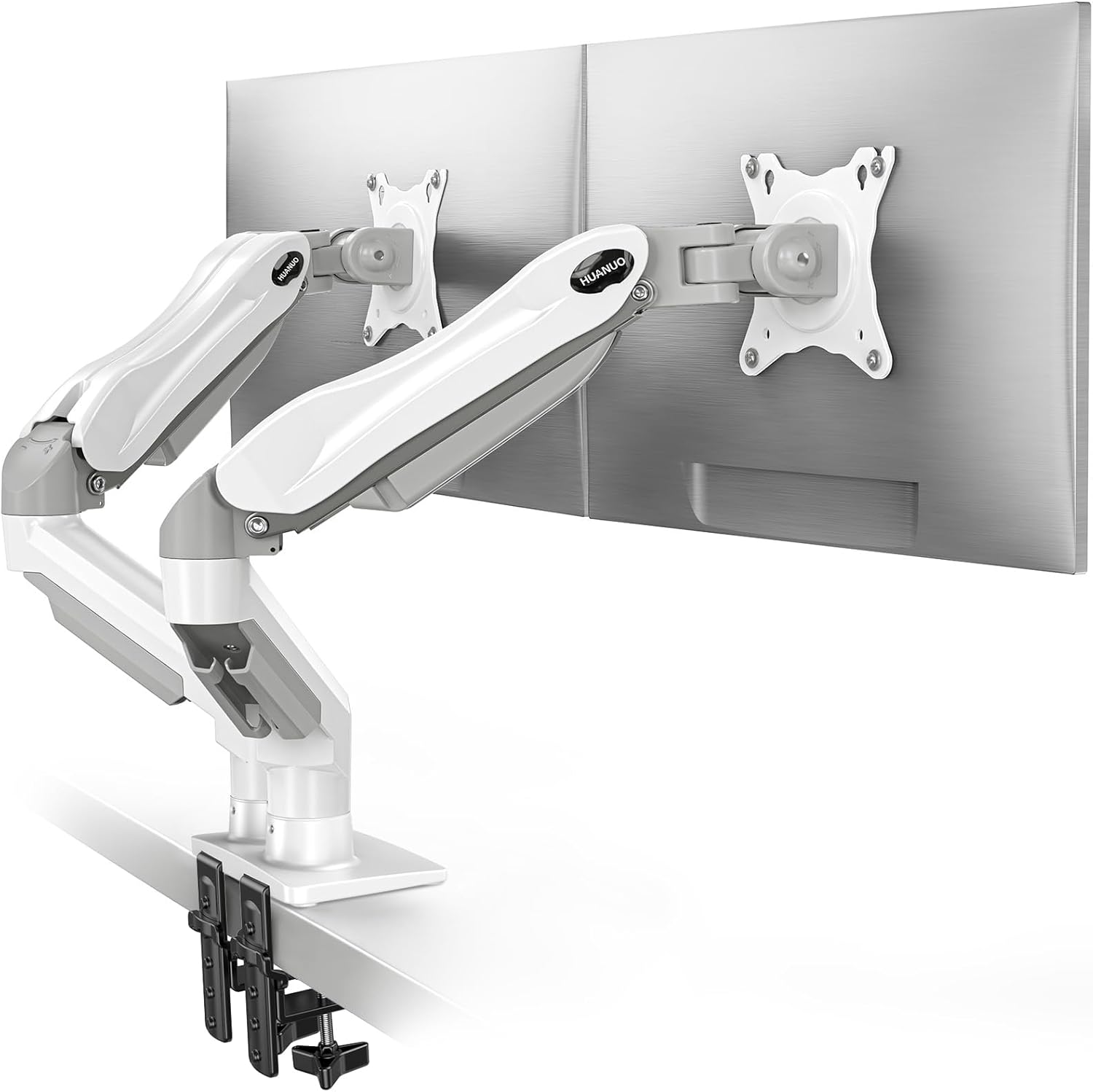
A flexible dual-arm mount that helps align two monitors at eye level, keeps cables tidy, and frees up desk space for a cleaner ergonomic setup.
Key specs
- Fits 13–32 inch monitors
- Supports 4.4–19.8 lb per arm
- VESA 75x75 or 100x100
- C-clamp or grommet mount
- Tilt, swivel, and 360-degree rotation
Pros: Wide adjustment range for posture; cable routing reduces desk clutter; reliable desk stability when mounted correctly.
Cons: Setup takes time; needs solid desk thickness and free under-desk clearance.
Real-world notes
- Strong flexibility for screen spacing and height once adjusted.
- Some wobble can show on very light desks, not the arm itself.
- No quick-release plate, so mounting heavier screens can be slower.
MSI MAG MT201 Single Monitor Arm Best Budget
Spring-assisted arm for large ultrawide screens
Who it's for: Large monitors up to 49 inches that need strong support and smooth positioning.
Photo credit: Amazon
A heavy-duty, spring-assisted arm designed for big screens with a quick-release plate and full-motion adjustments.
Key specs
- Supports 17-49 inch screens
- Holds up to 44 lb (20 kg)
- VESA 75x75 or 100x100
- Clamp or grommet mount
- Spring-assisted tilt and swivel
Pros: Excellent stability for ultrawides; quick-release plate simplifies mounting; smooth adjustments for angle and reach.
Cons: Heavier arm requires careful installation; clamp setup needs a solid desk edge.
Real-world notes
- Handles a 45-inch ultrawide without sagging.
- Flexible positioning with easy height and tilt changes.
- Assembly is straightforward if you follow the manual step-by-step.
VIVO Dual Monitor Desk Mount (STAND-V002)
Dual-arm mount with clamp or grommet base
Who it's for: Users who want two monitors aligned with full tilt and rotation control.
Photo credit: Amazon
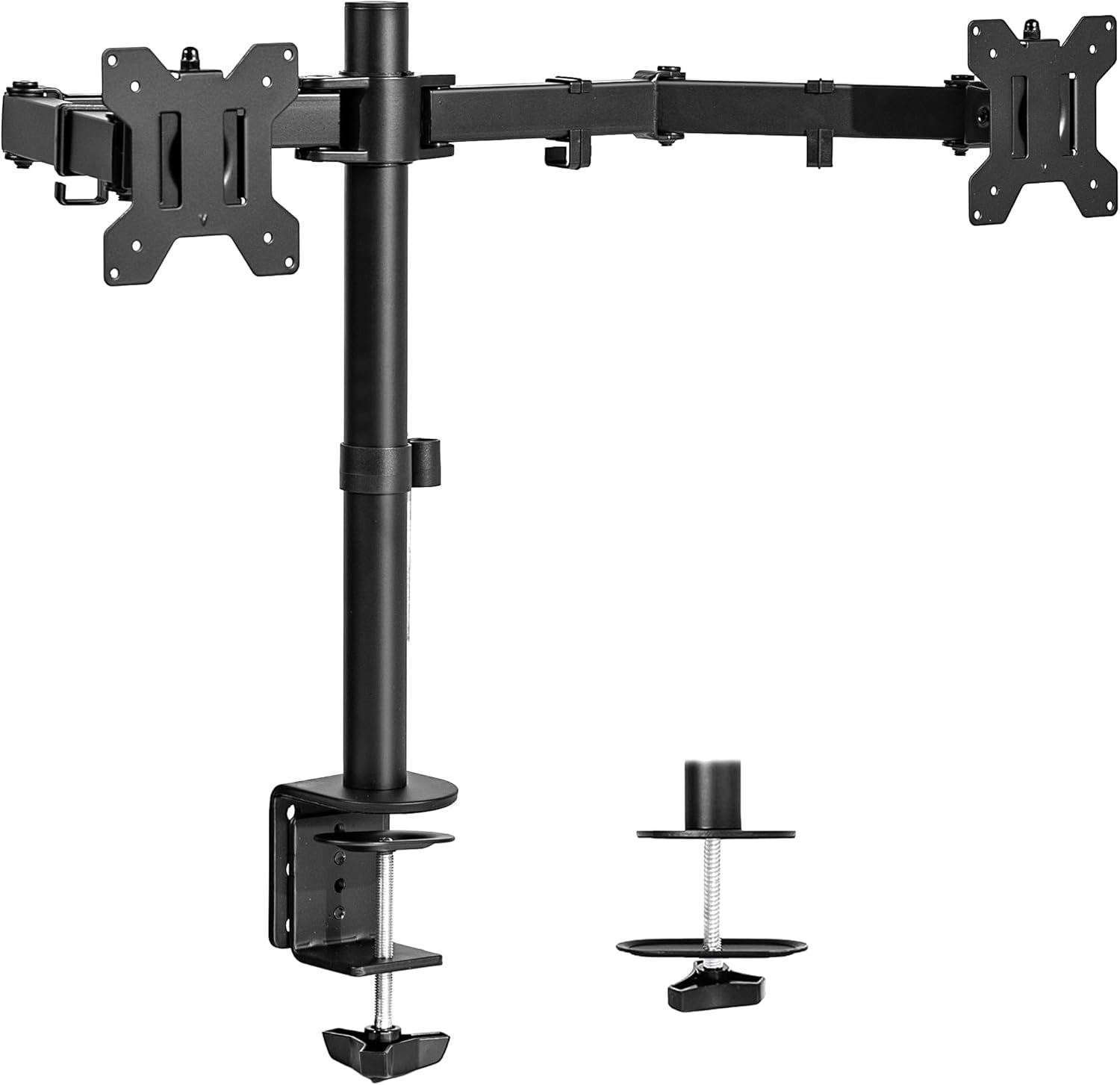
A sturdy dual-monitor arm that reclaims desk space, keeps cables tidy, and holds screens steady once adjusted.
Key specs
- Fits 13–30 inch screens
- Holds up to 22 lb per arm
- VESA 75x75 or 100x100
- C-clamp or grommet mount
- Tilt, swivel, and 360-degree rotation
Pros: Solid build quality; cable clips keep desks clean; adjustable height on center pole.
Cons: Not ideal for beveled desk edges; setup takes some tuning for perfect alignment.
Real-world notes
- Feels heavy-duty with strong materials and stable arms.
- Plenty of hardware included for flat or curved-back monitors.
- Arm adjustments are easy after initial setup and stay in place.
Uplite Single Monitor Gas Spring Arm
Height-adjustable arm for 15-32 inch screens
Who it's for: Single-monitor desks that need full motion and clean cable routing.
Photo credit: Amazon
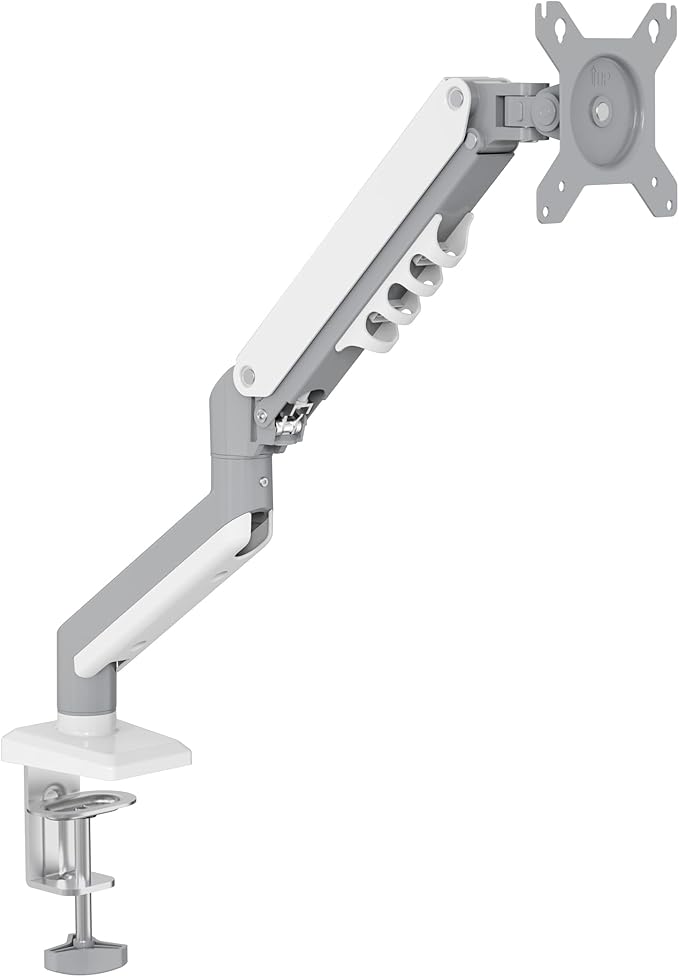
A slim gas-spring arm that keeps monitors at eye level with smooth tilt, swivel, and rotation while saving desk space.
Key specs
- Fits 15–32 inch monitors
- Supports 4.4–19.8 lb (2–9 kg)
- VESA 75x75 or 100x100
- C-clamp mount up to 2.7 inch desks
- Full tilt, swivel, and 360-degree rotation
Pros: Smooth articulation; sturdy metal build; detachable cable clips.
Cons: Clamp needs a solid desk edge; arm tuning takes a few minutes.
Real-world notes
- Helps reduce neck and back strain with better height control.
- Easy install with detachable VESA plate and included tools.
- Works well for portrait setups and screen sharing angles.
Amazon Basics Single Monitor Stand
Affordable desk arm with tilt, rotation, and height adjustment
Who it's for: Budget-conscious setups that want basic height and tilt adjustment.
Photo credit: Amazon
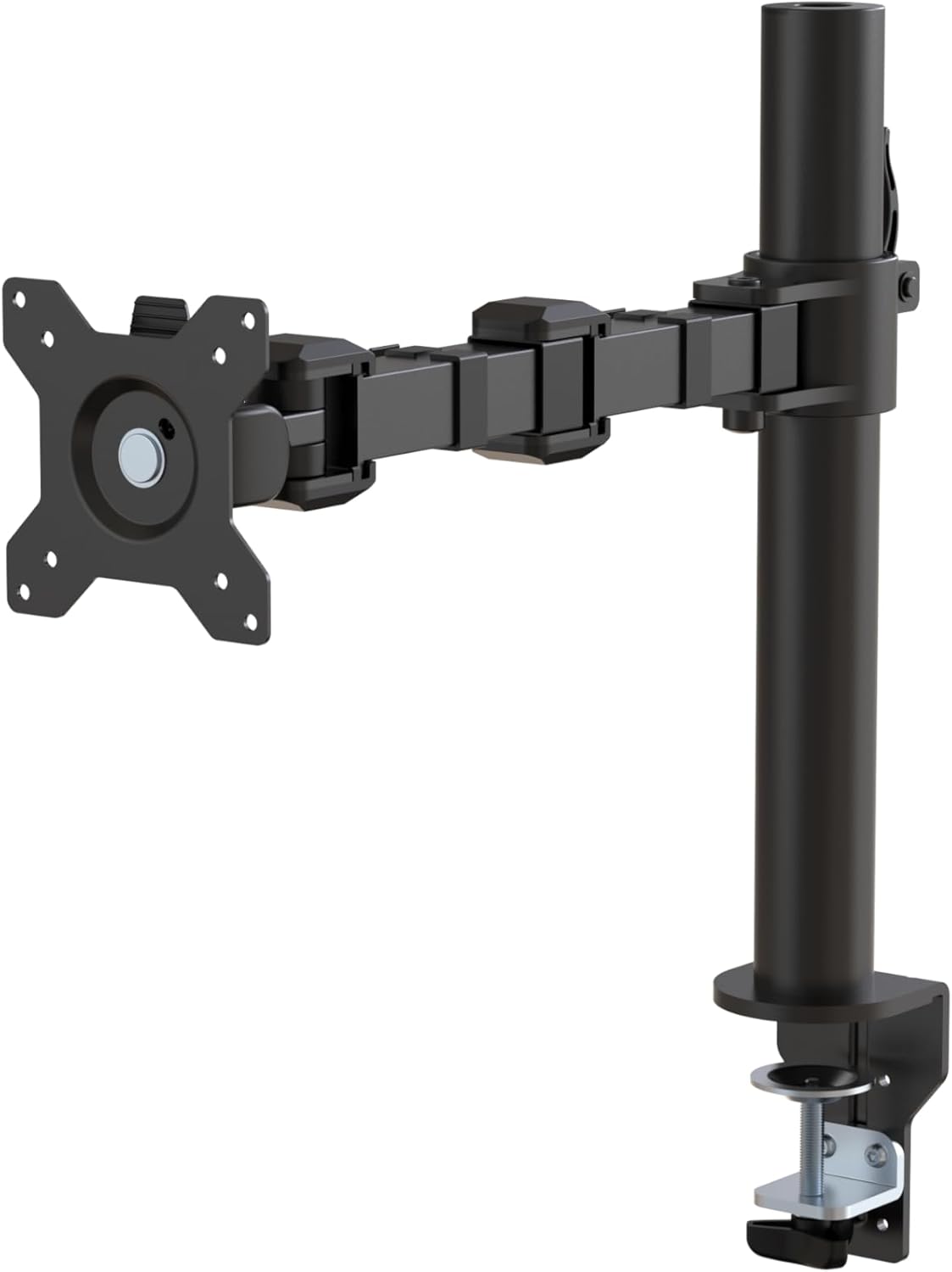
A straightforward single-monitor arm with simple height control, VESA support, and a compact footprint for smaller desks.
Key specs
- Fits 13-30 inch monitors
- Supports up to 22 lb
- VESA 75x75 or 100x100
- Desk clamp 0.8-3.9 inch thickness
- Tilt, rotation, and height adjustment
Pros: Sturdy steel build; easy assembly; compact arm folds out of the way.
Cons: Tilt adjustments require a hex key; limited height if your VESA mount sits high.
Real-world notes
- Feels solid and stable for older, heavier panels.
- Horizontal reach is flexible for positioning a second screen.
- Height lever is simple, but fine tuning tilt takes a tool.
Duramex Single Monitor Mechanical Arm
Spring arm with clamp or grommet mount for 17-32 inch screens
Who it's for: Budget setups that still want a full-motion arm and cable management.
Photo credit: Amazon
 Single 17 to 32 inch/Duramex (Tm) Single 17 to 32 inch.jpg)
A mechanical spring arm that frees desk space, supports portrait or landscape rotation, and includes clamp or grommet mounting.
Key specs
- Fits 17-32 inch monitors
- Supports up to 17.6 lb (8 kg)
- VESA 75x75 or 100x100
- Tilt +/- 45 degrees
- Swivel 180 degrees, rotate 360 degrees
Pros: Solid build for the price; flexible arm positioning; clean cable routing.
Cons: Vertical VESA adjustment is limited; setup takes careful alignment.
Real-world notes
- Feels sturdy and stable once tightened.
- Easy to dial in position, but small tweaks can take time.
- Instructions are basic, so plan for a slower first install.
Product comparison table
| Product | Type | Size Support | Weight Capacity | Best For | Key Feature | Price |
|---|---|---|---|---|---|---|
| HUANUO Dual Monitor Mount (Dual Arm) Best Overall | Monitor Arm | Up to 32" | 4.4-19.8 lb per arm | Productivity + posture | Full height + tilt + swivel | |
| MSI MAG MT201 Single Monitor Arm Best Budget | Monitor Arm | 17-49" | Up to 44 lb | Large ultrawide screens | Spring-assisted with quick-release plate | |
| VIVO Dual Monitor Desk Mount (STAND-V002) | Monitor Arm | 13-30" | Up to 22 lb per arm | Dual screen users | Full tilt + swivel + rotation | |
| Uplite Single Monitor Gas Spring Arm | Monitor Arm | 15-32" | 4.4-19.8 lb | Single-monitor setups | Gas spring full motion | |
| Amazon Basics Single Monitor Stand | Monitor Arm | 13-30" | Up to 22 lb | Budget desks | Height adjustment with tilt + rotation | |
| Duramex Single Monitor Mechanical Arm | Monitor Arm | 17-32" | Up to 17.6 lb | Budget setups | Mechanical spring with full motion |
FAQ
A monitor arm offers the most adjustability for height, tilt, and distance. A stand is simpler and often cheaper, but has limited adjustment.
A common guideline is placing the top third of the screen at or slightly below eye level so your neck stays neutral.
Most monitor arms require a VESA mount (often 75x75 or 100x100). If your monitor has no VESA holes, you may need a VESA adapter.
Most arms use a clamp or grommet mount. Measure desk thickness and check the arm's clamp range before buying.
Compare your monitor's weight (with stand removed) to the arm or stand's rated capacity. Staying under the limit improves stability.
Yes. Many stands create space underneath for a keyboard, dock, or notebooks, and some include cable management features.
Conclusion
The right monitor stand or monitor arm makes ergonomics easier and daily work more comfortable. Start with fit, stability, and VESA support, then choose the level of adjustability you want.