AI-Ready Performance
Intel Core Ultra processors add built‑in AI acceleration for snappier multitasking and improved everyday efficiency.
Entry tier
Slim office-friendly tower with SD card reader and bundled keyboard/mouse for quick deployment.
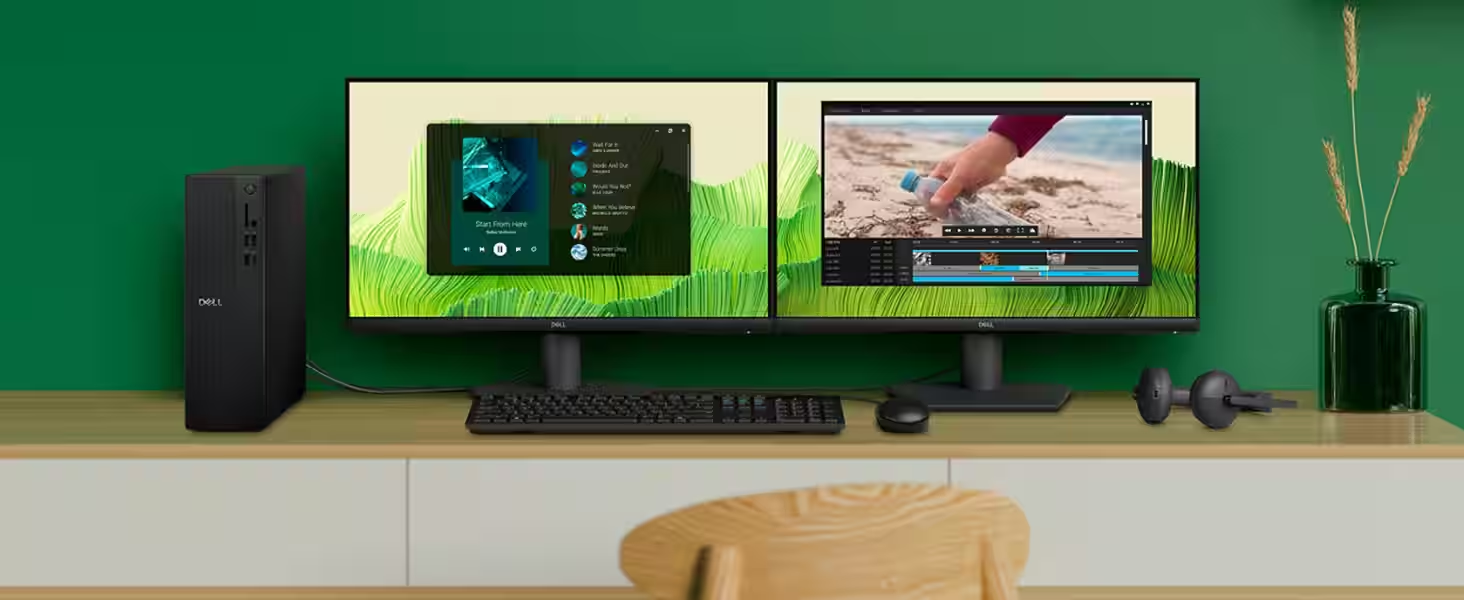
Slim Desktop
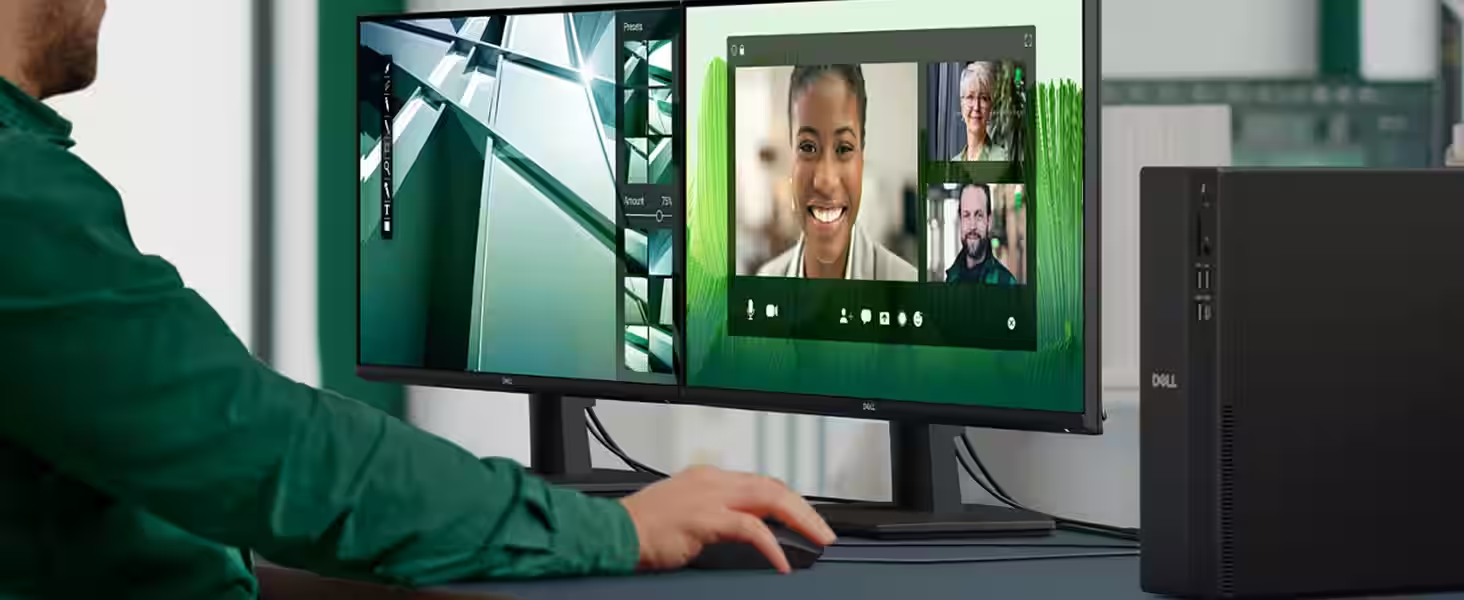
The Dell Slim Desktop ECS1250 is built for daily productivity in tight spaces, combining modern performance with a compact, unobtrusive chassis that fits neatly into home offices and small work areas. Configurations range from 14th-gen Intel Core i3 options for everyday tasks to Intel Core Ultra processors such as the Ultra 5-225 or Ultra 7-265 for heavier multitasking.
With Windows 11 pre-installed, DDR5 memory, and a PCIe NVMe SSD, the system stays responsive for booting, app launches, and multi-tab workflows. Integrated Intel UHD Graphics cover video playback, office tasks, and light creative work, but this model is not aimed at intensive 3D gaming.
Connectivity is a strong suit for a slim tower: front and rear USB-A/USB-C ports, HDMI 2.1 output, Gigabit Ethernet, plus Wi-Fi 6 and Bluetooth for wireless accessories. Internal expansion options allow for storage or memory upgrades, extending the PC’s useful life.
The understated black finish keeps the desktop visually low‑key, while the small footprint helps keep desks tidy. Overall, the ECS1250 balances space efficiency, modern connectivity, and dependable performance for everyday home or office use.
Processor
Intel Core Ultra 5 225 (10 cores, 20 MB cache, up to 3.3 GHz)
Operating system
Windows 11 Home
Graphics
Intel UHD Graphics
Memory
16 GB DDR5-5600 (1 x 16 GB)
Storage
1 TB PCIe NVMe M.2 SSD
Front ports
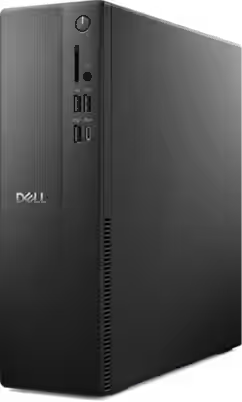
2 USB 2.0; 1 USB 3.2 Gen 1 (5Gbps); 1 USB 3.2 Gen 1 Type‑C; 1 global headset jack; power button; media card reader
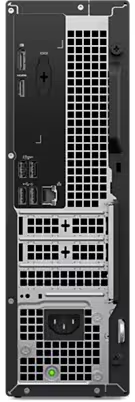
Rear ports
2 USB 2.0 (Smart Power On); 2 USB 3.2 Gen 1 (5Gbps); 1 HDMI 2.1 (TDMS); 1 RJ45 Gigabit Ethernet; power supply; power indicator; Kensington lock
Display outputs
1 DisplayPort 1.4 (HBR3)
Expansion slots (Ultra 5/Ultra 7 configs)
1 half‑height Gen3 PCIe x16; 2 half‑height Gen3 PCIe x1; 1 M.2 2230 Wi‑Fi/BT; 1 M.2 2230/2280 SSD; optional SD card slot; 1 SATA 3.0 for 3.5" HDD
Wireless
MediaTek Wi‑Fi 6 MT7920 (2x2) with Bluetooth
Dimensions (H x W x D)
303.5 x 95 x 293 mm (11.95 x 3.74 x 11.54 in)
Weight
3.49–4.75 kg (7.69–10.47 lb)
Chassis power
180W
Keyboard
Dell Wired Keyboard KB216 (US English, black)
Mouse
Dell Wired Mouse MS116 (black)
Software
Microsoft 365 30‑day trial; McAfee+ Premium 30‑day trial
Optical drive
N/A
Intel Core Ultra processors add built‑in AI acceleration for snappier multitasking and improved everyday efficiency.
Connect up to four FHD displays via DisplayPort 1.4 and daisy‑chaining, or run two 4K monitors using HDMI 2.1 plus DisplayPort.
Eight total USB ports with four front‑facing connections make peripherals and drives easy to plug in.
Built‑in SD card reader speeds up transfers from cameras and media devices.
Wi‑Fi 6 reduces congestion and keeps video calls and streaming smoother on busy networks.
Quick‑access side panel makes internal upgrades simpler and less stressful.
Supports up to 64GB DDR5 across two DIMM slots and additional SSD/HDD storage.
Hardware TPM plus lock slot or padlock loop help secure the system in shared spaces.
Registered EPEAT Silver with Climate+ and ENERGY STAR certified for efficiency‑minded setups.
Modern Windows 11 experience with Copilot tools to speed up everyday tasks.
Based on Dell Canada customer review snapshot.
Overall rating
Dell reviewers highlight easy setup, compact design, and solid everyday performance. Most would recommend it to a friend, while a smaller set mention storage limits or accessory placement preferences.
Reviewer notes the setup went smoothly, performance improved over time, and would recommend it to others.
Verified purchaser
Calls the desktop small yet capable, and says it performs well for daily tasks.
Verified purchaser
Mentions good speed and ease of use, with a note about storage capacity for large personal files.
Verified purchaser
Says it was simple to configure even with older monitors and printers, and the system met expectations.
Verified purchaser
Final Verdict
A concise summary of the strengths, trade‑offs, and who this desktop fits best.
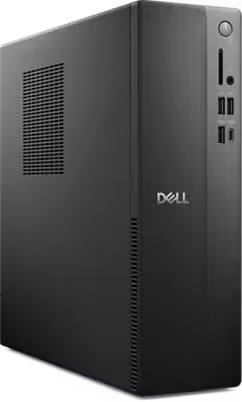
Photo credit: Dell
The Dell Slim Desktop ECS1250 is a dependable, quiet “little workhorse” built for everyday computing. It handles browsing, streaming, office work, and remote learning smoothly without the bulk or noise of larger towers. While its power delivery and high‑end connectivity are more conservative than enthusiast‑grade desktops, the core value is strong: a steady, practical system that focuses on reliability and affordability. It is a smart pick for students and office users who want productivity performance without paying for gaming‑class hardware.
Need help picking a desktop configuration? Contact us and we will help you choose the right option.
Structured answers: summary, actions, tools, citations.
Suggested prompts
Learner mode follow-ups