Helpful guidance
Frequently noted for guided steps and extra help options.
H&R Block - Canada
A support-first choice for Canadians who want software guidance now and a clearer path to extra help if the return gets messy.
People landing on this page are usually not asking for the cheapest DIY product. They are trying to judge whether a guided filing experience with escalation options is worth paying for when confidence, not just price, is the real bottleneck.
That makes H&R Block a different intent from minimalist DIY tools. The useful question is whether support optionality will help you finish a complex or uncertain return without abandoning the process halfway through.
Why trust this page
Disclosure: Some links may be affiliate links. We may earn a commission at no extra cost to you.

Best for
Guided filing with optional help
Pricing range
$0 - $59.99 (online DIY plans)
Platforms
Web (desktop and mobile browser)
CRA NETFILE
Yes (NETFILE ready)
Quebec support
Confirm Quebec support for your plan
Best for
Not ideal for
Pricing and included features can change by plan and tax year.
More guides
Compare accounting tools or catch up on the latest CRA updates before you file.
Accounting guide
Compare top accounting tools, estimated pricing, and best-for picks for 2026.
Read the accounting guide ->
Tax guide
T2125, expenses, GST/HST, QST, and filing workflow basics.
Read the self-employed guide ->
CRA update
Key CRA updates, dates, and filing notes for the 2026 season.
Read the CRA 2026 guide ->
A short overview of the H&R Block Online workflow and what the filing steps look like.

Watch: H&R Block filing walkthrough
A short overview of the H&R Block Online workflow and what the filing steps look like.
External video link for article-first indexing.
Watch walkthroughDisclaimer: This video is for general information only and does not replace certified tax software or professional advice.
Prices shown are from the H&R Block website and can change by plan or tax year.
Free
$0
Deluxe
$20.99
Premier
$39.99
Self Employed
$59.99
Pricing can change. Always confirm the latest plan details on the official site.
Optimization checks
Automatic tax return optimizations for eligible returns.
Slip support
Supports T slips and RL slips plus tuition and student credits.
RRSP support
RRSP contribution support in the Free tier.
Deluxe coverage
Adds donations, medical expenses, and employment expenses.
Premier coverage
Supports capital gains, rental income, and foreign income.
Self-employed tools
Self-Employed includes business expense tools and calculators.
Short summaries based on public feedback + our readers. Not official screenshots or quoted testimonials.
What users say: Users often point to the availability of guidance and support options.
What to watch for: Some mention that pricing and features differ by plan.
Frequently noted for guided steps and extra help options.
Appeals to filers with more slips or deductions.
Users recommend checking which features are included in each tier.
Reviews shown here are summarized or user-submitted and may not reflect every experience.
Reviews are moderated before they appear publicly.
A strong fit when you want guided filing with a visible backup plan if your Canadian return ends up more complex than expected.
Guided DIY filers
Great if you want step-by-step questions with extra guidance.
More complex returns
Helpful when you have multiple slips, deductions, or rental income.
People who want support
Optional assistance may be available depending on plan.
Families
Supports common family-related credits and deductions.
Quebec note
Quebec residents should confirm both federal and provincial handling for their chosen filing option.
Confirm coverage for your exact situation and version before filing.
1) Choose DIY or help
Pick the filing path that matches your comfort level.
2) Add slips
Enter or upload tax slips.
3) Apply credits
Add common credits and deductions.
4) Review
Confirm totals and verify details.
5) Submit
File or finalize with support depending on your path.
6) Store documents
Save copies for records.
A short three-step visual so you can understand the general filing flow.
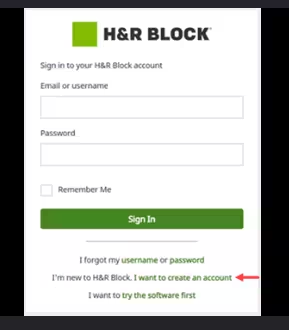
Step 1: Sign in and start
Click to zoom.
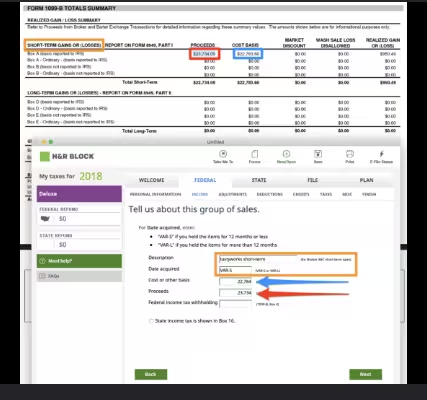
Step 2: Enter your info
Click to zoom.
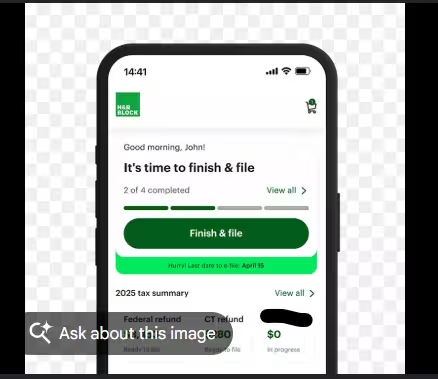
Step 3: Review and submit
Click to zoom.
Note: These are illustrative visuals, not official screenshots.
Quebec residents should confirm both federal and provincial handling for their chosen filing option.
If your situation is complex or you are unsure about deductions, professional help can reduce mistakes.
They often offer DIY plus assisted options. Verify what is included for the current tax year.
Confirm Quebec support and provincial return handling before filing.
Helpful links and external resources for deeper reading.
Canada GST/HST Filing Guide
Step-by-step guide for filing GST/HST returns in Canada.
Read guide ->
Quebec GST/HST + QST Guide
Quebec-focused guide for combined GST/HST and QST filing.
Read guide ->
Best Accounting Software in Canada
Compare small-business accounting tools, pricing ranges, and workflow fit for 2026.
Read guide ->
Tax Software Canada Hub
Go back to the main comparison page for deadlines, software fit, and tax-season planning.
Read guide ->
Canada Tax Hub
Branch into CRA filing guides, Quebec sales-tax help, and self-employed planning resources.
Read guide ->
Open the official H&R Block page in a new tab.
Note: This opens an external website. We do not control their content or availability.
You are about to open an external H&R Block resource in a new tab. Your TechNextPicks page will stay open.
Quick overview of important changes (then read the full guide for details).
Educational overview only. Always verify details with CRA / official sources.
Practice simulator
Want a low-stakes walkthrough before you file for real? Use our simulator to practice inputs and see a simplified estimate. No TurboTax or CRA branding, and no official filing is performed.
Practice only • Not affiliated with TurboTax or CRA
If this option fits your needs, continue to the official software page.
Disclosure: Some links may be affiliate links. We may earn a commission at no extra cost to you.
Structured answers: summary, actions, tools, citations.
Suggested prompts
Learner mode follow-ups
Support-first decision guide
This page becomes more useful when it answers the real decision behind the brand query. Most people comparing H&R Block are not simply asking whether the software exists. They are asking whether a support-first option is worth choosing over a leaner DIY tool. That is the question this section handles directly.
Strong fit
You want guided filing, but you also want the option to escalate to more support if your return becomes more complex than expected.
Less ideal
You already know your return is simple, you are comfortable with a lean DIY workflow, and you mainly want the lowest-friction self-serve experience.
What makes it different
H&R Block is not just another DIY tax brand page. Its practical differentiator is support optionality, and that matters for filers who are not fully sure where their return will become messy.
If your return is straightforward and you rarely need help, a lighter DIY product can be enough. H&R Block becomes more compelling when uncertainty is part of the job: multiple slips, rental income, self-employment questions, family credits, or a general lack of confidence about where mistakes usually happen.
That does not automatically mean you need a tax professional. It means a support-oriented product may reduce friction and risk if your main bottleneck is confidence rather than raw willingness to enter numbers yourself.
Check whether your actual need is software help, document organization, or self-employed filing clarity. Many buyers reach a software page too early. If the real issue is weak records or unclear T2125 categories, the better next step may be a guide or simulator instead of an affiliate click.
Tax Practice Simulator
Use this first if you still need a practice pass on income, expenses, and set-aside planning before selecting software.
Open simulatorSelf-Employed Tax Guide Canada
Best next read when the issue is record-keeping and filing structure rather than software choice alone.
Read guideQuebec GST/HST + QST Guide
Important if provincial complexity is part of why you are leaning toward a support-first filing path.
Read Quebec guideStructured answers: summary, actions, tools, citations.
Suggested prompts
Learner mode follow-ups