Table of contents
Best Accounting Software in Canada (2026)
Compare accounting tools for self-employed workers, small business teams, and gig drivers. This guide helps you choose a workflow now so tax time is simpler later.
For filing and CRA-specific updates, visit the tax software hub and the GST/QST driver calculator.
Accounting software in Canada is less about fancy features and more about making sure every dollar is categorized the way the CRA expects. Whether you are a sole proprietor in Ontario, a contractor in Alberta, or a small retail shop in Quebec, the tool you pick should fit how you earn, bill, and track tax. This guide is built for Canadian realities: GST/HST thresholds, QST separation, and the cadence of monthly or quarterly remittances. Instead of listing features in isolation, we focus on the workflows that actually save time: fast invoicing, clean bank matching, and reports that your accountant can trust.
If you are new to bookkeeping, the best software is the one you will actually use weekly. That often means a clean dashboard, mobile receipt capture, and categories that make sense to non accountants. If you run a service business, time tracking and recurring invoices matter more than inventory. If you sell products, purchase orders, COGS tracking, and multi location inventory can quickly become non negotiable. For gig drivers, mileage logs and platform fee tracking are as important as basic income. Use the scenarios on this page to narrow your shortlist before you get lost in pricing tiers.
Bank feeds and reconciliation deserve special attention because they drive accuracy. A tool with reliable bank connections and smart rules can cut your monthly close from hours to minutes. Look for the ability to import statements, match transactions to invoices, and add notes that explain unusual items. Clean reconciliation also makes tax time smoother, because GST/HST and QST totals depend on accurate transaction dates. The right software should let you see cash flow at a glance, but it should also export a clear general ledger or trial balance when your accountant asks.
It is also important to separate bookkeeping from tax filing. Accounting software helps you record transactions throughout the year; tax software or a tax professional helps you file the return. Many business owners confuse these steps and assume one tool covers both. In Canada, the filing step still requires careful review, and rules can change by province or industry. That is why this guide treats pricing as an estimate and encourages you to verify official plans. Use the comparison as a map, not a final invoice.
Setup is where most people get stuck. Plan for an initial pass that covers your chart of accounts, tax codes, and opening balances. If you already have spreadsheets, migrate them in monthly batches so you do not lose historical context. If you are starting from zero, set up categories that match your tax needs: income, cost of goods, office expenses, vehicle expenses, and taxes collected. A good tool should allow you to tag transactions for special cases like reimbursable costs or mixed personal use.
Payroll and inventory are the two add ons that most often change the cost. If you only pay yourself and use a separate payroll provider, you may not need payroll inside the accounting app. But if you have employees or contractors with source deductions, integrated payroll can reduce errors. Inventory is similar: if you only sell a few items, basic tracking is fine; if you manage many SKUs or multiple locations, you will need stronger controls. Use the estimator and the add on ranges as a quick reality check, then confirm with the vendor.
Integrations can also make or break your workflow. If you already use Shopify, Square, Stripe, or a point of sale system, check whether the accounting tool can pull orders and fees automatically. For service businesses, consider how proposals, time tracking, and client portals connect to invoices. The goal is not to install every add on, but to reduce manual entry without losing visibility. A lean stack with reliable data flow is usually better than a complex stack you never maintain.
Switching software later is possible, but it often costs time and money. Data migrations are easier when your books are clean and reconciled, and harder when you have unreviewed transactions. Before you commit, ask how easy it is to export transactions, invoices, and reports. You should be able to hand your accountant a full year of data without exporting dozens of files. Think long term: the right tool should work for your business today and still feel comfortable as you grow.
If you are evaluating two or three tools, focus on the outputs you need, not just the features you want. Can you produce a profit and loss statement by month? Can you generate GST/HST and QST summaries with one click? Can you see unpaid invoices and follow up quickly? Those outputs are what keep cash flow healthy and reduce tax season stress. This guide emphasizes clarity over hype, and it favors tools that make those core outputs simple and reliable.
Data access and security are also part of the decision. Cloud tools store your records offsite, which is a benefit for backups, but you should still look at permissions, audit trails, and how easily you can grant accountant access without sharing your main password. If you work with a bookkeeper, check whether the plan includes multiple users or requires an add on. Small teams often outgrow single user plans quickly, and the cost of upgrading should be part of your estimate. Look for data export options in case you ever need to move platforms.
Think about how you track sales tax and when you remit. Some businesses report GST/HST and QST annually, while others file quarterly or monthly. Software that can create a clear tax report for each period is worth paying for, because it reduces mistakes and late fees. If you are unsure about cash versus accrual reporting, choose a tool that can switch or show both views. It is easier to learn the difference early than to rebuild your records at year end. If you collect tips or platform fees, map them to separate categories from day one.
Finally, set an operating rhythm so the software does its job. A weekly or biweekly review keeps bank feeds tidy, a monthly reconciliation keeps reports accurate, and a quarterly check in with your accountant keeps surprises low. If your books are up to date, the estimator and comparison table become more reliable for budget planning because you are comparing real usage, not guesses. The goal is progress, not perfection, so pick a tool you can commit to and start using this week.
Use this page in stages. Start with the cost estimator to get a rough monthly range, then save the tools that look closest to your needs. Open the compare modal to view them side by side, and jump to the detailed sections for the pros and cons. Finally, scan the deep guide and FAQ to make sure you are not missing a Canada specific requirement. If you are still unsure, consider a short call with an accountant to validate your choice before you commit.
How we choose
- Canada-first focus and support for CRA workflows
- GST/HST + QST tracking needs (Quebec included)
- Pricing tiers for solo, team, and growing businesses
- Ease-of-use for day-to-day bookkeeping
Disclosure: some links may be affiliate links. We may earn a commission at no extra cost to you.
Quick picks
Best accounting software at a glance
Pick a starting point, then jump to full details below.
Best overall
QuickBooks Online
Balanced features for most small businesses.
Jump ->Best for teams
Xero
Clean collaboration and bank reconciliation.
Jump ->Best for freelancers
FreshBooks
Invoicing and time tracking made simple.
Jump ->Best free starter
Wave
Free core tools with optional add-ons.
Jump ->Best value automation
Zoho Books
Automation and value for growing teams.
Jump ->Best for complex workflows
Sage 50
Advanced controls for detailed accounting.
Jump ->How we choose
- Canada-first support for GST/HST and QST workflows
- Real-world invoicing, payroll, and reporting needs
- Clear pricing tiers and upgrade paths
- Ease-of-use for day-to-day bookkeeping
Who this is for
- Self-employed and freelancers
- Small teams managing invoices and expenses
- Quebec businesses needing QST tracking
Avoid common mistakes
- Choosing a plan without GST/HST support
- Mixing personal and business transactions
- Skipping monthly reconciliation
- Underestimating invoice volume
- Waiting until tax season to organize
Author + review process
TechNextPicks Editorial Team
We review this guide on a quarterly cadence and update details when pricing or features change.
What we verify
- Pricing pages
- GST/HST + QST support
- Bank feeds
- Invoicing workflows
- Reporting exports
Compare saved tools
Up to 3 tools. Estimates only.
| Name | Best for tags | Estimated cost range | Notes |
|---|---|---|---|
|
|
|
Ranges are estimates for comparison only; verify official pricing.
Quick comparison (Canada)
A fast snapshot of pricing approach, tax support, and core features. Always confirm the latest details on the official site.
QuickBooks Online
SMBs needing strong GST/HST workflows and add-ons
Pricing: Check latest pricing
Key features: Bank feeds, Invoicing, Reports, Add-ons
Xero
Teams that want clean reconciliation and integrations
Pricing: Check latest pricing
Key features: Bank rec, Invoicing, Integrations, Reports
FreshBooks
Service businesses and freelancers
Pricing: Check latest pricing
Key features: Invoicing, Time tracking, Expenses, Client portals
Wave
Budget starters who want simple books
Pricing: Check latest pricing (free plan available)
Key features: Free core, Invoicing, Receipts, Basic reports
Sage 50 Accounting
Complex accounting with desktop-style workflows
Pricing: Check latest pricing
Key features: Advanced controls, Inventory, Job costing, Reports
Zoho Books
Value-focused teams with automation needs
Pricing: Check latest pricing
Key features: Automation, Invoicing, Bank feeds, Reports
Who should use which?
Match your situation to a short list of tools before you dive deeper.
Freelancer / sole proprietor
Simple invoices, clean expenses, easy client management.
Recommended: FreshBooks, Wave
Service business (invoicing heavy)
Recurring invoices and payment tracking.
Recommended: FreshBooks, QuickBooks
Growing small business (team + payroll soon)
Multi-user access and add-ons.
Recommended: QuickBooks, Xero
Quebec-based business (QST workflows)
QST tracking and reporting support.
Recommended: QuickBooks, Sage 50, Zoho Books
Product-based business (inventory-ish)
Inventory and costing features.
Recommended: Sage 50, QuickBooks
Budget starter (free/low cost)
Start simple, upgrade later.
Recommended: Wave, Zoho Books
Pick the right accounting software in 2 minutes
Compare features, then connect your workflow to tax time prep.
Educational only. Pricing/features change. Always verify on the official site.
Deep guide: how to choose
How to choose accounting software in Canada (deep guide)
This guide helps you pick accounting software that fits Canada-specific needs like GST/HST and Quebec QST. Use it to compare workflows, not just features, so you avoid switching later.
GST/HST + QST readiness
Make sure the tool can track GST/HST and Quebec QST separately with clear reports.
Reporting and dashboards
Look for profit and loss, cash flow, and tax summary reports you can share with your accountant.
Expense tracking + receipt capture
Faster receipt capture means fewer missing deductions and cleaner GST/HST totals.
Invoicing + payment collection
If you invoice clients, choose a tool that supports taxes on invoices and faster payment follow-up.
Integrations
Bank feeds, payroll, Shopify, and POS links reduce manual entry and errors.
Multi-user + accountant access
Shared access helps your bookkeeper or accountant review data and spot issues early.
Types of accounting software
- Invoicing-first tools for service businesses and freelancers
- Full bookkeeping platforms with bank feeds and reporting
- Desktop/on-prem options that are legacy but powerful
- Personal finance vs business finance tools (do not mix)
Benefits
- Save time with fewer manual entries
- Improve accuracy across reports
- Increase audit readiness with organized records
- See cashflow and profitability faster
- Collaborate with your accountant more easily
Modern trends in 2026
Cloud accounting
Access your books from anywhere with secure backups.
Automation
Receipt capture and categorization reduce admin time.
Multi-user collaboration
Teams and accountants can work in the same system.
Integrations
Connect bank feeds, payroll, POS, and e-commerce.
Common mistakes
- Choosing based on price only
- Mixing personal and business transactions
- Ignoring tax settings (GST/HST/QST)
- No monthly review routine
- Waiting until tax season to organize books
Quick checklist before you buy
Educational only. Not tax advice.
Pick the right accounting tool (fast)
Choose your needs and we will highlight the best-fit options below.
No AI, no tracking - just smart rules.
Your situation
Needs
Budget
Find the best accounting software in Canada (2026)
Answer 3 quick questions and we will suggest the best option for your situation.
1) Your situation
2) Needs
3) Budget
Cost estimator (monthly)
Quick, honest estimates based on your workload and add-on needs. We keep the ranges wide on purpose.
Estimates only. Pricing/features change.
Top 3 recommendations
Based on your inputsEstimate
Result summary
A quick starting point based on common Canadian small business needs.
Audience use-cases
Pick a path based on your tax situation or province, then connect the right accounting workflow.
Uber/Taxi drivers (Canada)
Track mileage, GST/QST totals, and platform fees.
Self-employed / freelancers
Organize invoices, expenses, and GST/HST categories.
Small business teams
Need approvals, reports, and payroll workflows.
Quebec (GST/HST + QST)
Combined filing guidance and QST tracking.
Monthly scenario templates
Use these checklists to keep your books clean and tax-ready each month.
Freelancers
- Send invoices and record payments
- Upload receipts and categorize expenses
- Track billable hours and project notes
- Set aside GST/HST amounts collected
Small businesses
- Reconcile bank and card accounts
- Review payroll or contractor payments
- Check GST/HST and QST categories
- Export monthly profit and loss
Drivers (Uber/Taxi/Delivery)
- Download platform summaries
- Log mileage and fuel expenses
- Separate GST/QST collected vs paid
- Save receipts and service invoices
Pricing comparison (Canada)
Prices change often. This table shows a typical “starting at / range” view to help you compare quickly.
| Software | Starting price | Best for | GST/HST support | Invoicing | Payroll option | Jump |
|---|---|---|---|---|---|---|
| QuickBooks Online | From $ (plan-based) | Small business, all-around | Yes (track + reports) | Yes | Add-on / available | View → |
| Xero | From $ (plan-based) | Bank reconciliation + ecosystem | Yes (track + reports) | Yes | Partner/add-on options | View → |
| FreshBooks | From $ (plan-based) | Freelancers, service businesses | Yes (tax on invoices) | Yes (strong) | Limited / add-on | View → |
| Wave | Free core (paid add-ons) | Budget starters | Basic (depends on workflow) | Yes | Region-dependent / add-on | View → |
| Zoho Books | Free plan + paid tiers | Value-focused features | Yes (tax tracking) | Yes | Via Zoho ecosystem | View → |
| Sage 50 Accounting (Canada) | From $ (subscription) | Complex accounting / desktop-style | Yes (strong) | Yes | Options available | View → |
Pricing is shown as a “starting at / typical range” guide. Exact prices, promotions, and plan names can change—verify on the official site before purchasing.
Quick comparison (what to choose)
Use this high-level table to narrow options before you compare features in depth.
| Software | Best for | Strengths | Watch-outs | Jump |
|---|---|---|---|---|
| QuickBooks Online | Small businesses and multi-service teams | Bank feeds, invoicing, strong reports | Can feel heavy for very basic needs | Learn more |
| Xero | Businesses that want clean reconciliation | Bank rec + integrations | Add-ons can increase cost | Learn more |
| FreshBooks | Freelancers and service businesses | Invoicing + time tracking | Not designed for complex inventory | Learn more |
| Wave | Best free starter for basics | Invoicing + basic bookkeeping | Fewer advanced tools | Learn more |
| Zoho Books | Value-focused small business | Solid features for price | May require setup time | Learn more |
| Sage 50 Accounting | Complex accounting needs | Detailed controls + reporting | Desktop-style learning curve | Learn more |
QuickBooks Online
Best for small businesses that want a full bookkeeping hub.
Key features
- Bank feeds and reconciliation tools
- Customizable invoices and estimates
- Category-based expense tracking
- Reports for cash flow and taxes
Pros & cons
Pros
- Strong all-around feature set
- Commonly used by bookkeepers
Cons
- More setup than basic tools
- Costs rise with advanced tiers
QuickBooks overview video
See the core workflow and dashboard overview before choosing your accounting stack.
External video link for article-first indexing.
Watch QuickBooks videoVideo: QuickBooks overview (YouTube).
Tax time note: clean GST/HST categories and bank-matched transactions make filing totals easier.
Go to tax software hub ->Xero
Best for businesses that want clean bank reconciliation.
Key features
- Powerful reconciliation workflows
- Integrations with popular apps
- Flexible invoicing templates
- Reporting and cash summaries
Pros & cons
Pros
- Clean, modern interface
- Excellent bank feed tools
Cons
- Integrations can add cost
- Not always the cheapest plan

Xero overview video
Quick look at Xero navigation, reconciliation flow, and daily bookkeeping rhythm.
External video link for article-first indexing.
Watch Xero videoVideo: Xero overview (YouTube).
Tax time note: consistent reconciliation helps keep GST/HST totals accurate.
Go to tax software hub ->Need help at tax time?
Ask our free helper about GST/HST, QST (Quebec), ITC, Quick vs Regular method, and what to prepare before filing.
Educational only - not tax advice.
FreshBooks
Best for freelancers and service-based businesses.
Key features
- Time tracking + invoicing
- Client-facing estimates
- Expense capture
- Project-based reporting
Pros & cons
Pros
- Great for client billing
- Simple UX for solo users
Cons
- Not inventory-focused
- Less depth for complex ops

FreshBooks overview video
Understand invoicing-first workflows and service-business use cases.
External video link for article-first indexing.
Watch FreshBooks videoVideo: FreshBooks overview (YouTube).
Tax time note: clean invoices and expense categories simplify GST/HST reporting.
Go to tax software hub ->Wave
Best free starter for basic bookkeeping.
Key features
- Free invoicing + receipts
- Basic income and expense tracking
- Simple reporting
- Good for very small operations
Pros & cons
Pros
- Free core tools
- Easy entry point
Cons
- Limited advanced features
- May outgrow quickly

Wave overview video
See Wave setup basics and what the free starter workflow looks like.
External video link for article-first indexing.
Watch Wave videoVideo: Wave overview (YouTube).
Tax time note: keep GST/HST totals separate if you are registered.
Go to tax software hub ->Zoho Books
Best for value-focused businesses that want strong features.
Key features
- Invoicing and automation
- Expense and bank feeds
- GST/HST support
- Client portal options
Pros & cons
Pros
- Strong feature-to-price ratio
- Good automation tools
Cons
- Learning curve for new users
- Setup takes time
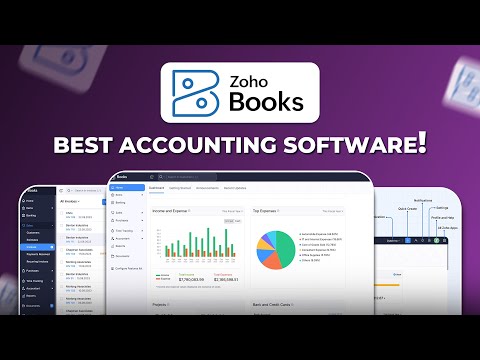
Zoho Books overview video
Review Zoho Books automation and reporting fit for value-focused teams.
External video link for article-first indexing.
Watch Zoho Books videoVideo: Zoho Books overview (YouTube).
Tax time note: reliable categories help export clean totals for filing.
Go to tax software hub ->Sage 50 Accounting
Best for complex accounting needs or desktop workflows.
Key features
- Detailed accounting controls
- Inventory and job costing support
- Robust reporting
- Desktop-style workflow
Pros & cons
Pros
- Deep accounting controls
- Great for complex inventory
Cons
- Higher learning curve
- More setup time

Sage 50 overview video
Watch the Sage 50 desktop-style workflow and advanced accounting controls.
External video link for article-first indexing.
Watch Sage 50 videoVideo: Sage 50 overview (YouTube).
Tax time note: export accurate GST/HST totals to simplify filing.
Go to tax software hub ->Best for each situation
How this helps at tax time
Accounting software helps you keep clean totals, organize receipts, and track GST/HST or QST during the year. That means fewer surprises when you file. For more filing guidance, visit the tax software hub and the CRA 2026 updates.