Simple, fast workflow
Frequently described as quick and uncluttered for basic returns.
Wealthsimple Tax - Canada
Built for Canadians who want a light, low-friction filing flow instead of a heavily coached tax interview.
This review is for filers who already understand the basics of their return and mainly want the fastest path from slips to submission. The decision is less about maximum hand-holding and more about whether a clean interface is enough for your filing year.
That makes Wealthsimple Tax a different search intent from an expert-help page or a broad comparison hub. The real question here is when a minimalist Canada filing workflow beats a more guided or support-heavy option.
Why trust this page
Disclosure: Some links may be affiliate links. We may earn a commission at no extra cost to you.

Best for
Simple returns and fast filing
Pricing range
Pay-what-you-want to $80 + tax
Platforms
Web (desktop and mobile browser)
CRA NETFILE
Yes (NETFILE ready)
Quebec support
Confirm Quebec support for your plan
Best for
Not ideal for
Pricing and features can change by plan and tax year.
More guides
Compare accounting tools or catch up on the latest CRA updates before you file.
Accounting guide
Compare top accounting tools, estimated pricing, and best-for picks for 2026.
Read the accounting guide ->
Tax guide
T2125, expenses, GST/HST, QST, and filing workflow basics.
Read the self-employed guide ->
CRA update
Key CRA updates, dates, and filing notes for the 2026 season.
Read the CRA 2026 guide ->
A quick walkthrough of the Wealthsimple Tax flow so you can see how the filing experience works.

Watch: Wealthsimple Tax walkthrough
A quick walkthrough of the Wealthsimple Tax flow so you can see how the filing experience works.
External video link for article-first indexing.
Watch walkthroughDisclaimer: This video is for general information only and does not replace certified tax software or professional advice.
Prices shown are from the Wealthsimple Tax website and can change by plan or tax year.
Basic
Pay what you want
Plus
$40 + tax
Pro
$80 + tax
Pricing can change. Always confirm the latest plan details on the official site.
Auto-fill my return
Imports slips from CRA and Revenu Quebec when available.
Maximum refund guarantee
Guarantee applies based on program terms and eligibility.
Priority support (Plus)
Plus includes priority email support and audit protection.
Expert consultations (Pro)
One-on-one consultations with a tax expert in Pro (availability varies).
Quebec availability varies
Pro plan availability can be limited for Quebec or French filings.
Clean filing flow
Minimal interface designed for straightforward returns.
Short summaries based on public feedback + our readers. Not official screenshots or quoted testimonials.
What users say: Many users describe a clean, quick flow for straightforward returns.
What to watch for: Some note that support levels and features change by tier or tax year.
Frequently described as quick and uncluttered for basic returns.
Users mention straightforward steps for common slips and deductions.
Some users want more help for edge cases or complex returns.
Reviews shown here are summarized or user-submitted and may not reflect every experience.
Reviews are moderated before they appear publicly.
Best for Canadians who already know their return is manageable and want a faster DIY experience with less interface clutter.
Simple employment income
Great for common slips like T4 and basic deductions.
Students
Straightforward support for tuition and common student credits.
Couples and families
Works well for basic family credits when your situation is simple.
DIY filers
Best if you are comfortable entering slips and reviewing details yourself.
Quebec note
If you file in Quebec, confirm the software supports both federal and provincial filing for your situation.
Confirm coverage for your exact situation and version before filing.
1) Start a return
Pick the tax year and begin.
2) Add income slips
Enter slips and income sources.
3) Add deductions
RRSP, tuition, medical, etc.
4) Review
Confirm totals and key details.
5) Submit
File electronically if supported.
6) Save documents
Keep copies of your return and receipts.
A lightweight three-step visual so you can see the typical filing flow.

Step 1: Sign in and start
Click to zoom.
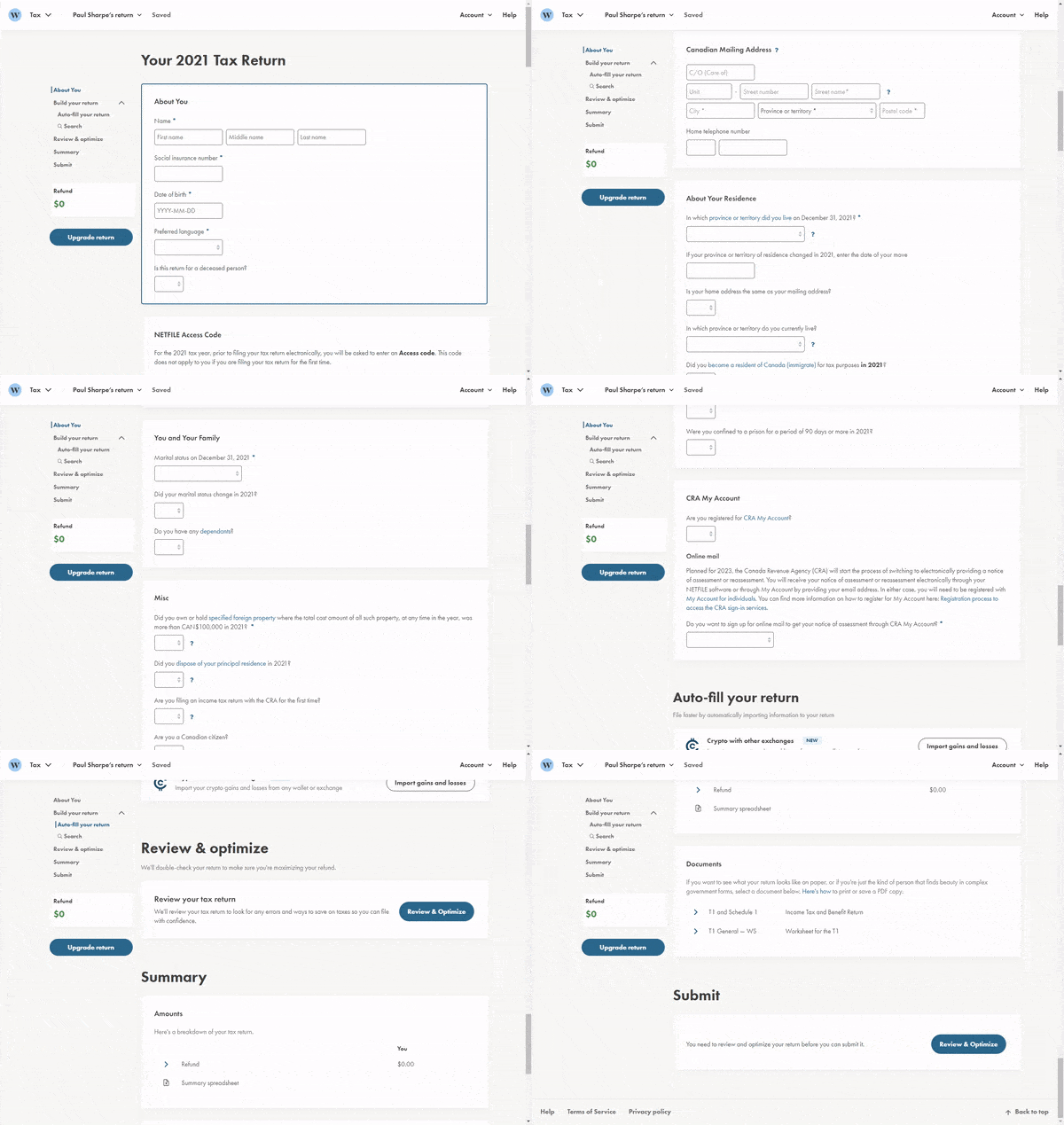
Step 2: Enter your info
Click to zoom.
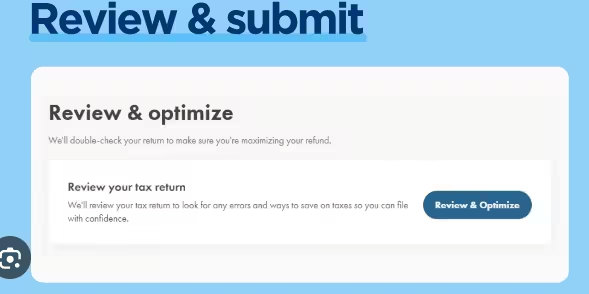
Step 3: Review and submit
Click to zoom.
Note: These are illustrative visuals, not official screenshots.
If you file in Quebec, confirm the software supports both federal and provincial filing for your situation.
It often offers a pay-what-you-want model, but terms can change. Verify current details.
It is commonly used for straightforward returns where you want a clean, quick experience.
Confirm Quebec support for the current year and version before filing.
Helpful links and external resources for deeper reading.
Canada GST/HST Filing Guide
Step-by-step guide for filing GST/HST returns in Canada.
Read guide ->
Quebec GST/HST + QST Guide
Quebec-focused guide for combined GST/HST and QST filing.
Read guide ->
Best Accounting Software in Canada
Compare small-business accounting tools, pricing ranges, and workflow fit for 2026.
Read guide ->
Tax Software Canada Hub
Go back to the main comparison page for deadlines, software fit, and tax-season planning.
Read guide ->
Canada Tax Hub
Branch into CRA filing guides, Quebec sales-tax help, and self-employed planning resources.
Read guide ->
Open the official Wealthsimple Tax page in a new tab.
Note: This opens an external website. We do not control their content or availability.
You are about to open an external Wealthsimple resource in a new tab. Your TechNextPicks page will stay open.
Quick overview of important changes (then read the full guide for details).
Educational overview only. Always verify details with CRA / official sources.
Practice simulator
Want a low-stakes walkthrough before you file for real? Use our simulator to practice inputs and see a simplified estimate. No TurboTax or CRA branding, and no official filing is performed.
Practice only • Not affiliated with TurboTax or CRA
If this option fits your needs, continue to the official software page.
Disclosure: Some links may be affiliate links. We may earn a commission at no extra cost to you.
Structured answers: summary, actions, tools, citations.
Suggested prompts
Learner mode follow-ups
Alternative-focused review
The main comparison hub answers, “Which Canada tax software path fits my filing season?” This review answers a narrower question: “When is Wealthsimple Tax the smarter alternative to guided or support-heavy software?” That distinction matters because Google should see this page as an intent-specific review, not a duplicate summary of the broader hub.
Who this is for
DIY filers who want a simpler interface and do not need constant coaching at every step.
Problem it solves
It helps you decide whether a cleaner, lighter filing workflow is enough for your return.
What to do next
Compare this page with TurboTax and H&R Block, then choose the workflow you will actually complete on time.
Why Canada-specific
The real decision includes CRA filing flow, Quebec considerations, and how much support you need around Canadian forms.
| Decision lens | Wealthsimple Tax | TurboTax | H&R Block |
|---|---|---|---|
| Primary angle | Clean DIY workflow for simple to moderately complex returns. | Guided workflow with stronger hand-holding and support ladder. | DIY plus assisted-filing options for users who want more human backup. |
| Best fit | Confident filers who want speed, simple interface, and flexible pricing. | First-time filers or users who prefer prompts over exploration. | People choosing between software and paid-help options in one ecosystem. |
| Main tradeoff | Less of the “guided coach” feeling than TurboTax for anxious first-timers. | Often more expensive when your return moves into higher support tiers. | Support-first positioning can make it feel heavier than a minimalist DIY tool. |
Practical example: a filer with employment income, common deductions, and a preference for clean interface may lean Wealthsimple. A first-time filer who wants step-by-step reassurance may still prefer TurboTax. A user deciding between DIY and paid help often has a stronger reason to evaluate H&R Block.
Related tax guides
These pages help separate software choice from filing workflow, CRA context, and alternative-product fit.
Go back to the full Canada comparison if you are still deciding between DIY, hybrid, and support-first filing paths.
Read guide -> Support-first reviewCompare Wealthsimple’s simpler DIY angle with H&R Block’s stronger help-and-assistance positioning.
Read guide -> Guided workflowSee how Wealthsimple compares with a more prompt-driven workflow and broader support ladder.
Read guide -> Tax clusterBranch into deadlines, GST/HST, self-employed, and CRA filing context once software choice is clearer.
Read guide ->We treat this page as an intent-specific review. That means the writing emphasizes workflow fit, support tradeoffs, and Canada filing context instead of repeating the full comparison-hub copy. If you already know you want a cleaner DIY experience, continue with Wealthsimple. If you are still comparing product styles, go back to the hub and work from there.
Structured answers: summary, actions, tools, citations.
Suggested prompts
Learner mode follow-ups