Accessibility note: This guide is fully readable without audio. If video or audio is added in the future, a text transcript will be provided. Screen reader users can jump by heading or use the Contents list to navigate.

AI lesson planning for teachers

Photo credit: Generated using AI.

Role-based guide

AI Tools for Teachers: Lesson Planning and Feedback in 2026

Use AI to draft lessons, simplify materials, and speed feedback while keeping teacher judgment in control. Pair this with AI ethics and privacy and AI skills basics for safe classroom use.

Updated January 2026 By AHMAD

Teaching workflows AI can streamline

Use AI to reduce prep time while keeping professional judgment at the center.

Planning

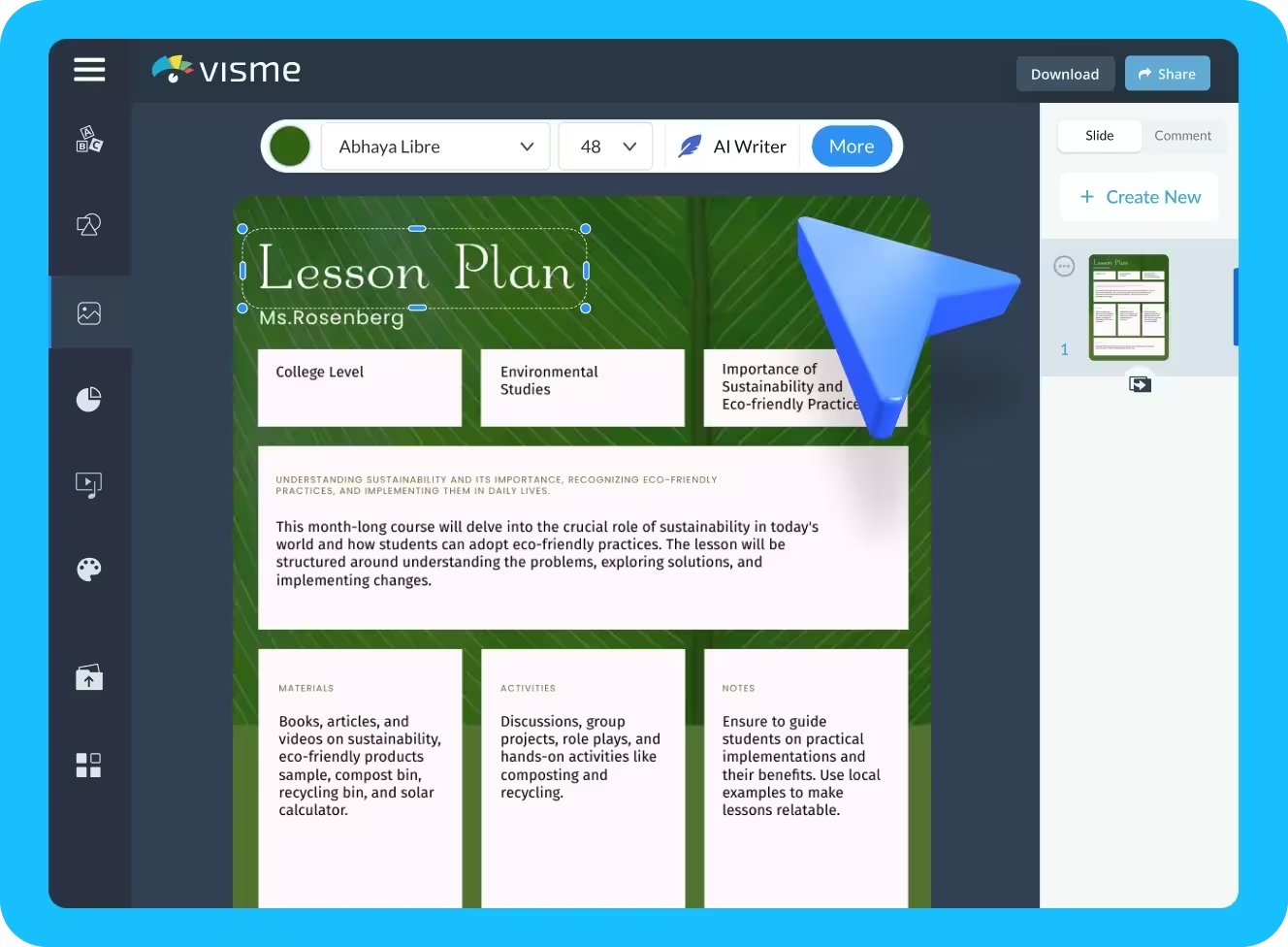
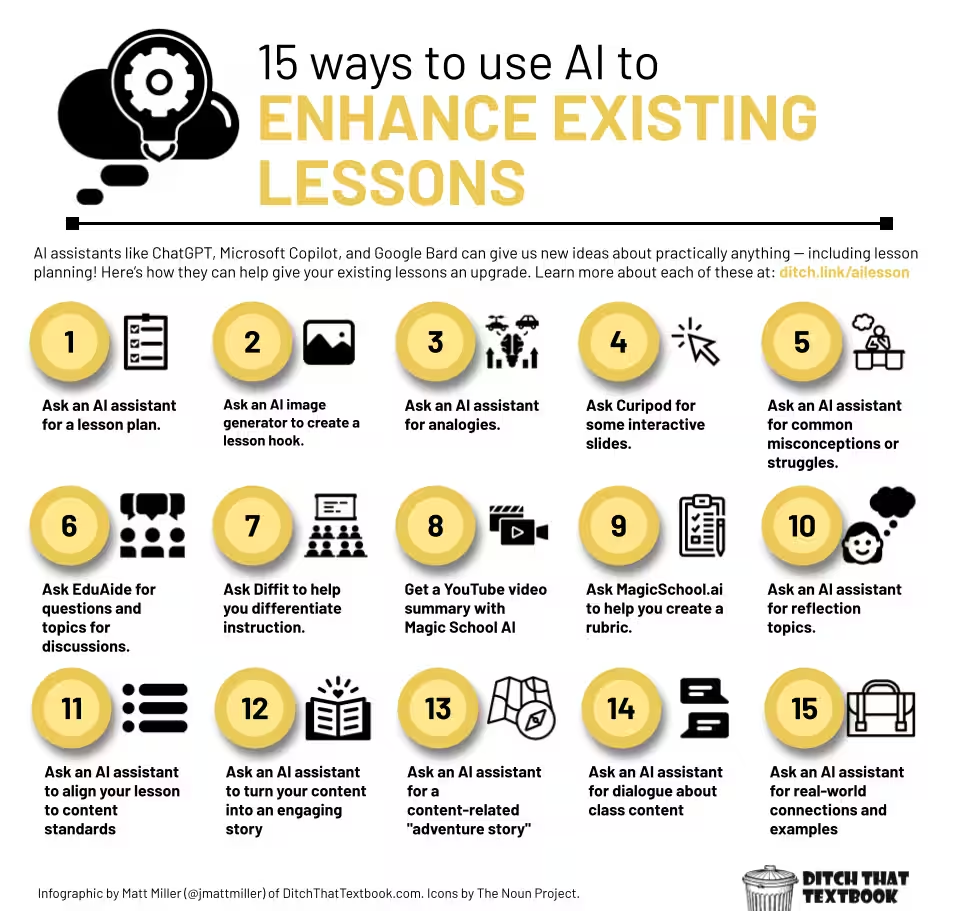
AI-enhanced lesson planning

Create structured outlines and clear objectives fast, then customize for your class.

Example

You need a Grade 6 ecosystem lesson. AI drafts objectives, vocabulary, activities, and review prompts. You refine it for your students.
Feedback

Feedback and assessment

Generate consistent rubrics and comment templates, then personalize before sharing.

Example

AI drafts a rubric and feedback notes for essays. You edit tone and align with classroom standards.

Accessibility

Simplified materials

Create summaries and alternative explanations for diverse learning needs.

Example

AI creates a simplified summary of a complex reading and offers an alternate explanation for students who need it.

Top AI tools for teachers in 2026

Widely used
Tool Best for Why it is useful Link
ChatGPT Lesson drafts and explanations Versatile drafting and revision chat.openai.com
Canva Visual teaching materials Easy graphics and lesson visuals canva.com
Kahoot! Interactive review games Engages students with quizzes kahoot.com
Quizlet Practice sets and flashcards Reinforcement materials quizlet.com
Edmodo Communication and feedback Class discussions and comments new.edmodo.com
Microsoft Word Rubrics and feedback docs Structured comments and templates microsoft.com

How to use these tools in your workflow

Lesson planning

Brainstorm with ChatGPT, visualize in Canva, organize in Word or Docs.

Feedback

Build a rubric template, let AI suggest comments, then personalize.

Accessibility

Generate simplified summaries, then share with students for review.

Best practice: keep teacher judgment first

AI can draft and suggest, but you decide what goes to students and how it is framed.

Final thought

AI tools support teachers by saving time, improving clarity, and expanding access when used intentionally.

Recommended teacher tool stack

ToolBest forWhy it helpsLink
ChatGPTLesson draftsOutlines, activities, explanationschat.openai.com
Google WorkspaceDocs and emailDrafts and summaries in Docsworkspace.google.com
Microsoft CopilotOffice workflowsWord and PowerPoint assistancemicrosoft.com/microsoft-365/copilot
Otter.aiLecturesTranscripts and highlightsotter.ai
CanvaClass materialsSlides and visuals for lessonscanva.com
GrammarlyWriting qualityTone and clarity checksgrammarly.com

Teacher playbooks: Smarter lessons and better feedback with AI

AI supports teachers by handling first drafts, not final decisions. Use it to save time on structure and repetition, then rely on professional judgment to personalize learning.

Teacher Playbook

Playbook 1

Lesson outline

Generate a lesson outline, then adapt it to your class needs.

How it works

  1. Use AI to create a basic lesson structure.
  2. Review learning objectives.
  3. Adjust activities, pacing, and examples for your students.

Example: Grade 7 science (ecosystems)

AI-drafted outline

  • Objective: Understand food chains and food webs.
  • Key terms: Producer, consumer, decomposer.
  • Activity: Group diagram of a food web.
  • Assessment: Short quiz.

Teacher adaptation

  • Add a local ecosystem example (forest or pond).
  • Replace quiz with exit tickets.
  • Add visuals for ESL learners.

Result: A lesson that is fast to plan and classroom-ready.

Tool Best for Why teachers use it Link
ChatGPT Lesson outlines Fast drafts and idea generation chat.openai.com
Canva Slides and worksheets Ready-made education templates canva.com/education
Google Docs Lesson writing Easy editing and collaboration docs.google.com
Nearpod Interactive lessons Live activities and checks nearpod.com

Playbook 2

Feedback templates

Draft rubric comments, then personalize before sharing.

Example: Essay feedback

AI-generated comment

Your essay presents a clear main idea, but some points need stronger evidence and clearer transitions.

Teacher-personalized version

Your main idea is clear, especially in paragraph two. To improve, add one example from the text and work on smoother transitions between paragraphs.

Feedback stays human, specific, and supportive.

Tool Best for Key benefit Link
Microsoft Word Rubrics and comments Built-in review tools microsoft.com
Grammarly Feedback clarity Polished, professional tone grammarly.com
Turnitin Academic integrity Widely used by schools turnitin.com
Google Classroom Sharing feedback Centralized grading and comments classroom.google.com

Recommended teacher workflow

Lesson planning

Draft outline with AI, customize content, then add visuals and activities.

Feedback

Generate rubric comments, personalize tone and details, share via your LMS.

Best practice rule for teachers

AI drafts. Teachers decide. Students benefit.

Final thought

Teacher playbooks powered by AI reduce workload without reducing quality. Used responsibly, they improve lesson structure, speed feedback, and create more time for student connection.

Adoption tips for teachers using AI safely

Adopting AI in education works best when it is gradual, intentional, and responsible. Start small, protect student data, and keep human judgment at the center of every decision.

Tip 1

Start with low-risk tasks

Drafts and outlines are easiest to review.

Why it is safe

  • No student data involved.
  • Easy to edit or discard.
  • Saves time without affecting grades.

Example: lesson planning

A teacher asks: “Create a Grade 5 math lesson outline on fractions.” AI returns objectives, key vocabulary, and activity ideas. The teacher reviews and adapts everything.

Result: low risk, high time savings, full teacher control.

Tool Best for Why it is safe to start with Link
ChatGPT Draft outlines Teacher-controlled text drafts chat.openai.com
Canva Lesson visuals Templates without student data canva.com/education
Google Docs Draft editing Easy review and version history docs.google.com
Notion Planning workflows Private planning space notion.so

Tip 2

Protect student data

Use approved tools and remove identifiers.

Never share

  • Student names, IDs, or emails.
  • Grades or behavior records.
  • Individualized notes or reports.

Example: feedback drafting

Unsafe input: “Give feedback for Ahmed Khan, Grade 8, scored 62% on his essay.”

Safe input: “Draft general feedback for a middle-school essay that needs clearer arguments.”

Then personalize feedback locally inside your LMS.

Tool Best for Why schools trust it Link
Google Classroom Assignment sharing FERPA-aligned workflows classroom.google.com
Turnitin Academic integrity Institutional data controls turnitin.com
Microsoft Word Rubrics and comments Local editing and permissions microsoft.com
Grammarly Feedback clarity Optional privacy settings grammarly.com

Safe AI adoption workflow

Planning

Use AI for outline drafts only, then edit for your class.

Feedback

Generate generic comments, personalize inside your LMS.

Privacy

Remove identifiers and use school-approved platforms only.

Simple rule to remember

If you would not post it publicly, do not put it into AI.

Final takeaway

Responsible AI adoption does not require complex systems. Teachers succeed when they start small, stay privacy-first, and keep human judgment in control.

FAQ

Can AI help with lesson planning?

Yes. AI can draft lesson outlines, learning objectives, and activity ideas, which you can refine for your class.

Is it safe to use AI with student data?

Use approved tools with privacy controls and avoid uploading student identifiers to public tools.

What is a safe first AI task for teachers?

Start with lesson outlines or rubric drafting, then review and customize.

Can AI help with accessibility?

Yes. It can generate summaries, simplify language, and provide captions or transcripts.

Will AI replace teachers?

No. AI supports planning and admin work, but teaching and judgment remain human.

Final takeaway

AI saves prep time and improves consistency when teachers keep human review in control.

TechnextPicks Assistant

Uses TechnextPicks when relevant, otherwise answers with general knowledge.
Thinking...

Suggested prompts

Guest verification

Thinking... this can take up to 180 seconds on a small VPS.