Data minimization
Only share what is required
Remove names, IDs, and sensitive fields before submitting to public tools.
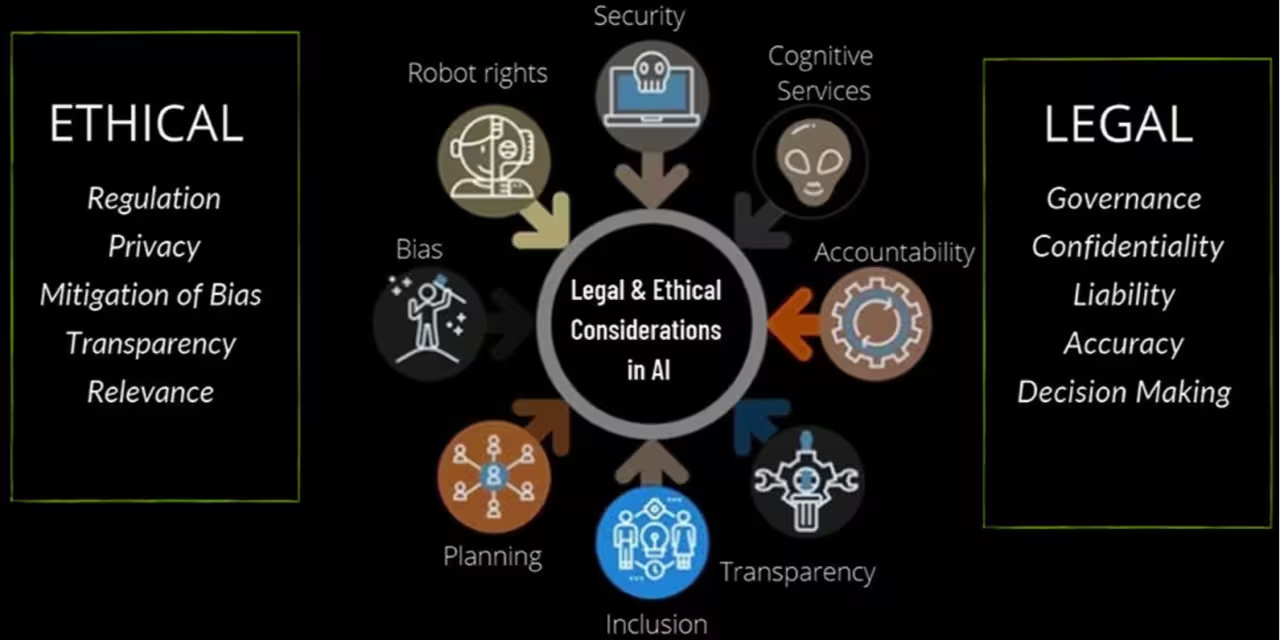
Photo credit: Generated using AI.
Governance Guide
Responsible AI use requires privacy protection, transparency, and human oversight. This guide covers practical safeguards for professionals and teams. For tool selection and workflow examples, see best AI productivity tools and how to learn AI skills .
Updated January 2026 By AHMAD
Responsible AI use begins before you click submit. Every prompt or document you share is a data decision that affects privacy, compliance, and risk exposure. Treat AI inputs like sensitive documents.
Data minimization
Remove names, IDs, and sensitive fields before submitting to public tools.
Approved tools
Use enterprise versions when handling regulated or confidential data.
A manager wants an AI summary of a feedback report. Instead of uploading the raw file with names and emails, they remove identifiers and replace client names with generic labels. Result: useful insights without exposing sensitive data.
| Tool | Best for | Privacy-focused features | Link |
|---|---|---|---|
| ChatGPT (Enterprise/Team) | Drafts and summaries | Data controls, no training on chats for enterprise | openai.com/enterprise |
| Microsoft Copilot (M365) | Office workflows | Enterprise security and tenant controls | microsoft.com/microsoft-365/copilot |
| Google Workspace (Enterprise) | Docs and email | Admin controls and data policies | workspace.google.com |
| Notion AI (Teams) | Knowledge and docs | Workspace permissions and team access | notion.so/product/ai |
| Grammarly Business | Writing review | Enterprise security and access management | grammarly.com/business |
| Otter.ai (Business) | Meetings and transcripts | Team controls and data management | otter.ai |
| Perplexity (Pro/Enterprise) | Research with sources | Account controls and configurable settings | perplexity.ai |
Low risk
Rewrite a generic email without names or sensitive details.
High risk
Summarize a client contract using an enterprise AI with data isolation.
Privacy is a user habit, not a tool feature. Share less, use approved tools for sensitive work, and confirm policies before uploading data.
Transparency and accountability ensure AI supports decisions without removing human ownership. Clear documentation builds trust, reduces audit risk, and prevents silent or unapproved use.
AI usage log
Track tools, tasks, data type, and approvals so decisions are auditable.
Accountability
AI can assist, but a human reviewer must approve final outputs.
Tool: Microsoft Copilot. Task: Draft variance summary. Data: Internal financials. Approver: Finance Manager. Date and purpose recorded for audit traceability.
| Tool | Best for | Accountability features | Link |
|---|---|---|---|
| Microsoft Copilot (M365) | Office workflows | Enterprise logging, user identity | microsoft.com/microsoft-365/copilot |
| Google Workspace (Enterprise) | Docs and collaboration | Admin audit logs and permissions | workspace.google.com |
| Notion AI (Teams) | Knowledge documentation | Page history and permissions | notion.so/product/ai |
| Confluence + AI | Team documentation | Versioning and approvals | atlassian.com/software/confluence |
| Jira | Task approvals | Workflow approvals and tracking | atlassian.com/software/jira |
| Grammarly Business | Writing assistance | Team usage visibility | grammarly.com/business |
| ServiceNow | Enterprise governance | Workflow approvals and auditability | servicenow.com |
Scenario
AI drafts sections, a manager reviews edits, and approval is recorded in a project tool.
Scenario
AI assists with the draft, marketing validates claims, and legal approves before publishing.
Start with a shared log and one named reviewer. Clear rule: AI assists, humans decide.
AI can sound confident even when wrong. Responsible use requires verification, bias awareness, and risk-based controls for high-impact decisions.
Verification
Validate facts, numbers, and sources before sharing outputs.
Bias control
Review outputs for bias, missing perspectives, or misleading context.
An AI summary claims churn increased 12% last quarter. A quick dashboard check shows 8%. The reviewer corrects the number before sharing.
An AI suggests cutting support staff but ignores customer impact. A reviewer asks for risks and trade-offs to produce a balanced analysis.
| Tool | Best for | Why it helps | Link |
|---|---|---|---|
| ChatGPT | Drafts and analysis | Ask for sources, alternatives, assumptions | chat.openai.com |
| Perplexity | Research | Answers with citations to verify | perplexity.ai |
| Consensus | Evidence-based research | Pulls answers from studies | consensus.app |
| Google Search | Fact checks | Independent source validation | google.com |
| Microsoft Copilot | Office workflows | Enterprise context and traceability | microsoft.com/microsoft-365/copilot |
| Grammarly | Writing review | Flags clarity and misleading phrasing | grammarly.com |
| Notion AI | Team docs | Shared context and version history | notion.so/product/ai |
Scenario
AI summarizes a 30-page report, reviewer checks figures and adds caveats.
Scenario
AI drafts summary, legal reviews clauses and exceptions, then signs off.
Governance does not need to be complex. A simple, repeatable checklist helps teams move fast without adding risk. The goal is confidence, accountability, and audit readiness.
Before you share
If sensitive
An AI drafts a performance summary. The analyst verifies figures, the manager confirms policy alignment, and approval is recorded in the project tool.
A legal team uses an enterprise AI platform that restricts access, avoids data retention, and provides audit trails before sharing results.
| Tool | Best for | Governance features | Link |
|---|---|---|---|
| Microsoft Copilot (M365) | Office workflows | Enterprise security, audit logs | microsoft.com/microsoft-365/copilot |
| Google Workspace (Enterprise) | Docs and collaboration | Admin controls and audit logs | workspace.google.com |
| ChatGPT Enterprise/Team | Drafts and summaries | Data isolation, no training on chats | openai.com/enterprise |
| Notion AI (Teams) | Knowledge management | Permissions and version history | notion.so/product/ai |
| Confluence (Atlassian) | Documentation | Approvals and audit trails | atlassian.com/software/confluence |
| ServiceNow | Governance and compliance | Incident tracking and approvals | servicenow.com |
| Grammarly Business | Writing review | Team oversight and consistency | grammarly.com/business |
Scenario
AI drafts summary, analyst verifies numbers, manager approves, logged in project system.
Scenario
AI drafts, marketing validates claims, legal approves before publishing.
For the broader context, read why AI will shape the future of work . For hardware and on-device privacy context, read what is an AI PC .
Only if the tool has approved privacy controls. Check data retention policies, training opt-outs, and enterprise access controls before uploading sensitive information.
Unintentional data exposure. Uploading client data, contracts, or PII to public tools can violate policies or regulations.
Use verification checklists: confirm facts, review sources, and cross-check numbers before sharing outputs.
Yes. Even a short policy helps define approved tools, data boundaries, and review requirements.
Healthcare, legal, finance, education, and security-focused roles because they handle regulated or confidential data.
Yes. Use low-risk tasks, keep humans in control, and document how AI is used for accountability.
Responsible AI use balances speed with safeguards. Keep humans in control and document how AI is used so outputs stay accurate, compliant, and trustworthy.
Privacy choices determine whether AI adoption stays safe and compliant.
Human review is the most reliable safeguard against errors and bias.
Structured answers: summary, actions, tools, citations.
Suggested prompts
Learner mode follow-ups