Strengths
Where AI helps most
Drafting, summarizing, pattern detection, and repetitive analysis tasks where speed matters.
Accessibility note: This guide is fully readable without audio. If video or audio is added in the future, a text transcript will be provided. Screen reader users can jump by heading or use the Contents list to navigate.
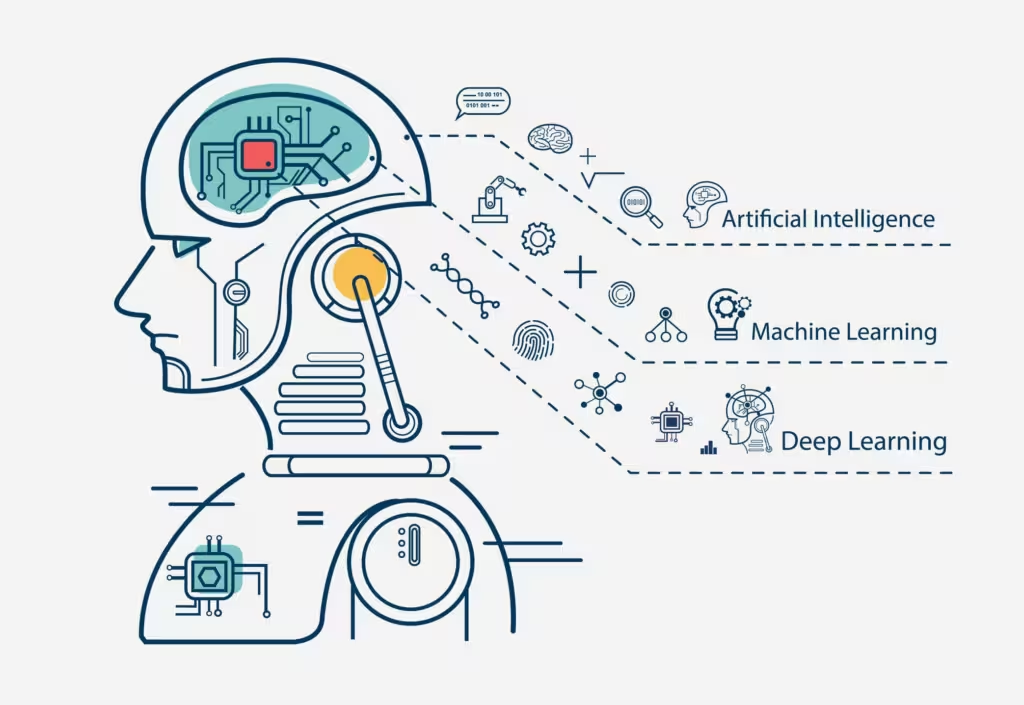
Photo credit: Generated using AI.
Skill Builder
The fastest way to adapt to AI is to learn how to use it as a tool. This roadmap focuses on practical skills that improve output and reduce risk. If you are deciding whether new hardware matters, see what is an AI PC .
Updated January 2026 By AHMAD
Before using AI at work, understand what it does well and where humans must stay in control. The goal is augmented work with proper review, not blind automation.
Strengths
Drafting, summarizing, pattern detection, and repetitive analysis tasks where speed matters.
Limits
Facts, sources, compliance, sensitive data handling, and high-risk decisions.
A project manager uploads a 40-page proposal and asks AI to create a one-page summary and list key risks. The draft is ready quickly, but a human reviewer verifies facts before sharing.
Privacy and bias
Mindset
Fast and helpful, but always in need of review. Humans own accuracy and judgment.
| Tool | Best for | Why it is useful | Link |
|---|---|---|---|
| ChatGPT | General AI basics | Drafting, summarizing, Q&A | chat.openai.com |
| Grammarly | Writing quality | Grammar, tone, clarity checks | grammarly.com |
| Notion AI | Notes and docs | Summaries and action items | notion.so/product/ai |
| Perplexity AI | Research | Answers with citations | perplexity.ai |
| Otter.ai | Meetings | Transcription and summaries | otter.ai |
| Microsoft Copilot | Office work | AI inside Word, Excel, Outlook | microsoft.com/microsoft-365/copilot |
| Google Gemini (Docs) | Docs and email | Drafting and summarization | workspace.google.com |
The fastest way to build real AI skills is to apply AI to work you already do every week. Keep the scope small so results are measurable and repeatable.
Start small
Meeting summaries, email drafts, weekly reports, and simple research summaries are great first targets.
Measure
Compare time spent before and after for 2-4 weeks to confirm real ROI.
A team lead uses AI for meeting notes. Before: 30 minutes per meeting. After: 10 minutes with human review. Outcome: clear time savings with low risk.
| Week | Without AI | With AI |
|---|---|---|
| Week 1 | 2 hours | 1 hour |
| Week 2 | 2 hours | 45 minutes |
| Week 3 | 2 hours | 40 minutes |
| Tool | Best first task | Why it works | Link |
|---|---|---|---|
| ChatGPT | Drafts and summaries | Flexible and easy to prompt | chat.openai.com |
| Otter.ai | Meeting summaries | Transcription and action items | otter.ai |
| Grammarly | Email drafts | Tone, clarity, professionalism | grammarly.com |
| Notion AI | Weekly reports | Summaries from notes | notion.so/product/ai |
| Microsoft Copilot | Office tasks | Works inside Word, Outlook, Teams | microsoft.com/microsoft-365/copilot |
| Google Gemini (Docs) | Document drafts | Built-in AI writing help | workspace.google.com |
Pair this with AI productivity tools so you learn in context.
Governance keeps AI outputs accurate, compliant, and trustworthy. It does not slow teams down; it adds simple safeguards so AI accelerates work without adding risk.
Verification
Check facts, figures, sources, and context before sharing or publishing.
Privacy
Avoid PII and confidential data in public tools; use enterprise controls where required.
A strategy analyst uses AI to summarize a market report. A manual check catches an outdated growth figure and a missing regional exception. The analyst corrects the summary before sharing with leadership.
| Tool | Best for | Governance strength | Link |
|---|---|---|---|
| Perplexity AI | Research and answers | Citations for verification | perplexity.ai |
| Consensus | Evidence-based research | Grounded in studies | consensus.app |
| Microsoft Copilot (Enterprise) | Office workflows | Enterprise security controls | microsoft.com/microsoft-365/copilot |
| Google Workspace (Enterprise) | Docs and email | Admin controls and policies | workspace.google.com |
| Grammarly Business | Writing review | Tone and consistency checks | grammarly.com/business |
| Notion AI (Teams) | Knowledge management | Access permissions and standards | notion.so/product/ai |
Scenario
AI drafts, human verifies stats and links, editor checks tone, final approval before publishing.
Scenario
AI summarizes data, analyst validates formulas, manager reviews assumptions.
Good governance uses checklists, not long meetings, and scales as AI usage grows.
A solid reference is AI ethics and privacy . For real-world tool examples, use best AI productivity tools .
The future of work rewards people who apply AI inside their existing workflows. Start small, prove value, and scale what works. The winning pattern is simple: pilot, measure, document, expand.
Adoption
Run a small pilot, document prompts, and expand only after results are consistent.
Team learning
Create examples and templates so others can repeat successful workflows.
Task: Weekly operational report. Pilot AI to draft from raw notes. Human verifies metrics and adds context. Result: Report time drops from 90 minutes to 35 minutes consistently. Once stable, the workflow expands to the whole team.
One marketer perfects an AI prompt for campaign briefs. The team saves it as a template and reuses it for every new launch. Result: Consistent quality and faster onboarding.
Managers
Meeting summaries, weekly status updates, and leadership briefs reduce admin work.
Finance and ops
Variance explanations, trend summaries, and monthly reports with human oversight.
Sales and support
Email drafts, ticket tagging, and call summaries speed response times.
Education and training
Lesson outlines, feedback summaries, and accessibility support reduce prep time.
| Use case | Tool | Why teams use it | Link |
|---|---|---|---|
| Drafting and summaries | ChatGPT | Flexible prompts and fast drafts | chat.openai.com |
| Meetings and follow-ups | Otter.ai | Transcripts and action items | otter.ai |
| Docs and playbooks | Notion AI | Templates and summaries | notion.so/product/ai |
| Office workflows | Microsoft Copilot | Built into Word, Excel, Teams | microsoft.com/microsoft-365/copilot |
| Writing quality | Grammarly | Tone, clarity, consistency | grammarly.com |
| Research answers | Perplexity | Answers with sources | perplexity.ai |
| Automation | Zapier | Connect apps and reduce steps | zapier.com |
AI advantage comes from application, not awareness. Pilot one task, measure real outcomes, share what works, and scale with confidence.
For broader context, read why AI will shape the future of work .
No. Most AI skills for work focus on using tools effectively, writing good prompts, and validating outputs. Coding helps for advanced roles, but it is not required for most professionals.
Pick one real task you do every week and test an AI tool on it. Measure time saved and refine your workflow before expanding.
Always verify key facts, numbers, and sources. Use AI for drafts and summaries, then apply human review before decisions.
Start with a writing or summarization tool, then add research and automation tools only if you have a clear use case.
Track time saved and quality improvements over 2-4 weeks. If the tool saves consistent hours or reduces errors, you can justify scaling.
Yes. Healthcare, education, finance, legal, and operations teams all use AI to save time, improve accuracy, and reduce manual work.
AI skills are practical, not theoretical. Focus on one workflow, verify results, and build habits that make AI safe and useful in daily work.
Use AI on the work you already do so the benefits are immediate.
Verification, privacy awareness, and documentation make AI sustainable.
Structured answers: summary, actions, tools, citations.
Suggested prompts
Learner mode follow-ups