Accessibility note: This guide is fully readable without audio. If video or audio is added in the future, a text transcript will be provided. Screen reader users can jump by heading or use the Contents list to navigate.

AI tools for accountants

Photo credit: Generated using AI.

Role-based guide

AI Tools for Accountants: Faster Reviews and Reporting in 2026

Use AI to speed analysis, reporting, and documentation while keeping compliance controls intact. Pair this with AI ethics and privacy and AI skills basics.

Updated January 2026 By AHMAD

AI Tools for Accountants (2026)

Faster reviews, clearer reporting, stronger audit support.

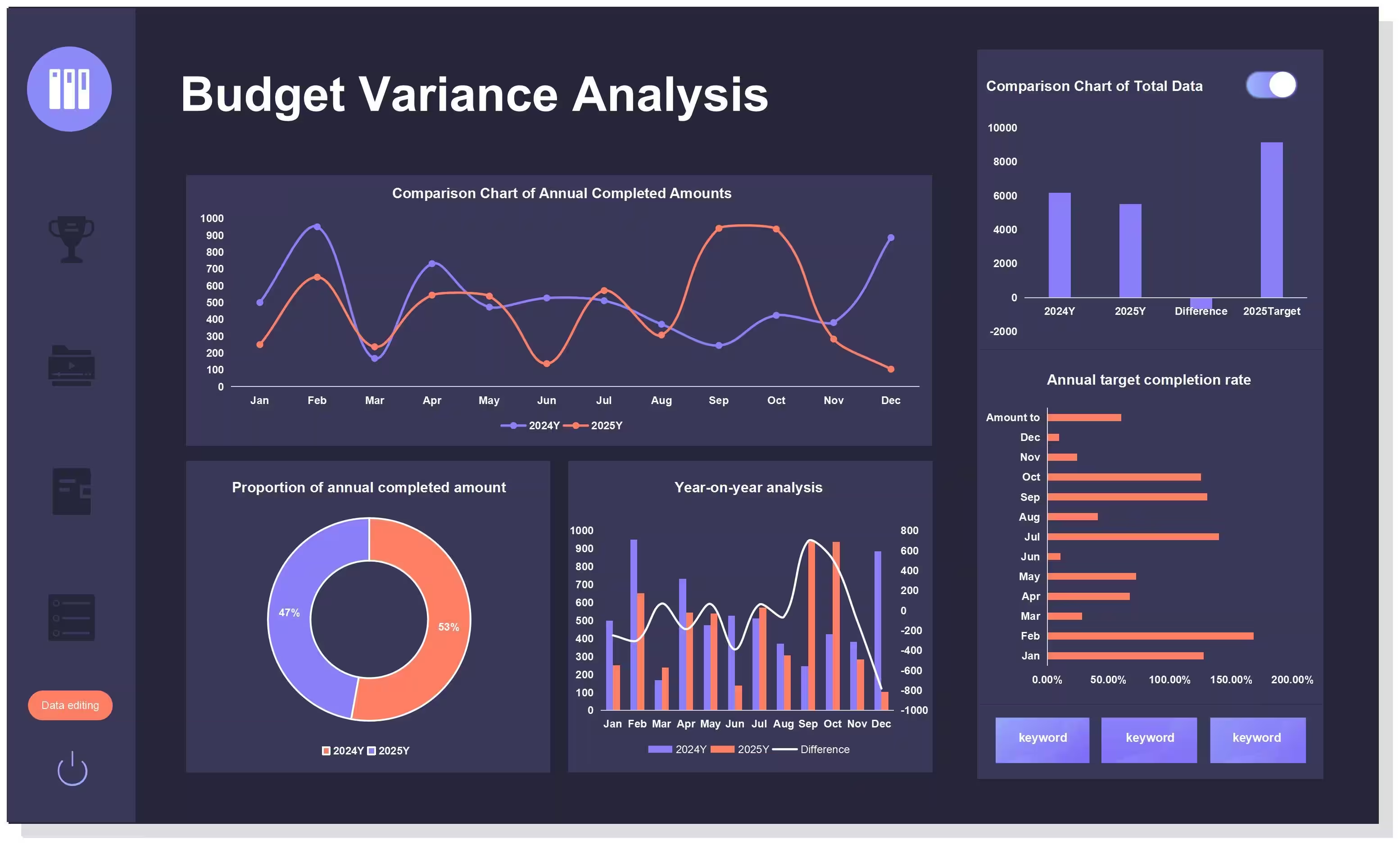
Accounting teams use AI as a productivity multiplier, not a decision-maker. The biggest gains come from drafting explanations, organizing evidence, and turning numbers into clear narratives.

Analysis

Variance summaries

Explain changes quickly and consistently.

Example: cost variance

Budgeted expenses: $120,000

Actual expenses: $138,000

AI-drafted summary

Expenses increased by 15% this month, mainly due to higher logistics costs and one-time maintenance.

Accountant review

Confirm accuracy, add context, and approve final wording.

Tool Best for Why accountants use it Link
Microsoft Excel Variance calculations Industry standard analysis microsoft.com/excel
Google Sheets Team collaboration Real-time review google.com/sheets
Power BI Trend analysis Visual variance dashboards powerbi.microsoft.com
ChatGPT Narrative explanations Clear variance summaries chat.openai.com

Reporting

Monthly reports

Draft narratives and key takeaways.

Example: monthly performance

Revenue up 9%

Operating margin up 2%

AI-drafted narrative

Revenue increased by 9% this month, driven by higher sales volume and improved pricing discipline, resulting in a 2% improvement in operating margin.

Final step

Accountant validates assumptions and signs off.

Tool Best for Key benefit Link
Microsoft Word Financial narratives Professional formatting microsoft.com/word
Google Docs Collaborative reports Comments and version history docs.google.com
Tableau Executive dashboards Clear KPI visuals tableau.com
Notion Report organization Central reporting hub notion.so

Documentation

Audit support

Organize notes and evidence faster.

Example: audit preparation

AI generates an evidence checklist and groups documents by period, account, and control owner.

Result: faster retrieval, fewer findings, reduced audit stress.

Tool Best for Why it is trusted Link
Microsoft OneNote Audit notes Structured, searchable microsoft.com/onenote
SharePoint Controlled documents Version control and permissions microsoft.com/sharepoint
Confluence Policies and controls Central audit knowledge atlassian.com
Dropbox Evidence storage Secure file sharing dropbox.com

Recommended accountant workflow (2026)

Analysis

Calculate variances, draft explanations with AI, validate assumptions.

Reporting

Generate narratives, add BI visuals, complete senior review.

Documentation

Organize evidence continuously and keep audit-ready folders.

Best practice rule for accountants

AI drafts faster. Accountants verify accuracy. Compliance stays human.

Recommended accountant tool stack

ToolBest forWhy it helpsLink
Excel CopilotSpreadsheetsSummaries and formula assistancemicrosoft.com/microsoft-365/copilot
Power BIDashboardsTrends, visuals, and insightspowerbi.microsoft.com
ChatGPTDraft narrativesDraft report summarieschat.openai.com
TableauVisual analyticsInteractive dashboardstableau.com
GrammarlyWriting qualityClarity and tone checksgrammarly.com

Accounting playbooks (2026)

Use AI to draft narratives fast, then verify numbers and add professional judgment.

These playbooks show how to produce executive-ready outputs while keeping controls and sign-off intact.

Playbook 1

Variance summary

Use AI to draft a narrative, then verify numbers.

What AI helps with

  • Turn raw variances into plain-language explanations.
  • Keep tone consistent month to month.
  • Reduce time spent rewriting similar narratives.

Example

Inputs: Budgeted Opex $200,000 · Actual Opex $228,000 · Variance +14%

AI draft

Operating expenses increased by 14% this month, primarily driven by higher logistics costs and unplanned maintenance.

Accountant review

Confirm calculations, note one-time vs recurring drivers, and add corrective actions.

Final narrative

Operating expenses increased by 14% this month, mainly due to one-time maintenance costs and higher logistics expenses. These costs are not expected to recur next month.

Tool Best for Why accountants use it Link
Microsoft Excel Variance calculations Industry standard accuracy microsoft.com/excel
Power BI Trend visuals Clear variance dashboards powerbi.microsoft.com
ChatGPT Narrative drafts Fast, consistent explanations chat.openai.com
Google Sheets Team review Real-time collaboration google.com/sheets

Outcome

Faster explanations, fewer leadership follow-ups, and numbers verified by humans.

Playbook 2

Monthly report

Summarize KPIs and add caveats for leadership.

Example

KPIs: Revenue +8% MoM · Gross margin -1.2 pts · Cash balance stable

AI draft

Revenue increased by 8% this month, while gross margin declined slightly.

Accountant-enhanced version

Revenue increased by 8% month over month, driven by higher sales volume. Gross margin declined by 1.2 points due to temporary supplier price increases, which are expected to normalize next quarter.

Leadership gets: clear signals, risks flagged, no surprises later.

Tool Best for Key benefit Link
Microsoft Word Report narratives Professional formatting microsoft.com/word
Google Docs Team collaboration Comments and version history docs.google.com
Tableau KPI dashboards Executive-friendly charts tableau.com
Notion Report organization Central monthly close hub notion.so

Recommended monthly workflow

Variance

Calculate in Excel or Sheets, draft narrative with AI, verify numbers and drivers.

Reporting

Summarize KPIs with AI, add caveats and risks, complete final review.

Best practice rule for accounting teams

AI drafts the story. Accountants validate the truth. Leaders trust the result.

Adoption tips for accountants using AI (2026)

Move faster without compromising accuracy, compliance, or data security.

AI improves efficiency only when paired with strong review discipline and approved tools. These tips help teams adopt AI responsibly.

Tip 1

Verify every output

Keep a review checklist for compliance.

Example: variance narrative review

AI draft: “Operating expenses increased by 12% due to higher staffing costs.”

Accountant checklist review

  • Numbers tie to the GL and trial balance.
  • Variance calculation rechecked.
  • One-time vs recurring clarified.
  • Language aligns with internal policy.

Final version

Operating expenses increased by 12%, primarily due to temporary staffing costs related to the Q2 system upgrade.

Simple AI review checklist

  • Are all figures mathematically correct?
  • Do explanations match source data?
  • Are assumptions stated clearly?
  • Is wording compliant with internal policies?
  • Would this pass an audit review?
Tool Best for Why it is widely used Link
Microsoft Excel Verification and reconciliation Trusted calculation standard microsoft.com/excel
Microsoft Word Narrative review Track changes and comments microsoft.com/word
Google Docs Peer review Version history and approvals docs.google.com
ChatGPT Draft explanations Fast first-pass narratives chat.openai.com

Tip 2

Use approved tools

Protect sensitive financial data.

Example: safe vs unsafe use

Unsafe: “Explain why Client ABC’s revenue dropped from $1.2M to $950K.”

Safe: “Draft a generic explanation for a revenue decline caused by lower sales volume.”

Sensitive details are added later inside secure systems.

Tool Best for Why finance teams trust it Link
Microsoft Power BI Financial dashboards Enterprise-grade security powerbi.microsoft.com
SharePoint Secure documentation Access control and audit trails microsoft.com/sharepoint
Tableau Executive reporting Controlled data access tableau.com
OneDrive File storage Encrypted enterprise storage microsoft.com/onedrive

Recommended safe AI workflow

Drafting

Use AI for generic narratives only, avoid client names or exact figures.

Review

Validate numbers in Excel and apply the checklist review.

Storage

Save outputs in SharePoint or OneDrive with version history.

Golden rule for accountants

If the data is sensitive, AI drafts stay generic and final details stay internal.

Final takeaway

Responsible AI adoption in accounting depends on relentless verification and strict data protection. When those are in place, AI becomes a powerful assistant without risking compliance or trust.

FAQ

Can AI replace accountants?

No. AI helps with drafts and analysis, but human judgment and compliance oversight remain essential.

Which AI tools are most useful for accountants?

Excel Copilot, Power BI, and summary tools provide the biggest time savings.

How do I avoid errors in AI summaries?

Verify numbers against source data and keep a review checklist for critical outputs.

Is it safe to use AI with financial data?

Only with approved enterprise tools and strict access controls.

What is a safe first workflow?

Monthly report summaries or variance explanations with human review.

Final takeaway

AI speeds reporting and analysis when accountants keep verification and compliance at the center.

TechnextPicks Assistant

Uses TechnextPicks when relevant, otherwise answers with general knowledge.
Thinking...

Suggested prompts

Guest verification

Thinking... this can take up to 180 seconds on a small VPS.