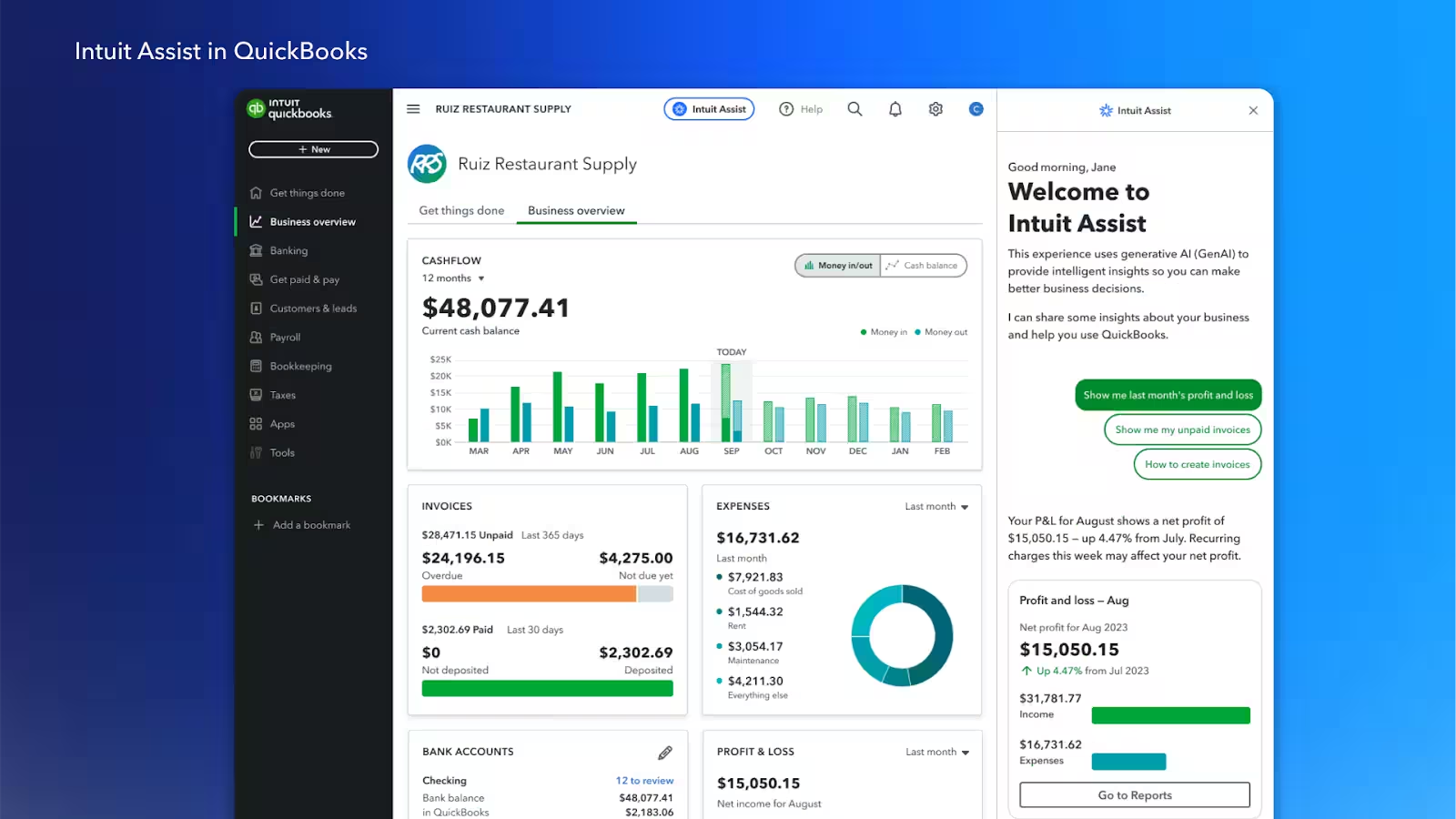
Accessibility note: This guide is fully readable without audio. If video or audio is added in the future, a text transcript will be provided. Screen reader users can jump by heading or use the Contents list to navigate.

AI tools for small business owners

Photo credit: Generated using AI.

Role-based guide

AI Tools for Small Business Owners: Practical Automation in 2026

Use AI for marketing, support, and operations to save time and keep quality consistent. For a broader overview, see best AI productivity tools and AI ethics and privacy.

Updated January 2026 By AHMAD

AI tools for small business owners (2026)

Practical automation for marketing, support, and operations.

The biggest wins come from drafting, summarizing, and organizing, not autopiloting the business. You stay in control of decisions, brand voice, and customer relationships.

Marketing

Content drafts

Create promos, newsletters, and social posts.

How it helps

AI generates first drafts so you are never stuck staring at a blank page.

Example

Prompt: “Write a short Instagram promo for a weekend sale at a local coffee shop.”

AI draft

Weekend Special! Enjoy 20% off all handcrafted coffees this Saturday and Sunday. Stop by and treat yourself!

Owner adjusts tone, adds location and hashtags, then schedules.

Tool Best for Why small businesses use it Link
ChatGPT Content drafts Fast promos and captions chat.openai.com
Canva Visual marketing Easy social and flyer designs canva.com
Mailchimp Newsletters Campaign automation mailchimp.com
Buffer Scheduling posts Simple social publishing buffer.com

Support

Faster responses

Draft replies and summarize tickets.

How it helps

AI drafts polite replies and summarizes long conversations so you can respond quickly.

Example

Customer: “My order hasn’t arrived yet. Can you check?”

AI draft reply

Thanks for reaching out! I’m sorry for the delay. I’m checking your order status and will update you shortly.

Owner confirms details, personalizes, and sends.

Tool Best for Key benefit Link
Zendesk Ticket handling Organized support inbox zendesk.com
Freshdesk Small team support AI-assisted replies freshworks.com/freshdesk
Intercom Live chat Fast customer messaging intercom.com
ChatGPT Reply drafts Clear, friendly responses chat.openai.com

Operations

Weekly reporting

Summarize KPIs and action items.

How it helps

AI turns numbers and notes into clear weekly summaries you can review and share.

Example

Inputs: Sales up 6% · 12 new customers · Supplier delay resolved

AI draft summary

This week, sales increased by 6% with 12 new customers onboarded. A supplier delay was resolved, and normal delivery schedules resumed.

Owner verifies numbers, adds next steps, and shares with the team.

Tool Best for Why it is useful Link
Google Sheets KPI tracking Simple metrics and trends google.com/sheets
Microsoft Excel Financial tracking Detailed analysis microsoft.com/excel
Notion Business dashboards Central workspace notion.so
ChatGPT Weekly summaries Fast narrative drafts chat.openai.com

Simple weekly workflow for small businesses

Marketing

Draft content with AI, review, and schedule.

Support

Draft replies with AI, personalize, and send.

Operations

Update KPIs, generate weekly summary, review and share.

Best practice rule for small business owners

AI drafts the work. Owners make the decisions. Customers feel the care.

Recommended small business tool stack

ToolBest forWhy it helpsLink
ChatGPTDrafts and summariesMarketing and customer commschat.openai.com
CanvaVisualsCreate ads and social graphicscanva.com
GrammarlyWriting qualityTone and clarity checksgrammarly.com
ZapierAutomationConnects apps and workflowszapier.com
Notion AIDocs and playbooksTeam SOPs and summariesnotion.so/product/ai
Microsoft CopilotOffice workflowsWord, Excel, Outlook supportmicrosoft.com/microsoft-365/copilot

Small business playbooks (2026)

Practical AI workflows that save time, improve communication, and protect customer trust.

AI works best when it supports repeatable tasks—drafting messages, summarizing numbers, and organizing next steps—while you stay in control of tone, decisions, and data.

Playbook 1

Customer update

Draft a customer email, polish tone, then send.

Example

Scenario: You need to inform customers about a short service delay.

AI draft

We are experiencing a short delay in service and are working to resolve it.

Owner-polished version

Hello, we’re experiencing a short service delay today. Our team is actively working on it, and we expect everything to be back on track by tomorrow. Thank you for your patience and support.

Result

Faster communication, clear messaging, customer trust maintained.

Tool Best for Why small businesses use it Link
ChatGPT Email drafts Fast, clear first drafts chat.openai.com
Gmail Customer communication Reliable and widely adopted mail.google.com
Mailchimp Bulk updates Easy customer newsletters mailchimp.com
Grammarly Tone polish Professional, friendly tone grammarly.com

Playbook 2

Weekly KPI summary

Summarize metrics and list next actions.

Example

Inputs: Sales +7% · New customers 18 · Support tickets -25%

AI draft summary

This week, sales increased by 7% with 18 new customers added. Support tickets dropped by 25%, indicating improved response times.

Owner adds next actions and shares.

Result

Faster decisions with less admin work.

Tool Best for Key benefit Link
Google Sheets KPI tracking Simple, collaborative google.com/sheets
Microsoft Excel Financial metrics Detailed analysis microsoft.com/excel
Notion Business dashboards All-in-one workspace notion.so
ChatGPT Weekly summaries Clear narrative drafts chat.openai.com

Adoption tips for small businesses

Pilot one workflow

Measure time saved over 2-4 weeks and scale after consistent gains.

Start small

Use one task and keep human review for every output.

Protect customer data

Use approved tools and remove sensitive info from prompts.

Trusted tools with privacy controls

Tool Best for Why it is trusted Link
Google Workspace Email and docs Permission controls workspace.google.com
Microsoft OneDrive File storage Encrypted access microsoft.com/onedrive
Notion Internal notes Private workspaces notion.so
Zendesk Customer tickets Role-based access zendesk.com

Simple weekly workflow

Draft with AI, polish tone and facts, remove sensitive data, then send using approved tools.

Golden rule for small business owners

AI saves time. Owners protect trust. Customers feel the difference.

Adoption tips

See the playbooks above for adoption guidance and data protection.

FAQ

Which AI tools help small businesses most?

Start with writing, customer support, and automation tools. They deliver quick time savings.

Do I need technical skills to use AI tools?

No. Most tools are no-code and designed for everyday workflows.

How do I protect customer data?

Use approved tools, remove sensitive data, and confirm retention and training settings.

What is a good first AI workflow?

Email drafting or support ticket triage are low-risk and measurable.

Will AI replace my staff?

AI helps with repetitive work so your team can focus on higher-value tasks.

Final takeaway

AI helps small businesses move faster with fewer manual steps. Start small, measure, and scale what works.

TechnextPicks Assistant

Uses TechnextPicks when relevant, otherwise answers with general knowledge.
Thinking...

Suggested prompts

Guest verification

Thinking... this can take up to 180 seconds on a small VPS.