Accessibility note: This guide is fully readable without audio. If video or audio is added in the future, a text transcript will be provided. Screen reader users can jump by heading or use the Contents list to navigate.

AI tools for customer support

Photo credit: Generated using AI.

Role-based guide

AI Tools for Customer Support: Faster Responses in 2026

AI can draft replies, summarize tickets, and speed triage while keeping humans in control. For governance, see AI ethics and privacy and best AI productivity tools.

Updated January 2026 By AHMAD

AI tools for customer support (2026)

Faster responses, better quality, happier customers.

Support teams use AI to speed up triage, draft replies, and summarize threads while keeping agents in control.

Triage

Auto tagging

Classify tickets by topic and urgency.

How it works

AI scans incoming tickets and assigns topic and urgency, routing the ticket to the right queue.

Example

Ticket: “My payment went through but my order still shows pending.”

Auto-tags: Billing · Priority High

Result: Routed instantly to billing without manual sorting.

Replies

Draft responses

Create drafts for agent review.

How it works

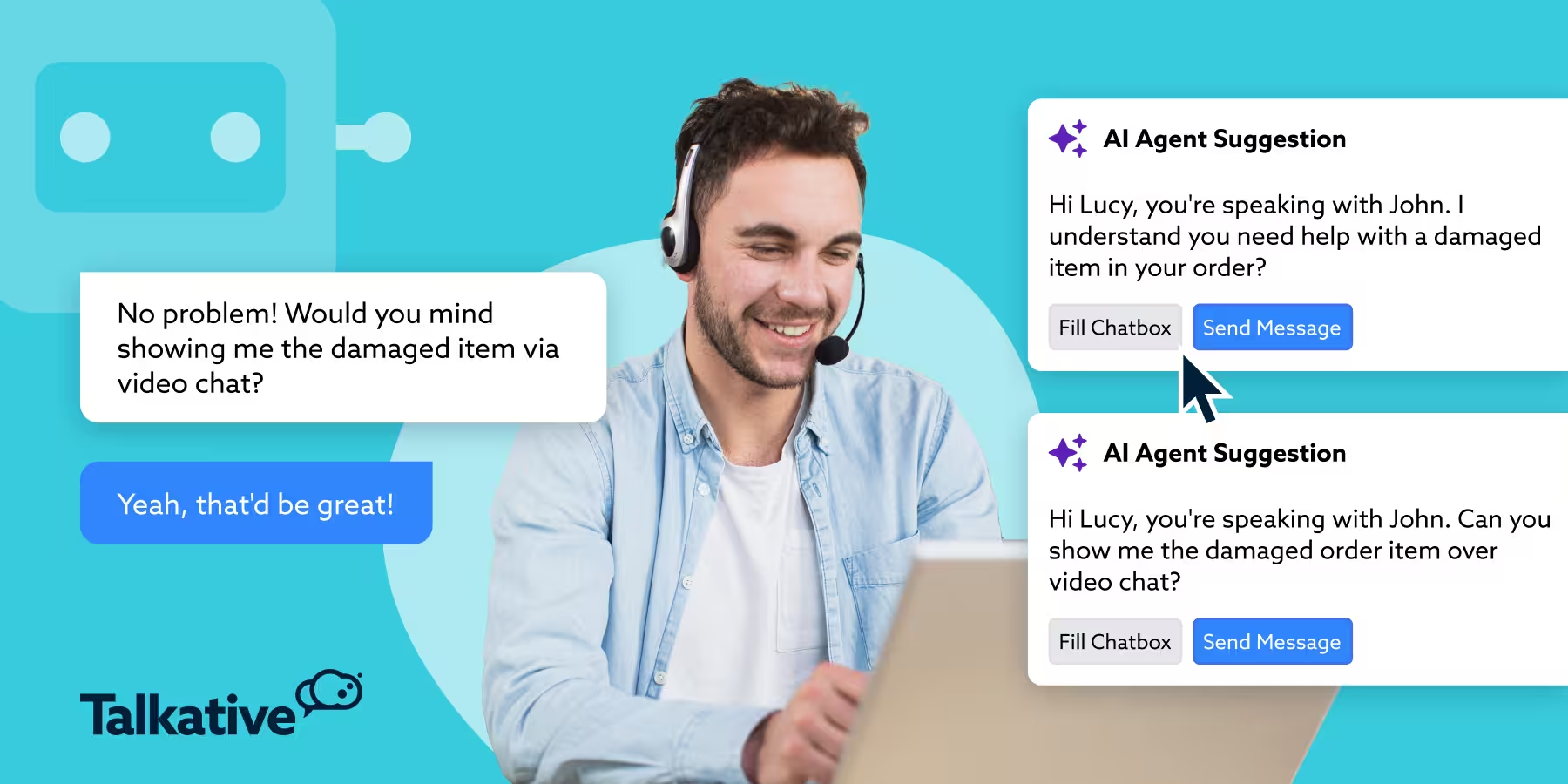
AI drafts a response using knowledge base and tone guidelines. Agents review and personalize before sending.

Example

Customer: “I forgot my password and can’t log in.”

AI draft

I’m sorry you’re having trouble logging in. You can reset your password by clicking “Forgot Password” on the login page.

Agent confirms accuracy, adds the customer name, and sends.

Tool Best for Key benefit Link
ChatGPT Drafting responses Clear, natural language chat.openai.com
Intercom AI replies Context-aware drafts intercom.com
Zendesk Suggested answers Knowledge-based replies zendesk.com
Gorgias E-commerce support Order-aware responses gorgias.com

Quality

Summary and QA

Summarize threads and spot gaps.

How it works

AI summarizes long threads, flags missing steps, and highlights policy inconsistencies.

Example

Before: 10-message back-and-forth email chain.

AI summary: Customer reported delayed shipment. Agent provided tracking link. Customer still awaiting delivery confirmation.

Managers see what is missing and act faster.

Tool Best for Why it is trusted Link
Zendesk QA analytics Conversation insights zendesk.com
Freshdesk Thread summaries Agent performance review freshworks.com/freshdesk
Intercom Conversation review AI summaries and signals intercom.com
Notion QA documentation Centralized review notes notion.so

Recommended AI support workflow (2026)

Triage

AI auto-tags and prioritizes, then routes to the correct agent.

Replies

AI drafts responses, agents personalize and approve.

Quality

AI summarizes threads, QA checks gaps, feedback improves templates.

Best practice rule for support teams

AI speeds the work. Agents own the relationship. Customers feel heard.

Recommended support tool stack

ToolBest forWhy it helpsLink
ZendeskHelpdeskTicket management and AI add-onszendesk.com
IntercomMessagingAI chat and routingintercom.com
ChatGPTDraft repliesSummaries and response draftschat.openai.com
GrammarlyTone and clarityPolish replies before sendinggrammarly.com
ZapierAutomationConnects forms, CRM, and ticketszapier.com

Support playbooks (2026)

Faster responses with AI while keeping judgment, tone, and data security in control.

AI handles sorting, drafting, and summarizing. Agents review, personalize, and approve every customer-facing response.

Playbook 1

Ticket triage

Auto-tag and route tickets, then review for accuracy.

How it works

AI assigns topic and priority so the right queue gets the ticket quickly.

  • Topic: billing, login, delivery, technical issue.
  • Priority: low, medium, high, urgent.

Example

Ticket: “I was charged twice and can’t see my invoice.”

Auto-tags: Billing · Priority High

Agent confirms and routes to billing queue.

Tool Best for Why it is widely used Link
Zendesk Ticket routing Smart tagging and workflows zendesk.com
Freshdesk Auto classification AI-powered triage freshworks.com/freshdesk
Intercom Live chat triage Real-time routing intercom.com
ServiceNow Enterprise support Advanced automation servicenow.com

Outcome

Faster routing, less manual sorting, fewer missed urgent tickets.

Playbook 2

Reply drafting

Draft replies, then apply tone and policy checks.

How it works

AI drafts replies from help articles and past tickets. Agents verify tone and policy before sending.

Example

AI draft

You can reset your password using the link below.

Agent-approved version

Hi Sarah, thanks for reaching out! You can reset your password using the link below. If you run into any issues, I’m happy to help.

Tool Best for Key benefit Link
ChatGPT Reply drafts Natural-language responses chat.openai.com
Zendesk Suggested replies Knowledge-based answers zendesk.com
Intercom AI chat replies Context-aware drafts intercom.com
Gorgias E-commerce replies Order-aware responses gorgias.com

Outcome

Faster replies, consistent answers, and human empathy preserved.

Adoption tips for support teams

Start with drafts

AI drafts → agent reviews → agent sends. Avoid full automation for complex issues.

Protect customer data

Use approved tools with access controls; avoid sensitive details in prompts.

Trusted tools for data protection

Tool Best for Why teams trust it Link
Zendesk Secure ticketing Role-based access zendesk.com
ServiceNow Enterprise security Audit trails and controls servicenow.com
Google Workspace Internal collaboration Permission management workspace.google.com
Microsoft OneDrive File storage Encrypted access microsoft.com/onedrive

Recommended support workflow (2026)

Triage

AI auto-tags tickets, agent verifies category and priority.

Reply

AI drafts response, agent adjusts tone and policy, response sent.

Security

No sensitive data in prompts, store records in approved systems.

Golden rule for customer support

AI accelerates responses. Humans own accuracy, empathy, and trust.

Final takeaway

Support playbooks powered by AI help teams respond faster, stay consistent, and protect customer trust when paired with human review and strong access controls.

Adoption tips

See the adoption checklist inside the playbooks above.

FAQ

What AI tools improve support response time?

Ticket triage, reply drafting, and summary tools deliver the biggest speed gains.

Can AI handle customer tickets end to end?

Not reliably. AI drafts and routes, but human agents should review and approve.

How do we avoid wrong or off-tone replies?

Use templates, review every draft, and maintain QA checks.

Is AI safe with customer data?

Use approved tools with access controls and data handling policies.

What is a safe first AI workflow?

Auto-summarizing tickets or drafting responses for review.

Final takeaway

AI speeds support workflows when humans review and approve every customer-facing response.

TechnextPicks Assistant

Uses TechnextPicks when relevant, otherwise answers with general knowledge.
Thinking...

Suggested prompts

Guest verification

Thinking... this can take up to 180 seconds on a small VPS.