Table of contents
Revenu Quebec Login Help: Forgot Password, User Code, and Sign-In Fixes (2026)
Step-by-step help for My Account (Individuals and Businesses). General info only.
General info only - not official support.
Security warning: use official pages only
Avoid scams. Only sign in from official Revenu Quebec or Quebec.ca pages. Never share your password by email, text, or phone calls you did not start.
- Type the official address yourself instead of clicking unexpected links.
- Confirm the page is an official government site before entering credentials.
- If you are unsure, use official support channels to verify.
Login help wizard
Choose your account type, login method, and issue to see a recommended path. General info only.
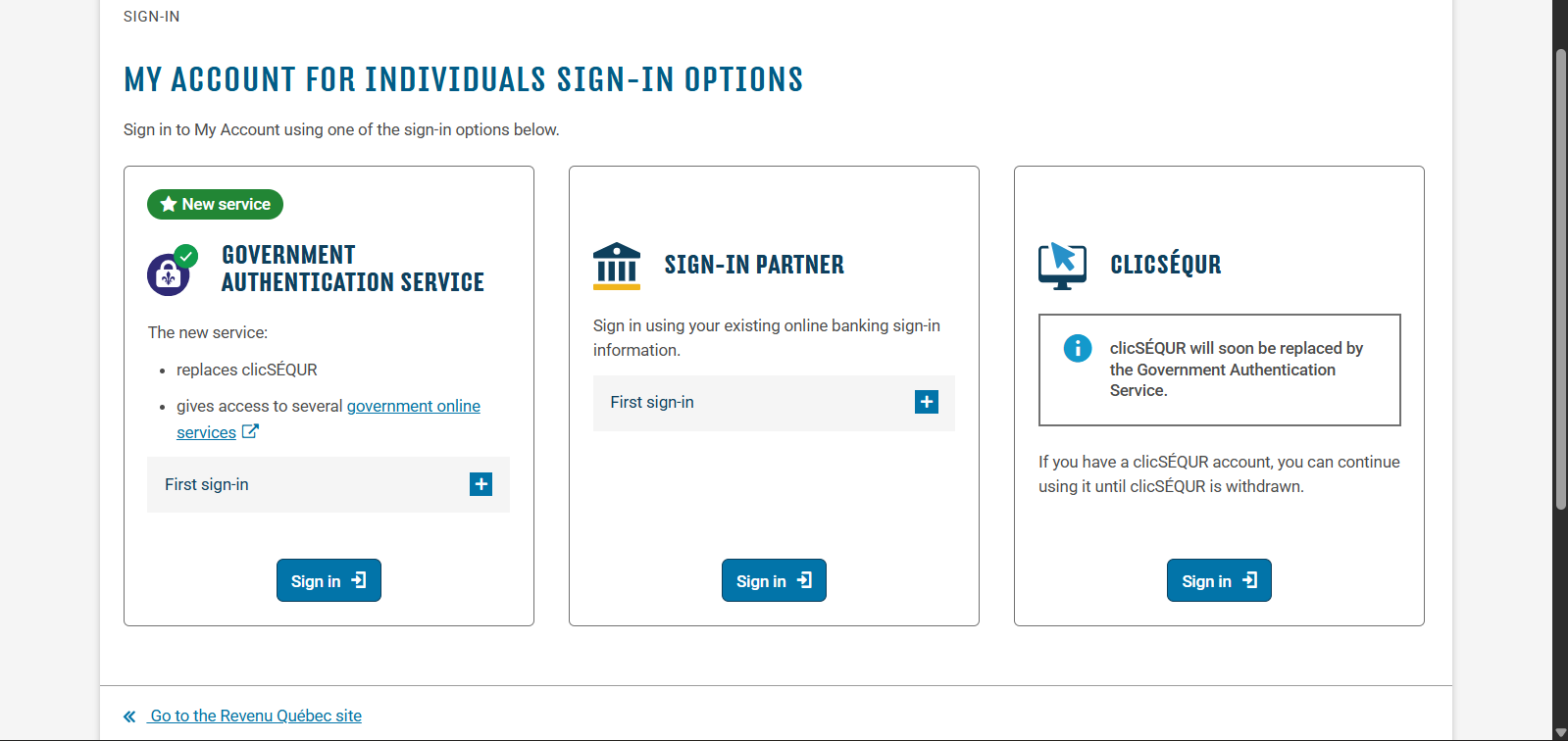
Individuals can use a sign-in partner (bank), clicSEQUR, or the Government Authentication Service.
Step-by-step
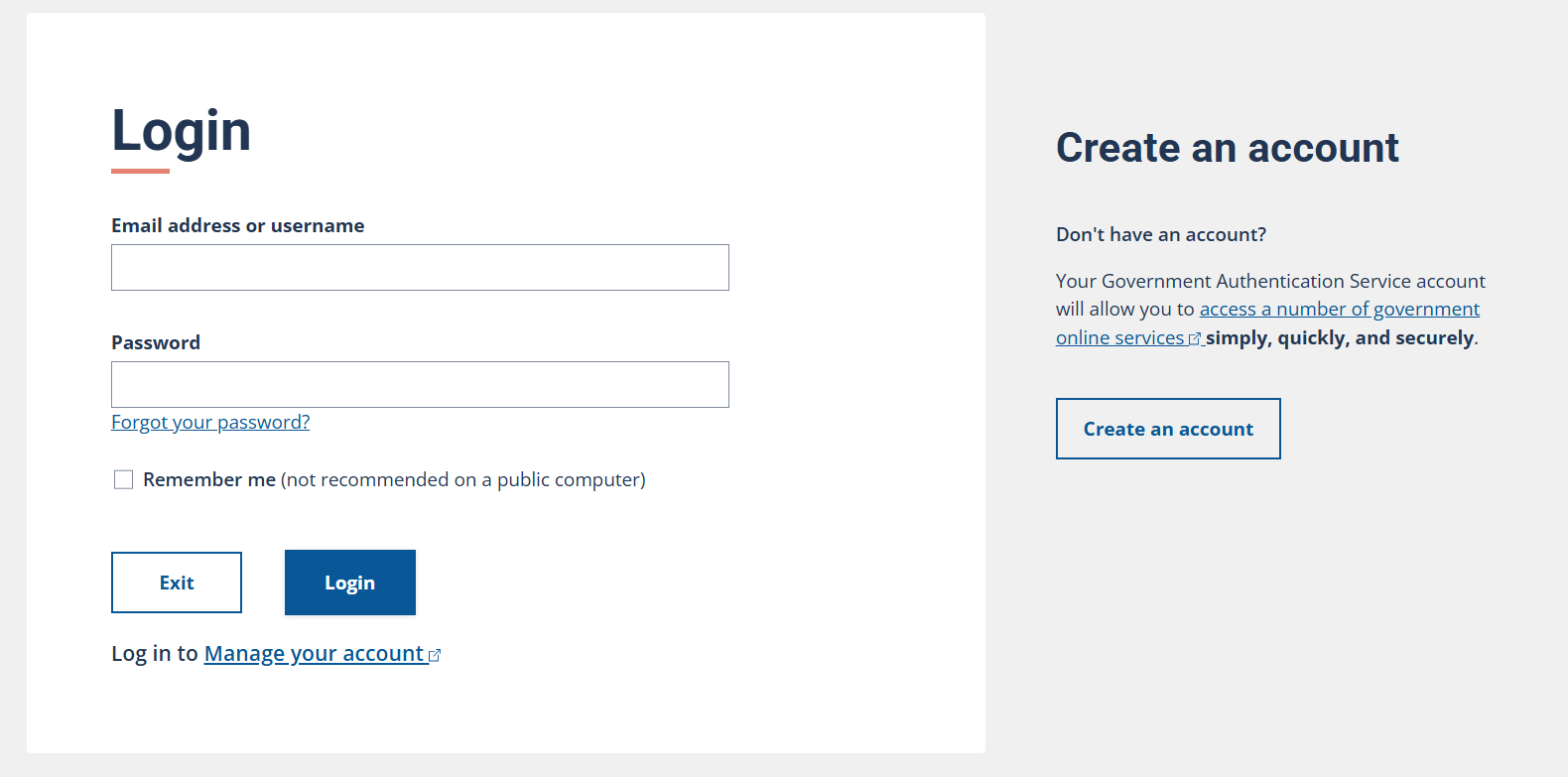
- Start at the official My Account for individuals sign-in page.
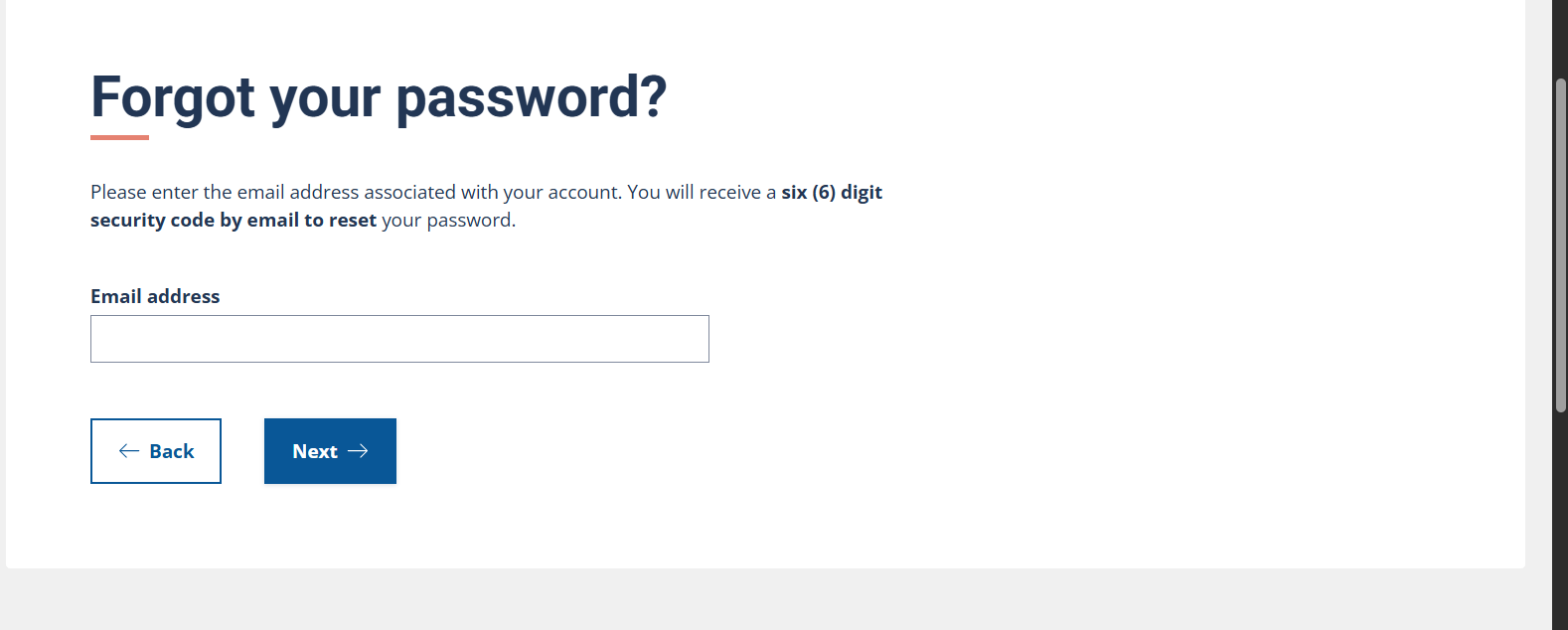
- Choose the password recovery option.
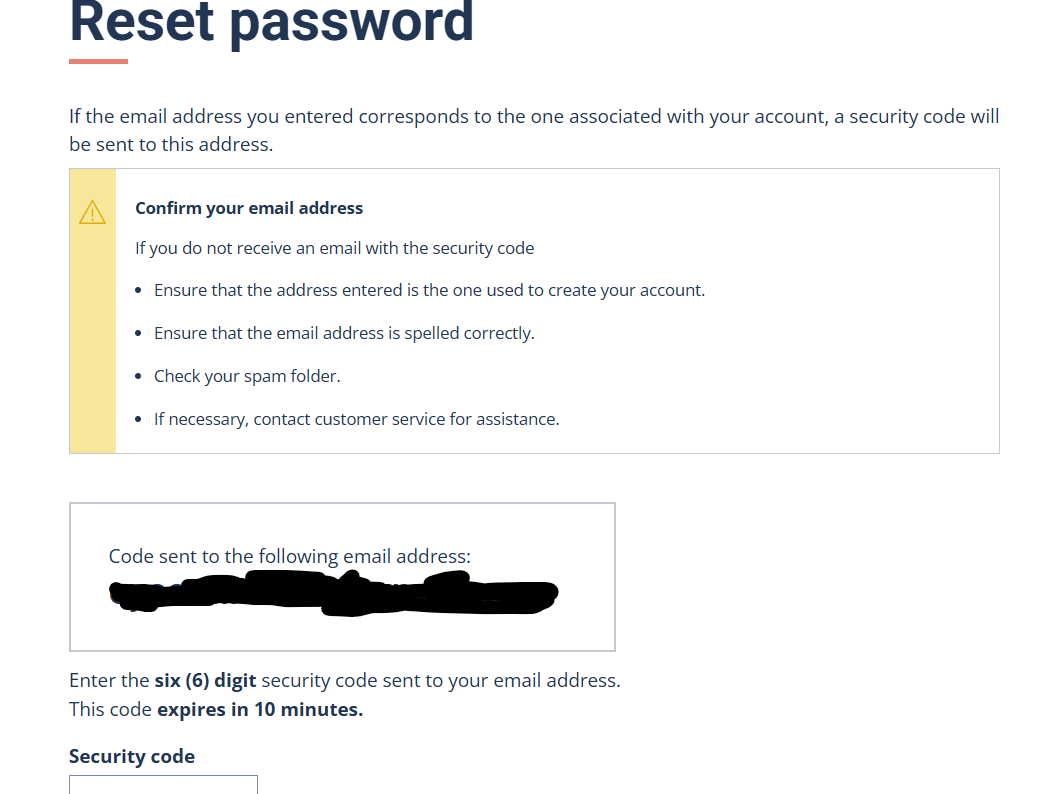
- Enter the email linked to your account and follow the verification steps.
- Set a new password and sign in again.
- If you no longer have access to the email, use the official recovery path or contact support.
Method tips
- Use the official Revenu Quebec page to choose your financial institution.
- If your bank login is locked, resolve it with the bank first.
Official sources
General info only - not official support.
My Account for individuals: how to sign in
Individuals can sign in using a sign-in partner (financial institution), clicSEQUR credentials, or the Government Authentication Service where available. Quebec is transitioning toward the Government Authentication Service, so check the official page for the latest status.
- Start from the official My Account for individuals page.
- Pick the sign-in option that matches your account setup.
- Use the account management page for updates to your email or security questions.
My Account for businesses: access and credential help
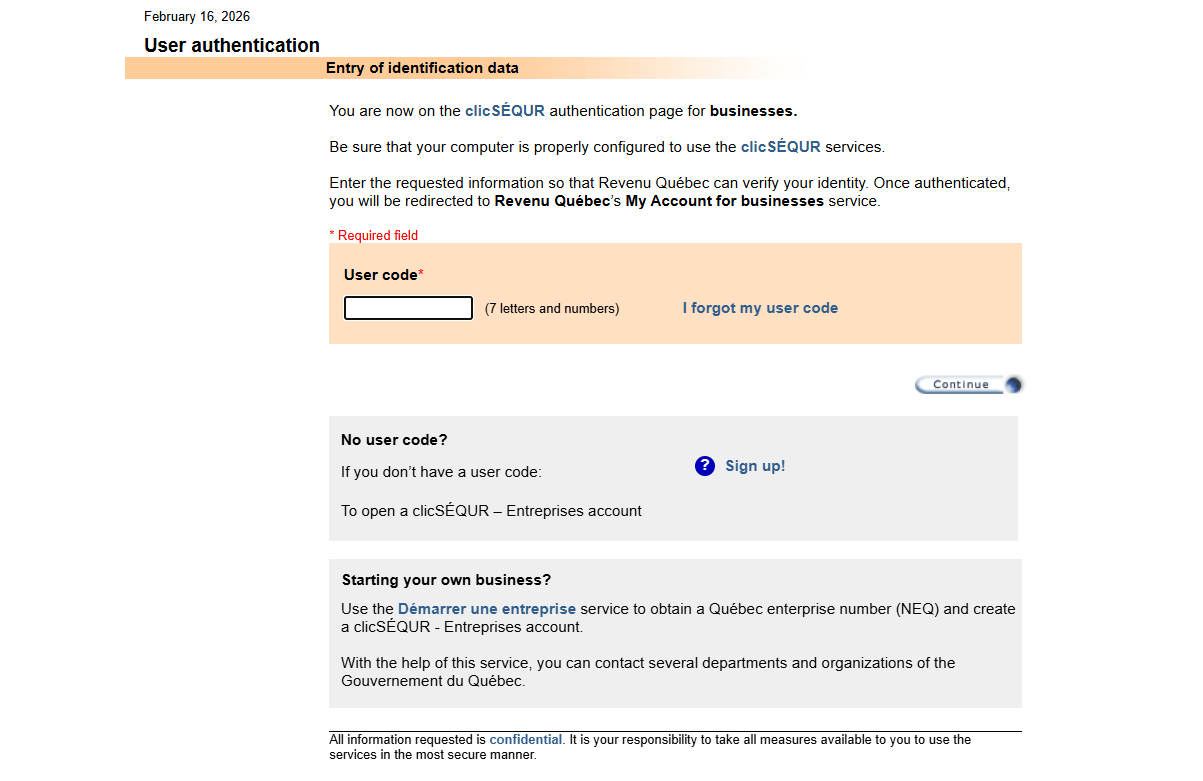
Businesses generally use clicSEQUR - Entreprises credentials to access Revenu Quebec services. If you are unsure who manages the account, contact official technical support.
If you forgot your password
- Open the official sign-in page for your account type.
- Select the password recovery option.
- Enter the email associated with your account and follow the verification steps.
- Create a new password and sign in again.
- If you no longer have access to the email, use official recovery or contact support.
If you forgot your user code
- Use the user code recovery option if it is available on the sign-in page.
- Follow the identity verification prompts.
- Check your email for recovery instructions.
- If recovery is not available, use the official help pages or contact support.
If your account is locked or inactive
- Stop repeated login attempts to avoid extended lockouts.
- Use the official recovery flow for inactive or locked accounts.
- If you still cannot access the account, contact official support.
If you are not receiving an email or code
- Check spam or junk folders and allow a few minutes.
- Confirm you are using the email address tied to the account.
- Retry the recovery flow once from the official site.
- If messages still do not arrive, contact support.
How to contact Revenu Quebec safely
Use official support channels if you cannot recover access. Do not share passwords. For business accounts, use the official technical support page for access issues.
Visual sign-in steps (quick view)
Screens may change - follow the official links.
Individuals: clicSEQUR to Government Authentication Service
- Start at the official My Account for individuals sign-in page.
- Choose the password recovery option.
- Enter the email linked to your account and follow the verification steps.
- Set a new password and sign in again.
- If you no longer have access to the email, use the official recovery path or contact support.