TechNextPicks Editorial Canada Edition | Issue: Feb 2026
Revenu Quebec Login Support Quebec

Revenu Quebec Login Help: Forgot Password, User Code, and Sign-In Fixes (2026)

Last updated: February 16, 2026

Step-by-step help for My Account (Individuals and Businesses). General info only.

Revenu Quebec login help

General info only - not official support.

Security warning: use official pages only

Avoid scams. Only sign in from official Revenu Quebec or Quebec.ca pages. Never share your password by email, text, or phone calls you did not start.

  • Type the official address yourself instead of clicking unexpected links.
  • Confirm the page is an official government site before entering credentials.
  • If you are unsure, use official support channels to verify.

Quick links

Jump to the section that matches your issue.

Login help wizard

Choose your account type, login method, and issue to see a recommended path. General info only.

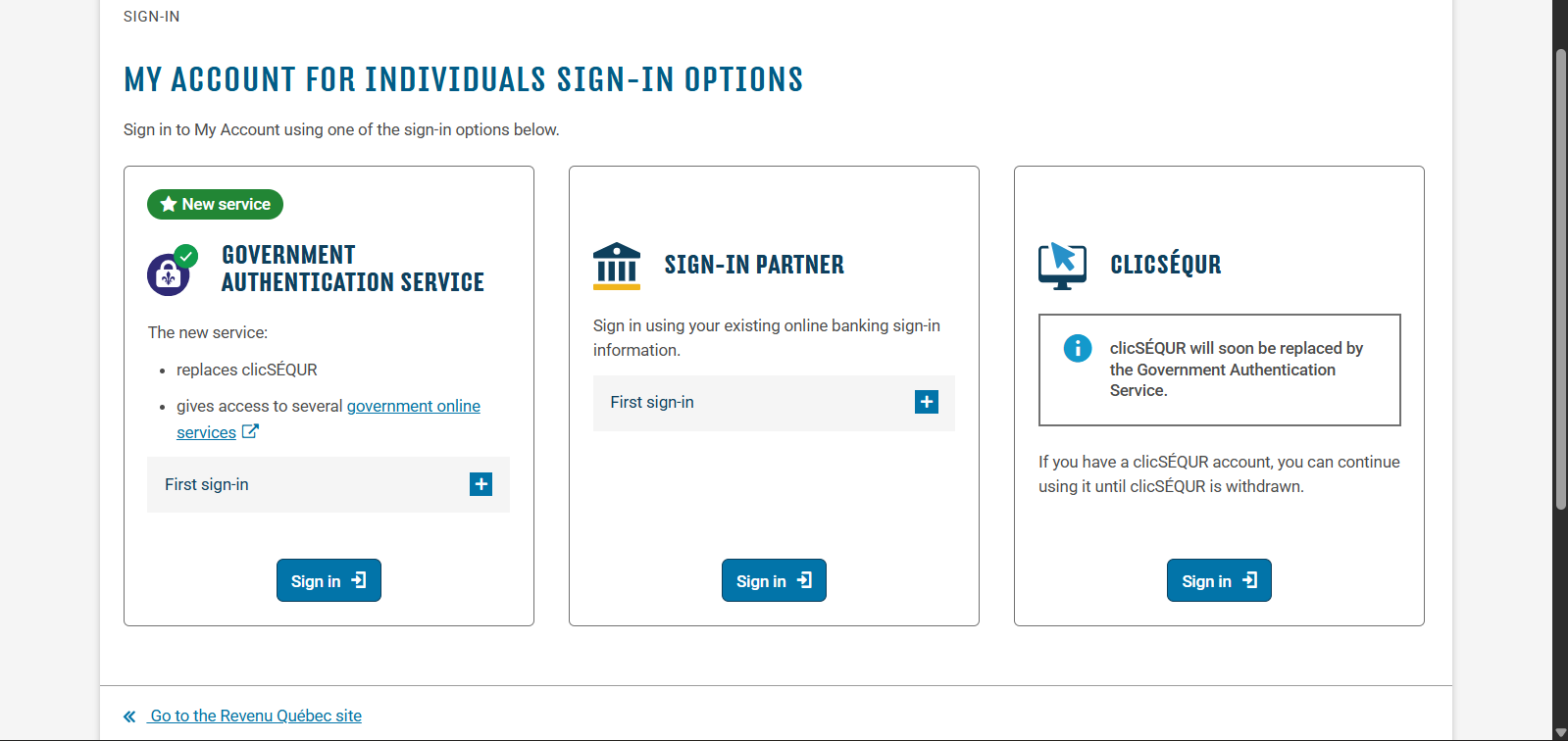
Individuals can use a sign-in partner (bank), clicSEQUR, or the Government Authentication Service.

Safety reminder Only use official Revenu Quebec or Quebec.ca pages. Never share your password by email or text.

Step-by-step

  1. Start at the official My Account for individuals sign-in page.
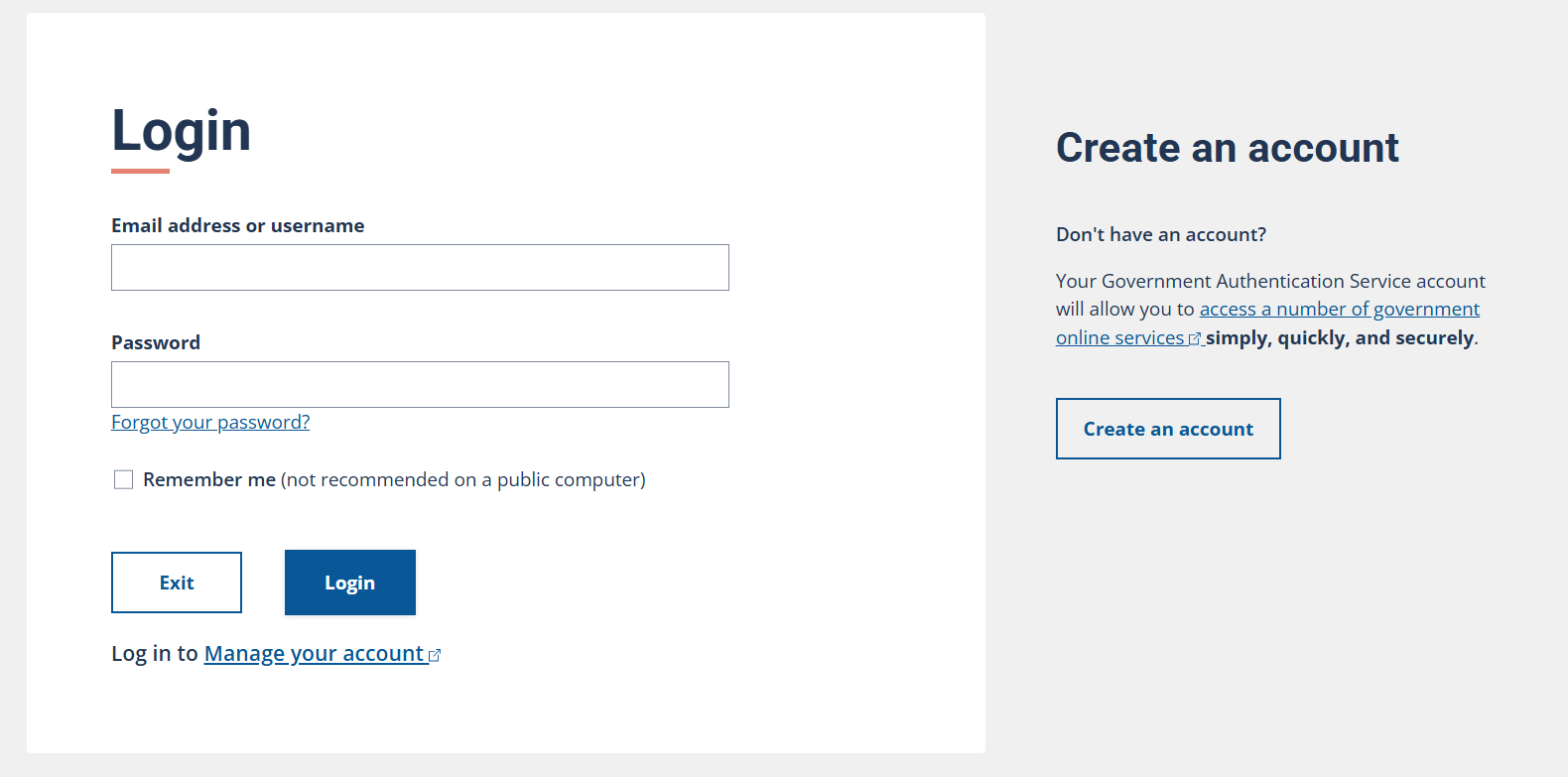
  2. Choose the password recovery option.
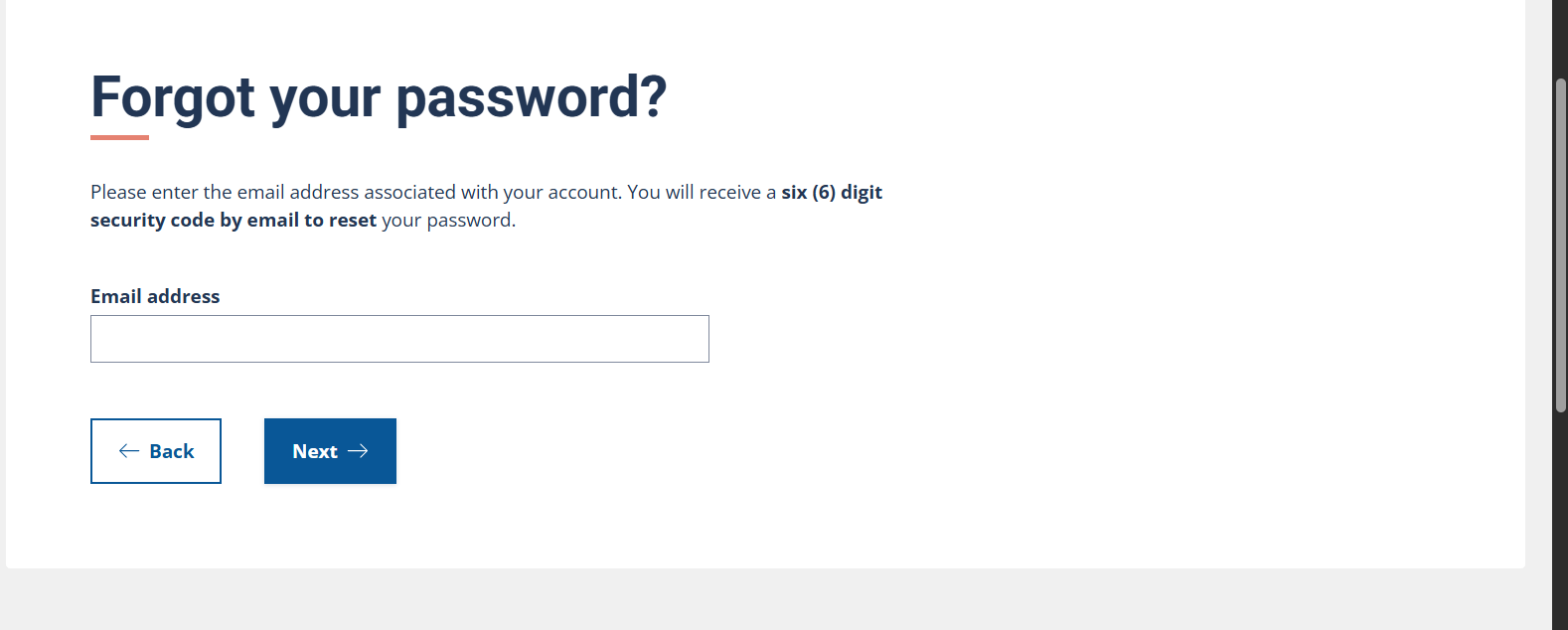
  3. Enter the email linked to your account and follow the verification steps.
  4. Set a new password and sign in again.
  5. If you no longer have access to the email, use the official recovery path or contact support.

Method tips

  • Use the official Revenu Quebec page to choose your financial institution.
  • If your bank login is locked, resolve it with the bank first.

General info only - not official support.

My Account for individuals: how to sign in

Individuals can sign in using a sign-in partner (financial institution), clicSEQUR credentials, or the Government Authentication Service where available. Quebec is transitioning toward the Government Authentication Service, so check the official page for the latest status.

  • Start from the official My Account for individuals page.
  • Pick the sign-in option that matches your account setup.
  • Use the account management page for updates to your email or security questions.

My Account for businesses: access and credential help

Businesses generally use clicSEQUR - Entreprises credentials to access Revenu Quebec services. If you are unsure who manages the account, contact official technical support.

If you forgot your password

  1. Open the official sign-in page for your account type.
  2. Select the password recovery option.
  3. Enter the email associated with your account and follow the verification steps.
  4. Create a new password and sign in again.
  5. If you no longer have access to the email, use official recovery or contact support.

If you forgot your user code

  1. Use the user code recovery option if it is available on the sign-in page.
  2. Follow the identity verification prompts.
  3. Check your email for recovery instructions.
  4. If recovery is not available, use the official help pages or contact support.

If your account is locked or inactive

  1. Stop repeated login attempts to avoid extended lockouts.
  2. Use the official recovery flow for inactive or locked accounts.
  3. If you still cannot access the account, contact official support.

If you are not receiving an email or code

  • Check spam or junk folders and allow a few minutes.
  • Confirm you are using the email address tied to the account.
  • Retry the recovery flow once from the official site.
  • If messages still do not arrive, contact support.

How to contact Revenu Quebec safely

Use official support channels if you cannot recover access. Do not share passwords. For business accounts, use the official technical support page for access issues.

Visual sign-in steps (quick view)

Screens may change - follow the official links.

Individuals: clicSEQUR to Government Authentication Service

  1. Start at the official My Account for individuals sign-in page.
  2. Choose the password recovery option.
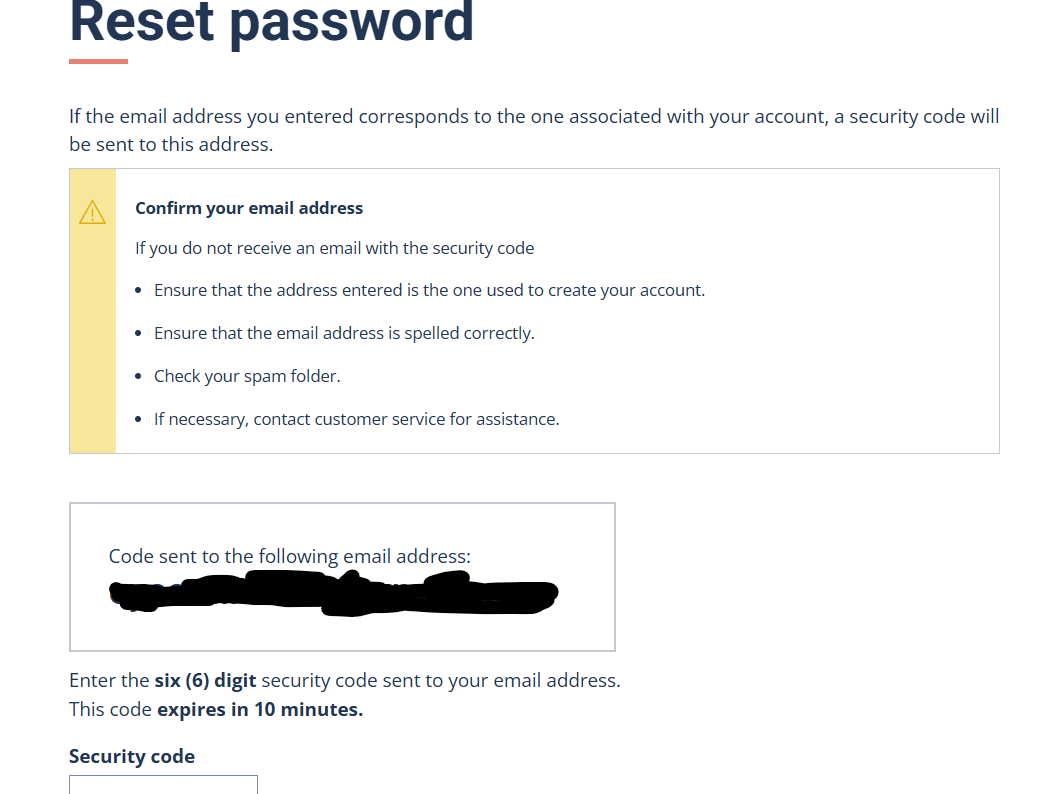
  3. Enter the email linked to your account and follow the verification steps.
  4. Set a new password and sign in again.
  5. If you no longer have access to the email, use the official recovery path or contact support.
1
Step 1
Start at the official My Account for individuals sign-in page.
Tip: Start from the official My Account page to avoid phishing.
User provided login help step 1

Tip: click the image to view full size.
2
Step 2
Choose the password recovery option.
User provided login help step 2

Tip: click the image to view full size.
3
Step 3
Enter the email linked to your account and follow the verification steps.
User provided login help step 3

Tip: click the image to view full size.
4
Step 4
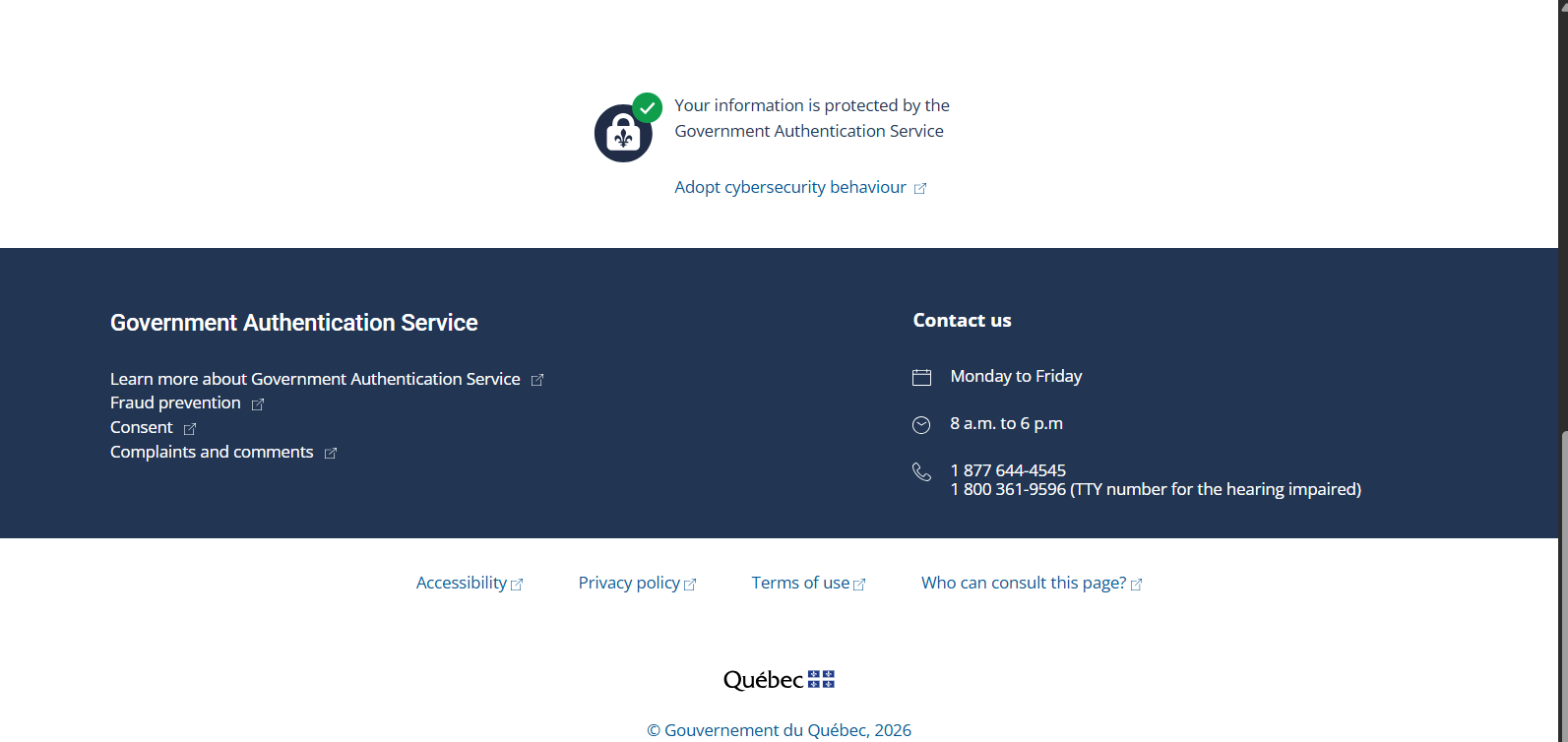
Set a new password and sign in again.
User provided login help step 4

Tip: click the image to view full size.
5
Step 5
If you no longer have access to the email, use the official recovery path or contact support.
User provided login help step 5

Tip: click the image to view full size.
Individuals: sign-in partner access

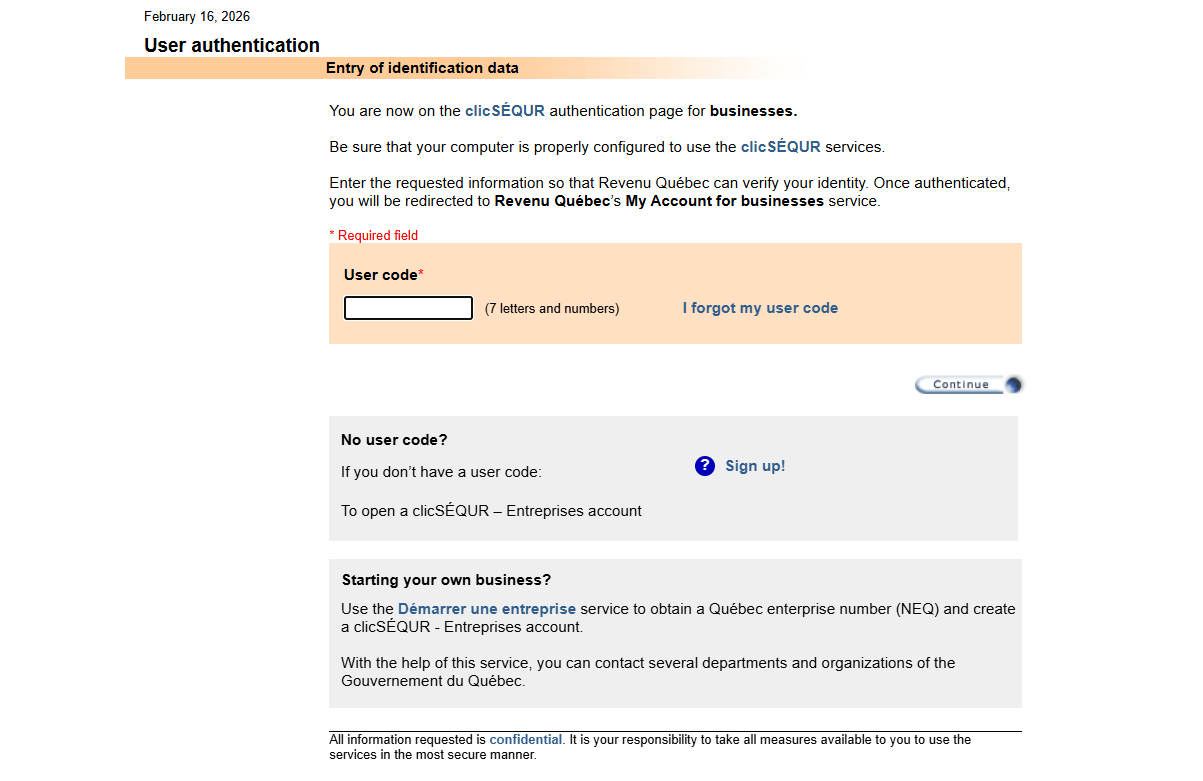
  1. Start at the official sign-in page for My Account (individuals).
  2. Review the account management and help pages for your login method.
  3. If the issue continues, contact official support.
1
Step 1
Start at the official sign-in page for My Account (individuals).
Tip: Use the official Revenu Quebec page to choose your financial institution.
User provided login help step 1

Tip: click the image to view full size.
2
Step 2
Review the account management and help pages for your login method.
Tip: If your bank login is locked, resolve it with the bank first.
User provided login help step 2

Tip: click the image to view full size.
3
Step 3
If the issue continues, contact official support.
User provided login help step 3

Tip: click the image to view full size.

Businesses: clicSEQUR Entreprises sign-in

  1. Start at the official My Account for businesses page.
  2. Review the access guidance and support options.
  3. If the issue continues, contact business technical support.
1
Step 1
Start at the official My Account for businesses page.
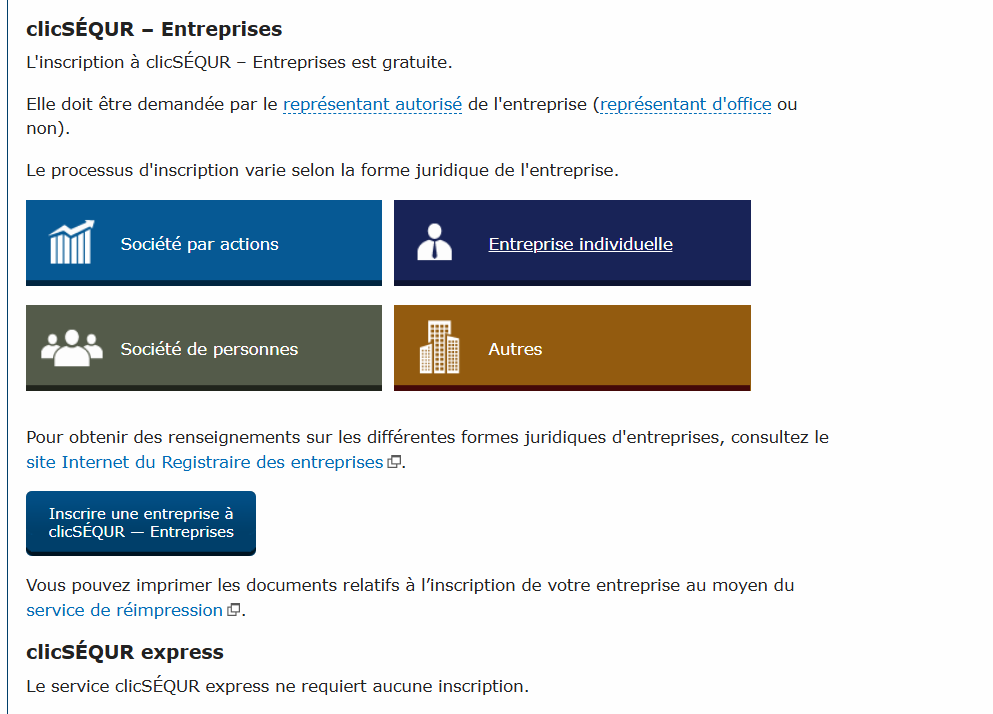
Tip: Businesses commonly use clicSEQUR - Entreprises credentials to access services.
User provided login help step 1

Tip: click the image to view full size.

2
Step 2
Review the access guidance and support options.
User provided login help step 2

Tip: click the image to view full size.

3
Step 3
If the issue continues, contact business technical support.
User provided login help step 3

Tip: click the image to view full size.

FAQ

Can I use a financial institution sign-in partner?
Individuals can often use a sign-in partner option. Start from the official My Account for individuals page.
What if I forgot both my password and user code?
Use the official recovery flow first. If that does not work, contact official support.
What if I changed my email address?
Use the official account management or recovery path to update your email if possible.
Is clicSEQUR being replaced?
Quebec is moving toward the Government Authentication Service. Check official pages for the latest status.
Can I access My Account without clicSEQUR?
Individuals may use a sign-in partner or the Government Authentication Service where available.
My account is locked - what now?
Stop repeated attempts and use the official recovery path. If still blocked, contact support.
I am self-employed in Quebec - do I use CRA or Revenu Quebec?
Many Quebec taxpayers interact with both federal and provincial systems. Use official guidance for your situation.
Is it safe to use saved passwords?
Use secure password tools and never share your password by email or text.
How do I avoid phishing?
Only sign in from official Revenu Quebec or Quebec.ca pages and ignore suspicious messages.
Where are the official login pages?
Use the official My Account pages for individuals or businesses.

TechNextPicks AI Decision Copilot

Structured answers: summary, actions, tools, citations.

Thinking...

Suggested prompts

Learner mode follow-ups

Generating a structured response...