Why it fits:
Trade-off:
C$
This guide is built for Uber drivers, self-employed workers, small business owners, and freelancers in Quebec who need a clearer filing workflow. Use it to understand who needs to file, how the combined Quebec return works, what documents to gather, and what to keep after you submit.
Why trust this page
Best for
Uber drivers, freelancers, self-employed workers, and small business owners in Quebec
Main filing path
Combined GST/HST and QST return through Revenu Quebec
What to gather
Sales totals, tax collected, ITCs, ITRs, receipts, reporting period, and account access
Who needs to file GST/HST/QST
Filing starts with one question: are you registered, or required to be registered, for GST and QST in Quebec? That answer depends on your taxable supplies, your business model, and whether you fall into a special case such as ride-share or taxi activity. If your broader self-employed setup still feels unclear, use the self-employed tax guide Canada before you finalize your filing routine.
As a rule, Revenu Quebec says you must register for GST and QST if your total worldwide taxable supplies and those of your associates exceed $30,000 in a calendar quarter or over the last four calendar quarters.
Taxi businesses and drivers related to a transportation system operator under agreement must register for GST and QST regardless of sales volume and generally before the first trip.
If you already have GST/QST numbers, you are expected to file each reporting period, even if you had no taxable sales and need to file a nil return.
Some activities can trigger QST registration even if you are otherwise a small supplier, so a general threshold rule is not always the full answer.
Important Quebec driver rule
Revenu Quebec says drivers related to a transportation system operator under agreement, such as Uber or Lyft, must register for GST and QST and file returns even when the operator collects and remits certain amounts on the driver's behalf.
GST vs HST vs QST simple explanation
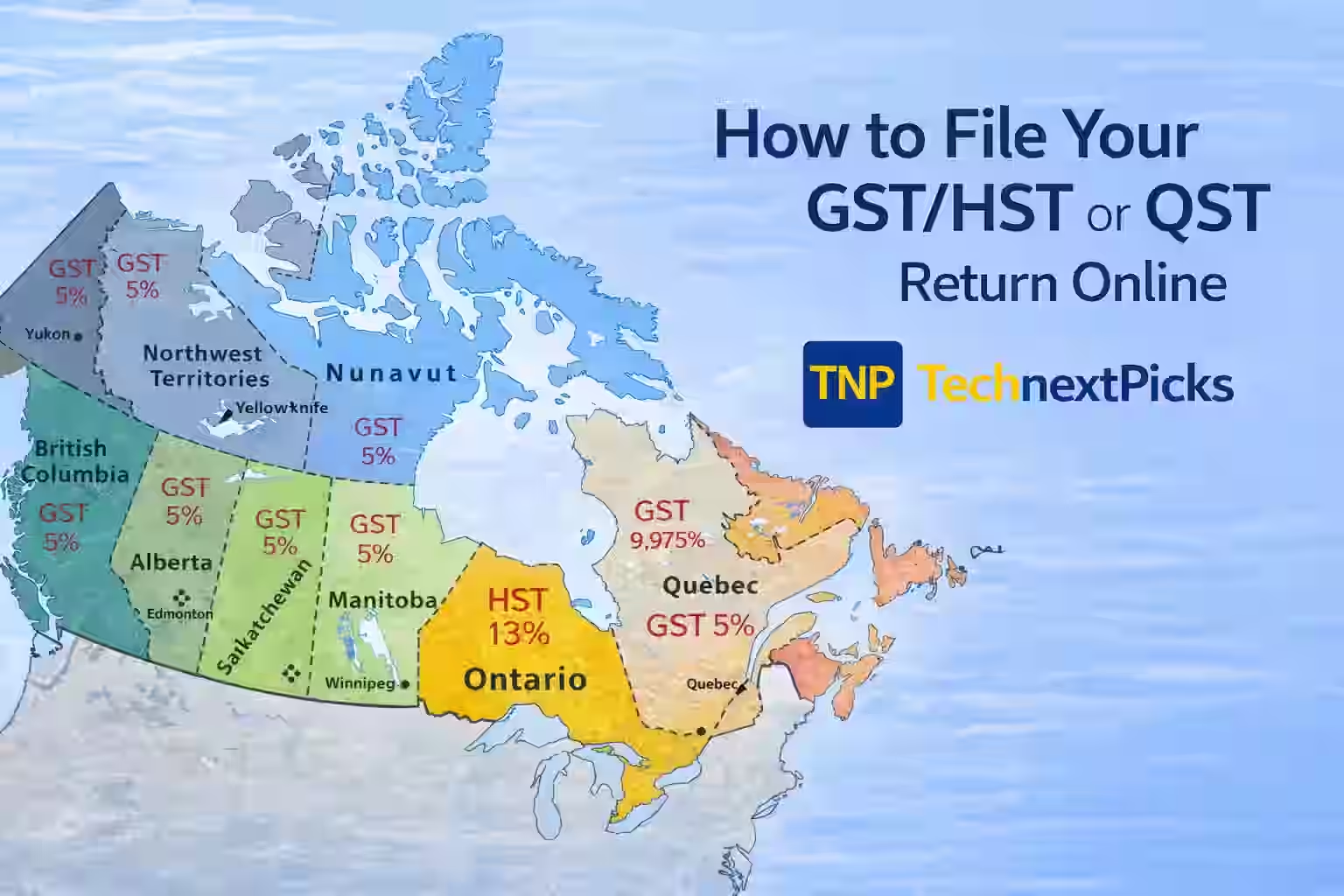
This is one of the biggest points of confusion for new filers. Quebec has its own provincial sales tax system, so local Quebec transactions are generally framed around GST and QST. HST becomes relevant when your business has taxable sales tied to participating provinces outside Quebec.
The federal goods and services tax generally applies at 5% on taxable supplies. Quebec registrants still deal with GST even though they file the combined return with Revenu Quebec.
The harmonized sales tax replaces separate GST and provincial sales tax in participating provinces. If a Quebec business makes taxable sales in those provinces, HST rules can matter.
The Quebec sales tax applies to many taxable goods and services supplied in Quebec. Revenu Quebec administers QST and, for many Quebec filers, also handles the combined GST/HST and QST return.
Quebec combined-return note
Many Quebec registrants file the GST/HST and QST return together through Revenu Quebec, which is why the workflow looks different from a CRA-only GST/HST filing page.
Required documents before filing
Filing is faster when you separate registration details, sales totals, and expense support before logging in. If your expense records still need cleanup, the self-employed expense list Canada and the T2125 guide Canada are useful companion resources.
Practical prep tip
Use one clean worksheet for sales, GST/HST, QST, ITCs, ITRs, and notes. It makes filing faster and gives you a working copy to keep after submission.
Step-by-step filing process
The sequence below is designed to mirror how a clean combined filing session should feel. It is especially useful for Uber drivers and freelancers who already have statements but need a better structure before they submit.
Open My Account for businesses and verify the exact reporting period shown for your file. Work from the period Revenu Quebec assigned to you, not from a rough estimate.
Pull together gross taxable sales, GST/HST collected or collectible, and QST collected or collectible. If you drive for Uber or Lyft, use the platform statements provided for the reporting period.
Total the GST paid on eligible business expenses for your input tax credits and the QST paid on eligible expenses for your input tax refunds. Your receipts and supplier invoices need to support the claims.
For reporting periods starting on or after January 1, 2024, Revenu Quebec says GST and QST registrants, except charities, must generally file online. Use My Account for businesses or another approved electronic option when applicable.
Complete the GST/HST and QST return using the totals you prepared. Review the net tax result, confirm any balance due or refund, and check whether an offset changes the amount you need to remit.
Submit the return, save the confirmation, and make payment no later than the filing deadline. Keep the confirmation number, payment proof, and final working papers with your records.
CTA
Organize gross fares, fees, GST/HST, QST, and filing totals before you enter anything into the return. This is especially useful if you need cleaner Uber or delivery-platform numbers.
Use the free GST/QST driver calculatorCTA
If sales-tax filing is only one part of your season, use the hub to connect this return with self-employed tax planning, T2125 reporting, and the broader tax software Canada workflow.
Explore the Canada Tax HubCommon mistakes
These are the mistakes that most often create confusion, rework, or payment surprises.
Payment options
Revenu Quebec lists multiple payment options, but the best choice is the one you have already tested before the filing deadline. Waiting until the last day to set up payment is one of the easiest ways to create avoidable risk.
Revenu Quebec lists a financial institution online payment service as a way to file and pay, or to remit after filing depending on your setup.
If you use My Account for businesses and set up PAD, you can authorize Revenu Quebec to debit the amount owing from your account.
Some financial institutions also support in-branch or ATM payment for GST/QST remittances. Availability depends on the institution.
Revenu Quebec still lists mail as an option in some cases, but filing obligations are increasingly electronic and large remittances generally must be paid electronically.
Payment timing matters
Revenu Quebec says your payment is considered received on the date it reaches a Revenu Quebec office or the date your financial institution processes it for remittance. If your balance is $10,000 or more, electronic payment is generally required unless special circumstances make that impossible.
Recordkeeping checklist
CRA and Revenu Quebec both state that records generally need to be kept for six years after the end of the last year to which they relate. That includes the source documents and the working papers that show how you prepared the return.
CRA and Revenu Quebec both expect records that support the return you filed.
Keep the working copy that explains how you arrived at each total.
Revenu Quebec says records must remain accessible and readable if kept electronically.
Educational only
This guide is for educational purposes only and is not tax advice. Use official CRA and Revenu Quebec resources, or a qualified tax professional, for advice on your specific filing facts.
FAQ
Official sources
Official filing methods, online-filing rules, and access paths for the combined return.
Open official source ->Registration threshold rules, mandatory-registration cases, and Quebec-specific notes.
Open official source ->Official Quebec guidance for Uber, Lyft, and similar ride-share drivers.
Open official source ->Official payment options, remittance deadlines, and electronic-payment thresholds.
Open official source ->Quebec recordkeeping expectations, support standards, and retention periods.
Open official source ->Federal recordkeeping expectations for GST/HST returns and ITC support.
Open official source ->Structured answers: summary, actions, tools, citations.
Suggested prompts
Learner mode follow-ups