Precision Imagepad
Multi-touch gesture support keeps scrolling, zooming, and navigation smooth and responsive.
Dependable 1080p performance with practical upgrades and a clean design.
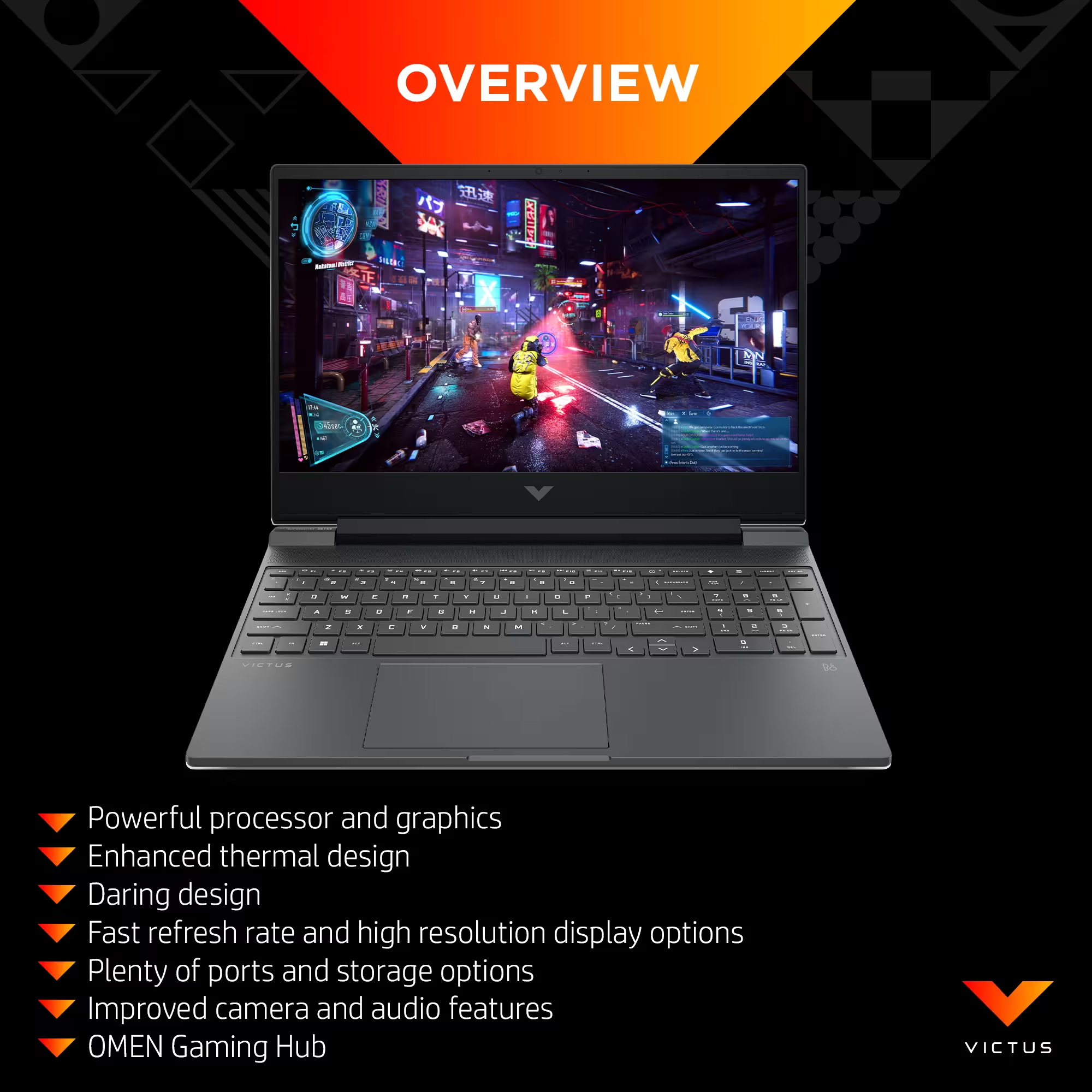
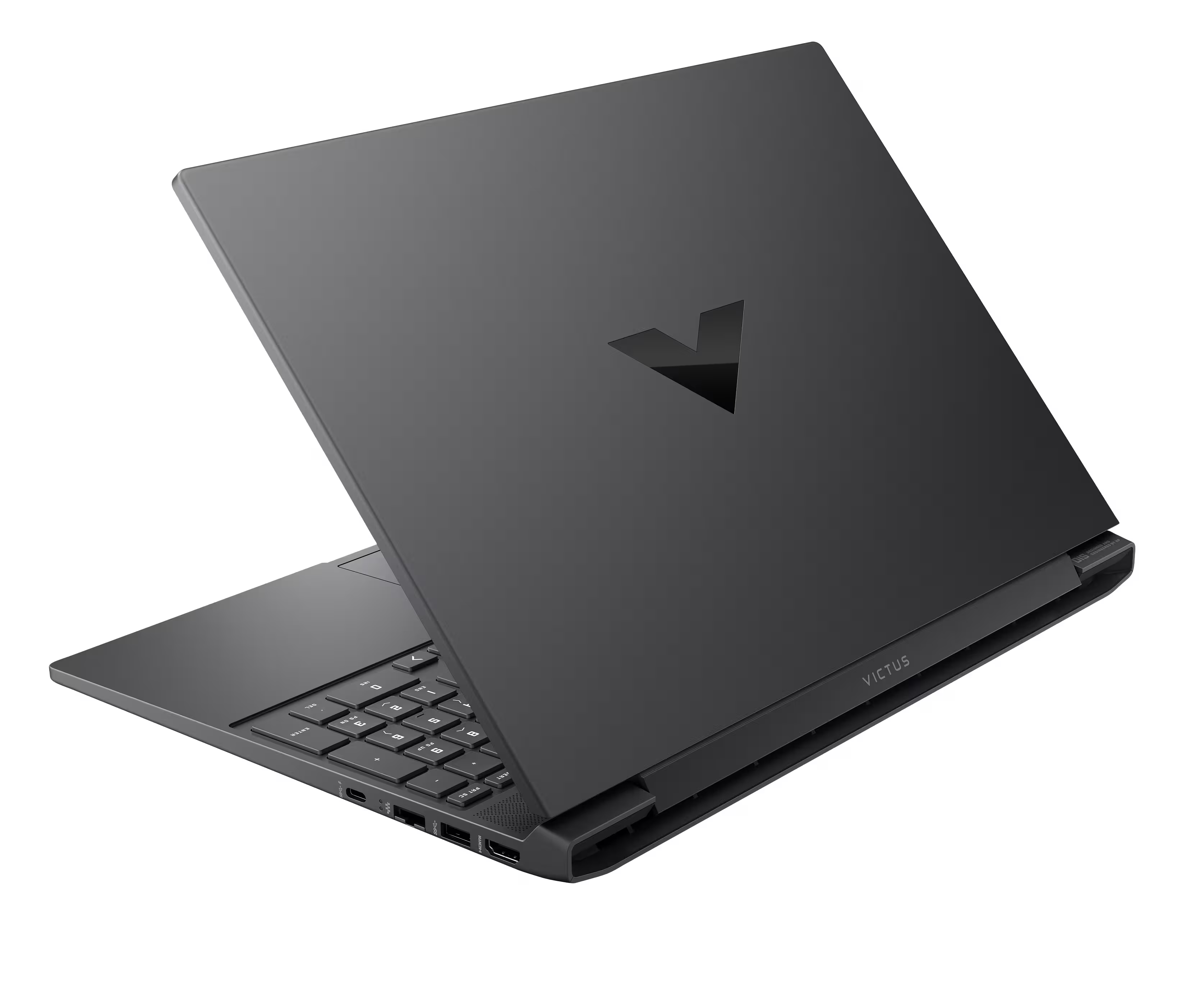
The HP Victus 15 (2026) builds on its reputation as a dependable budget-friendly gaming laptop, delivering smooth 1080p performance with modern GPU options such as the NVIDIA GeForce RTX 4050. A restrained, clean design, comfortable keyboard, and user-upgradeable RAM and SSD make it an appealing choice for students and entry-level gamers looking for practical gaming performance without flashy aesthetics or a premium price tag.
At its core, the Victus 15 strikes a careful balance between cost and capability. Configurations featuring AMD Ryzen 8000-series processors paired with RTX graphics handle esports titles effortlessly and manage many modern games at high settings in Full HD. HP complements this performance with thoughtful everyday features, including updated thermal management, a webcam with Temporal Noise Reduction, DDR5 memory support, and fast charging that can replenish the battery to 50% in around 30 minutes.
That said, some of the familiar compromises of the budget segment remain. Certain display options offer limited color coverage, the plastic chassis can show minor flex, and GPU power limits vary by configuration—making it important to check TGP specifications before buying. Port selection is serviceable rather than generous, and the traditional 16:9 design results in thicker bezels than newer competitors.
Physically, the Victus 15 remains reasonably portable for its class. Its sturdy plastic construction feels durable, and the understated Mica Silver or Performance Blue finishes keep branding minimal and professional. While rivals like Acer’s Nitro V 15 may edge ahead in raw performance, the Victus 15 distinguishes itself with better battery life, a brighter display in select configurations, and strong overall value—especially when discounted.
Overall, the HP Victus 15 (2026) is best suited for gamers who want a reliable, no-frills entry into PC gaming. It doesn’t aim to redefine the category, but it delivers a well-rounded experience by prioritizing performance, usability, and price-conscious design.
Operating System
Windows 11 Pro
Processor
AMD Ryzen 7 7445HS
Memory (Installed)
32 GB DDR5
Storage
2 TB SSD
Graphics
NVIDIA GeForce RTX 4050 Laptop GPU
Display
15.6" FHD, 144 Hz
Aspect Ratio
16:9
Webcam
HP True Vision 1080p FHD IR with TNR + dual mics
Keyboard
Full-size backlit keyboard with numeric keypad
Touchpad
HP Imagepad precision touchpad
Wireless
Wi-Fi 6 (2x2) + Bluetooth 5.4
Ethernet
Integrated 10/100/1000 GbE LAN
Ports
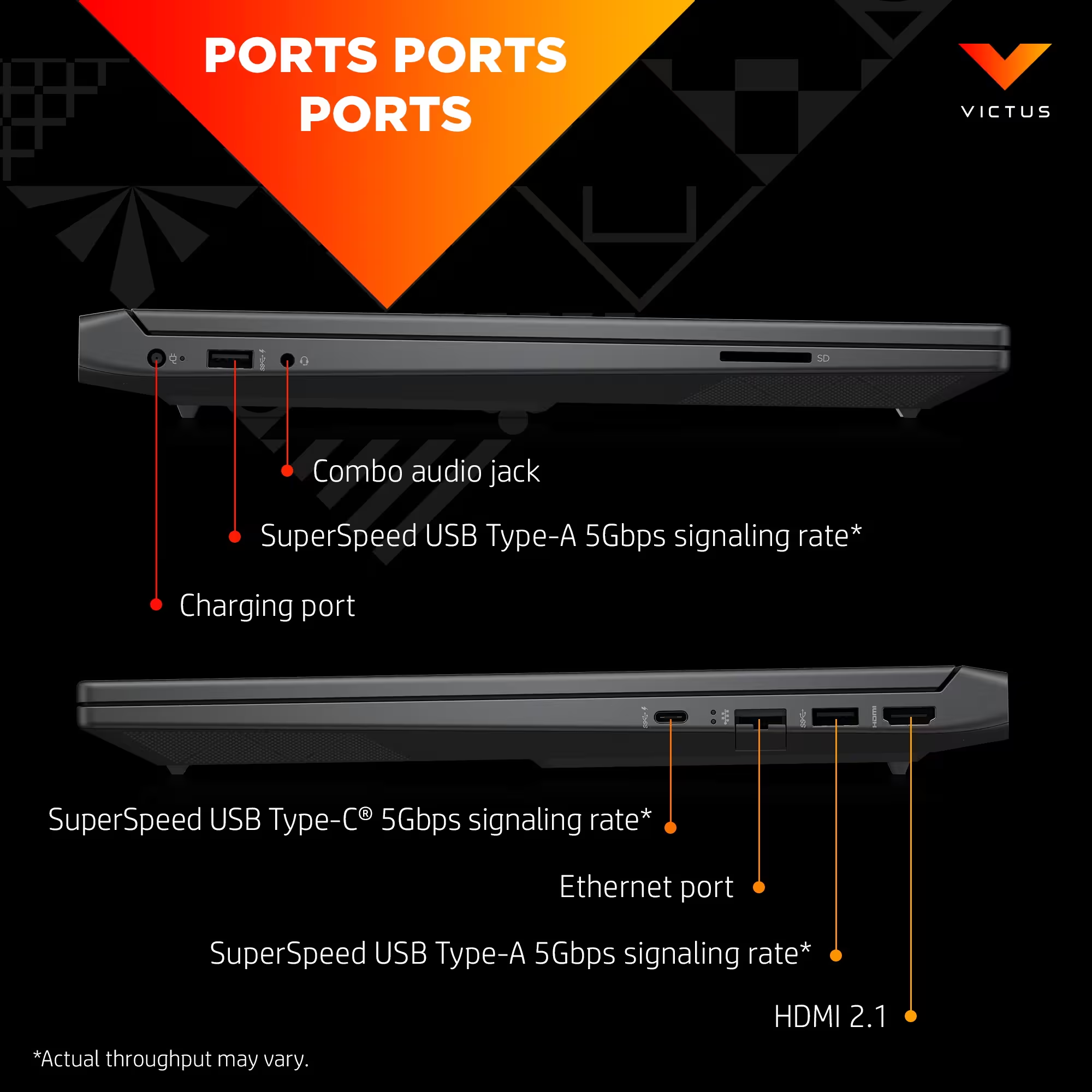
2x USB-A 5 Gbps (1x Sleep & Charge), 1x USB-C 5 Gbps (PD 3.1, DP 2.1, Sleep & Charge), HDMI 2.1, RJ-45, headphone/mic combo, AC smart pin
Expansion
Two M.2 SSD slots
Security
Firmware TPM support
Dimensions (W x D x H)
35.79 x 25.5 x 2.35 cm
Weight
2.29 kg
Battery
4-cell 70 Wh Li-ion polymer
Fast Charge
About 50% in ~30 minutes
Power Adapter
200 W Smart AC adapter
Finish
Mica silver with black chrome logo
Multi-touch gesture support keeps scrolling, zooming, and navigation smooth and responsive.
A fast 1080p panel reduces motion blur while the matte coating cuts down reflections.
Full HD video with noise reduction keeps calls sharp in dimmer lighting.
Illuminated keys and a full numeric pad make long sessions more comfortable.
Slimmer bezels maximize screen space without expanding the overall footprint.
Quick top-ups deliver around 50% battery in about 30 minutes.
Faster RAM and SSD storage keep apps responsive and reduce load times.
Single-cable charging and external display support simplify desk setups.
Faster wireless connections and improved accessory pairing for daily use.
Select components use recycled plastics and meet EPEAT/ENERGY STAR targets.
Spatial tuning adds more immersion for games and streaming content.
DC dimming reduces eye strain during longer screen sessions.
Based on lab checks, buyer feedback, and real-world use.
Overall rating
Delivers consistent esports performance and stays responsive for daily tasks.
By TechNextPicks Lab · 2 months ago
Strong frame rates but the cooling ramps up quickly during longer sessions.
By TechNextPicks Lab · 3 months ago
The Victus 15 delivers strong budget gaming value with solid frame rates and cooling, but it trades off screen quality, battery life, and premium materials. It’s best for cost-focused gamers who care more about performance than extras.
Need help comparing configurations or choosing the right build? Contact us and we will help you pick the right option.
Structured answers: summary, actions, tools, citations.
Suggested prompts
Learner mode follow-ups